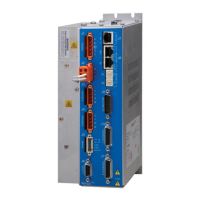
Xenus XTL
™
Copley Controls, 20 Dan Road, Canton, MA 02021, USA Tel: 781-828-8090 Fax: 781-828-6547
Tech Support: E-mail: sales@copleycontrols.com, Internet: http://www.copleycontrols.com Page 5 of 30
DIGITAL SERVO DRIVE
for BRUSHLESS/BRUSH MOTORS
CME 2 SOFTWARE
Drive setup is fast and easy using CME 2 software communicating via RS-232 or over the CAN bus.
All of the operations needed to configure the drive are accessible through this powerful and intuitive program. Auto-
phasing of brushless motor Hall sensors and phase wires eliminates “wire and try”. Connections are made once and
CME 2 does the rest thereafter. Encoder wire swapping to establish the direction of positive motion is eliminated.
Motor data can be saved as .ccm files. Drive data is saved as .ccx files that contain all drive settings plus motor
data. This eases system management as files can be cross-referenced to drives. Once a drive configuration
has been completed systems can be replicated easily with the same setup and performance.
When operating as a stand-alone drive that takes command inputs from an external controller, CME 2 is used for conguration. When
operated as a CAN node, CME 2 can be used for programming before and after installation in a CAN network. Xenus can also be controlled
via CME 2 while it is in place as a CAN node. During this process, drive operation as a CAN node is suspended. When adjustments are
complete, CME 2 relinquishes control of the drive and returns it to the CAN node state.
COMMUNICATIONS
6
9
1
5
RxD
TxD
Gnd
D-Sub 9M
(DTE)
RxD TxD
1 2 3 4 5 6
RJ-11
(DTE)
RxD TxD
1 2 3 4 5 6
RJ-11
(DTE)
RS-232
Xenus operates as a DTE device from a three-wire, full-duplex RS-232 port at 9,600 to 115,200 Baud, 8 bits, no parity, and one stop
bit. The SER-CK Serial Cable Kit provides an adapter that connects to the COMM port of a PC (a 9 position, male D-Sub connector) and
accepts a modular cable with RJ-11 connectors for connection to the Xenus RS-232 port (J6).
RS-232 MULTI-DROP
The RS-232 specication makes no allowance for more than two devices on a serial link. But, multiple Xenus drives can communicate
over a single RS-232 port by daisy-chaining a master drive to other drives using CAN cables. In the CAN protocol, address 0 is reserved
for the CAN master and thereafter all other nodes on a CAN network must have unique, non-zero addresses. When the Xenus CAN
address is set to 0, it acts as a CAN master, converting the RS-232 data into CAN messages and passing it along to the other drives
which act as CAN nodes.
ASCII COMMUNICATIONS
The Copley ASCII Interface is a set of ASCII format commands that can be used to operate and monitor Copley Controls Accelnet,
Stepnet, and Xenus series ampliers over an RS-232 serial connection. For instance, after basic amplier conguration values have
been programmed using CME 2, a control program can use the ASCII Interface to:
• Enable the amplier in Programmed Position mode.
• Home the axis.
• Issue a series of move commands while monitoring position, velocity, and other run-time
variables.
Additional information can be found in the ASCII Programmers Guide on the Copley website:
http://www.copleycontrols.com/motion/downloads/pdf/ASCII_ProgrammersGuide.pdf
SER-CK SERIAL CABLE KIT ADAPTER CONNECTIONS J5 SIGNALSPC COMM PORT SIGNALS
CANopen
RS-232
CANopen
CAN Addr 0
CAN Master CAN Node CAN Node
CAN Addr 1 CAN Addr n


 To Next Page
 Loading...