44
be toggled by pressing Menu then the up/dn arrows to select and toggle them
on/off.
TO TEST FAN
Fan button switches FAN icon between AUTO and On. While On is displayed, G
output will be energized, turning fan on. On some fan coils, fan continues to operate
for 90 sec after G signal is removed.
Final Settings
Be sure to press DONE or START to exit installer setup mode. If the system is to be
left in operation after installation is complete, use (HEAT/COOL) button to select
between HEAT, COOL, or AUTO to provide desired operation of heating, cooling,
or auto. On the programmable models, the default setpoints and programmed
schedule conform to the Energy Starr requirements of the U.S. Department of
Energy for both heating and cooling. These provide energy saving temperature
settings. Refer to Table 1.
Table 1 – Energy Star Default Schedule
SCHEDULE HEAT COOL
Wake 6:00 AM 68_F/20_C 78_F/26_C
Day 8:00 AM 60_F/16_C 85_F/29_C
Evening 5:00 PM 68_F/20_C 78_F/26_C
Sleep 10:00 PM 60_F/16_C 82_F/29_C
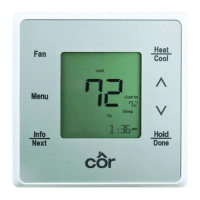
On Côr 7 or Côr 7C thermostats, if the programmed schedule is to be used, make
sure one of the Touch−N−Go icons is visible without the hold button during idle
mode (press start to toggle from active screen to idle screen). Pressing the HOLD
button will display the hold options and then the up/dn arrows will scroll through
options based on current selection. Touching Select will either accept the hold
option or go to the next level of options for that specific hold.



 To Next Page