8
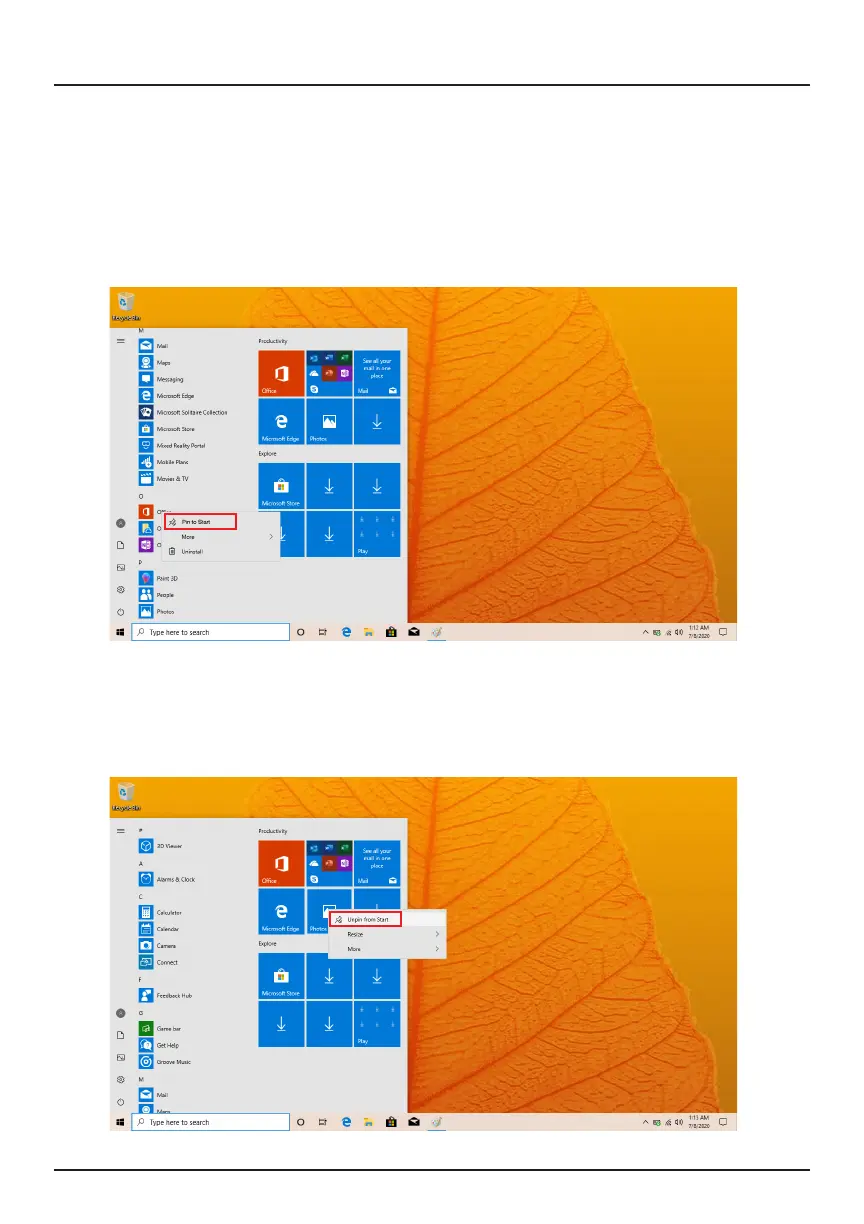
In addition to the applications already xed on the Start Menu, all other apps
can be accessed from your laptop’s homepage. To add multiple apps to the
Start Menu:
1. Right click on the app icon you wish to pin to the Start Menu
2. Select Pin to Start
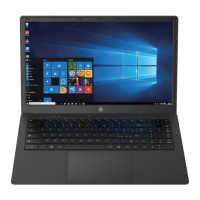
Conversely, if you want to remove an app from the Start Menu:
1. Right click on the app icon
2. Select Unpin from Start
Applications Introduction


 To Next Page