Technical Support Manual – 05/2018 Rel. 2.1.3 Page 24
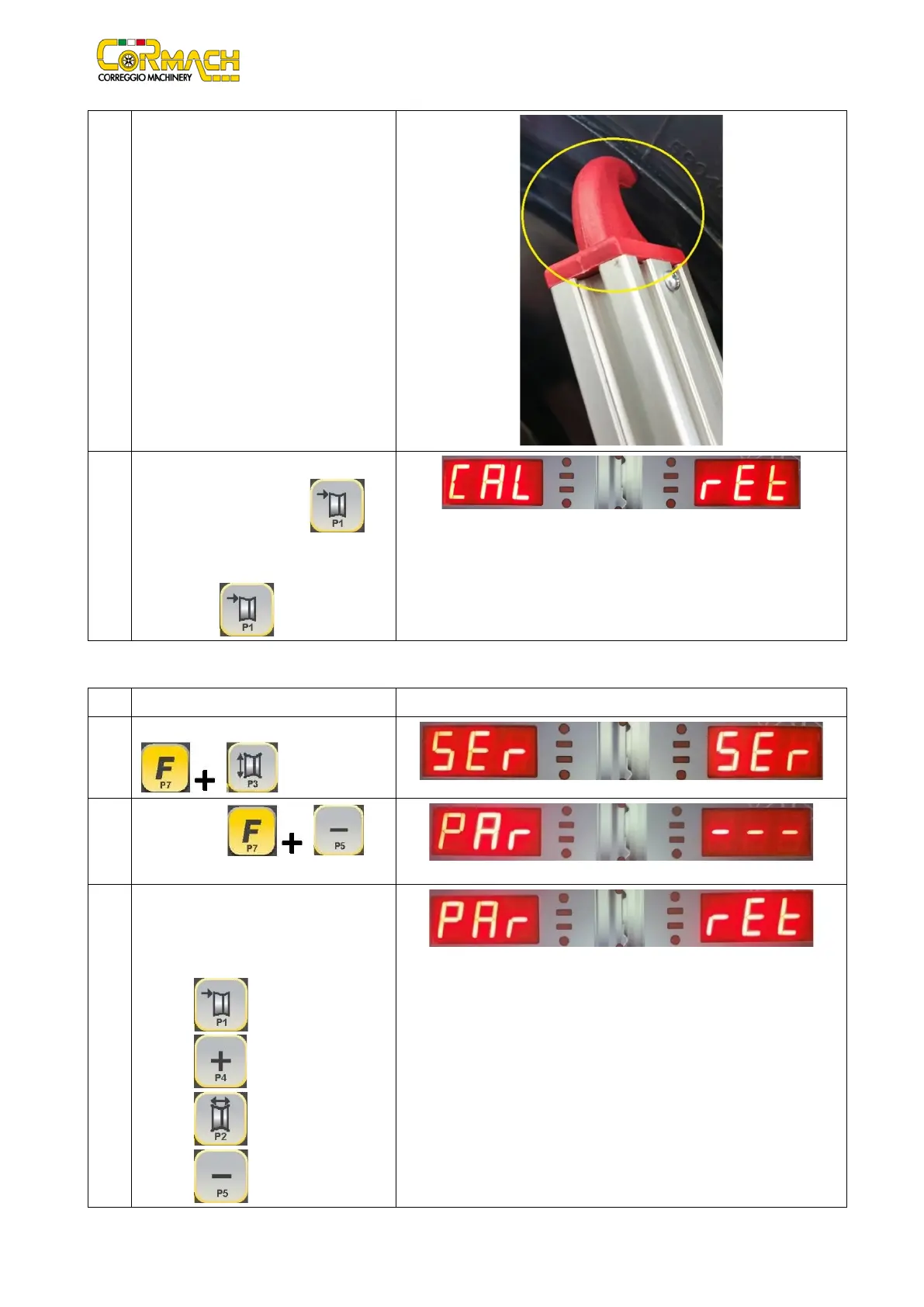
6 Exit the “SERVICE” mode; place the width
sensor on the rim and check that displayed
value matches the width rim.
7 Take back the width sensor
working position. Press [P1] to
exit the WIDTH sensor calibration program.
Select the option “Ret” and confirm by
SON
SONAR device calibration (if present)
1
Enter the SERVICE mode by pressing [F+P3]
.
2
Press [F+P5] to
enter in PARAMETERS MENU.
3
A password is required to enter this menu.
Enter the password by pressing the keys in
the sequence indicated within 5 seconds, or
the machine will return to SERVICE mode:
1. [P1]
2. [P4]
3. [P2]



 To Next Page