4
109118-1 Rev. A, 10/96
1
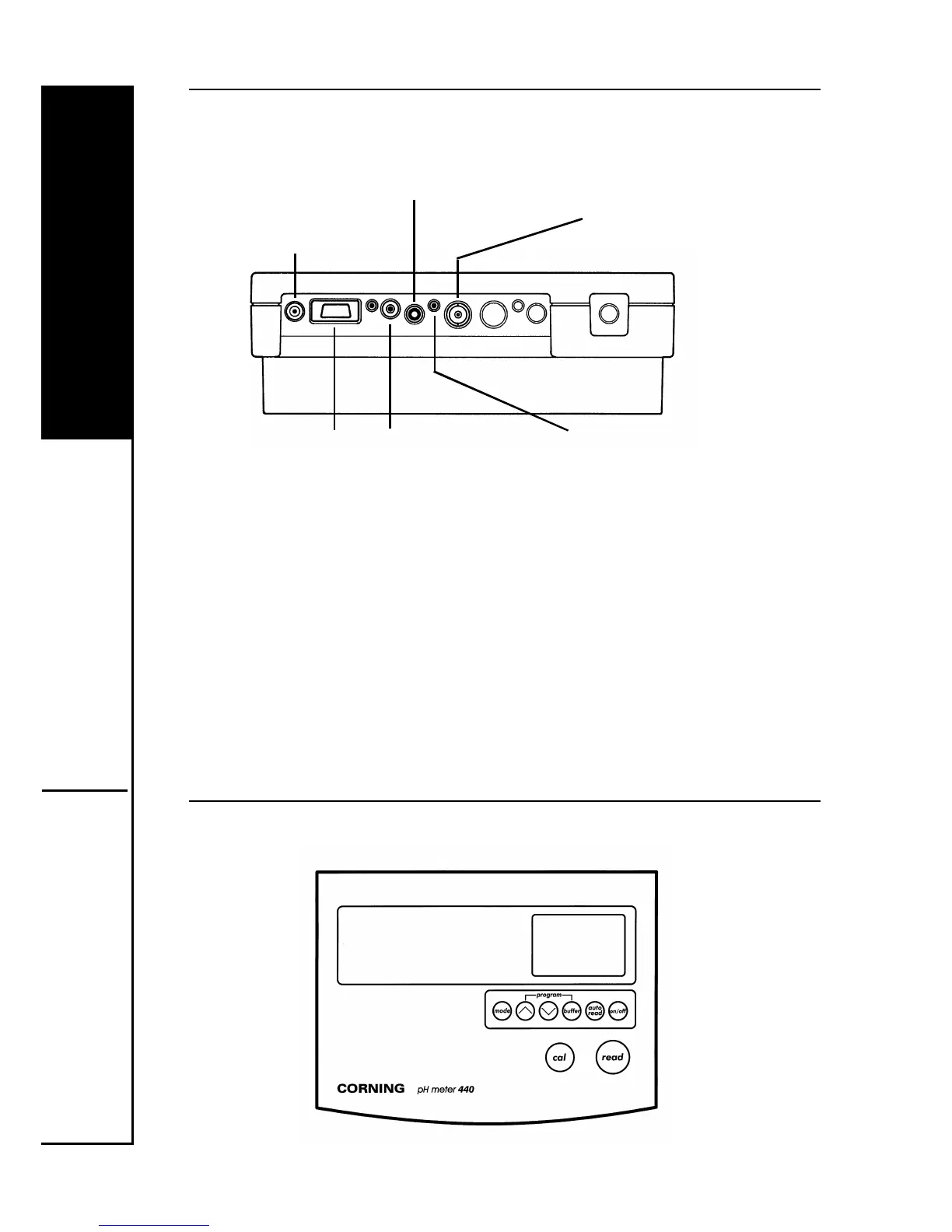
1.2 Input and Output Connections
1. Disconnect the shorting clip from the pH socket and retain
it by clipping it over the socket. Connect the electrode. If
you are using an electrode incorporating ATC connect the
other lead to the ATC socket.
2. If you are using a separate ATC probe connect it to the
ATC socket.
3. Connect the power supply unit to the DC socket.
1.3 Display and Controls
DC - power
supply unit
socket
ATC - ATC (automatic temperature
compensation) probe socket
pH - combination or
pH electrode socket
DATA - data
output socket,
see Section 2.9
for interfacing
details
REC - recorder
output socket,
see Section 2.8
for details
REF - reference
electrode socket


 To Next Page