AB CD EF GH IJ KL
Patch Panel
Examples:
IPTV
WIFI
SECURITY
IP PHONE
BMS
Etc.
3
RD
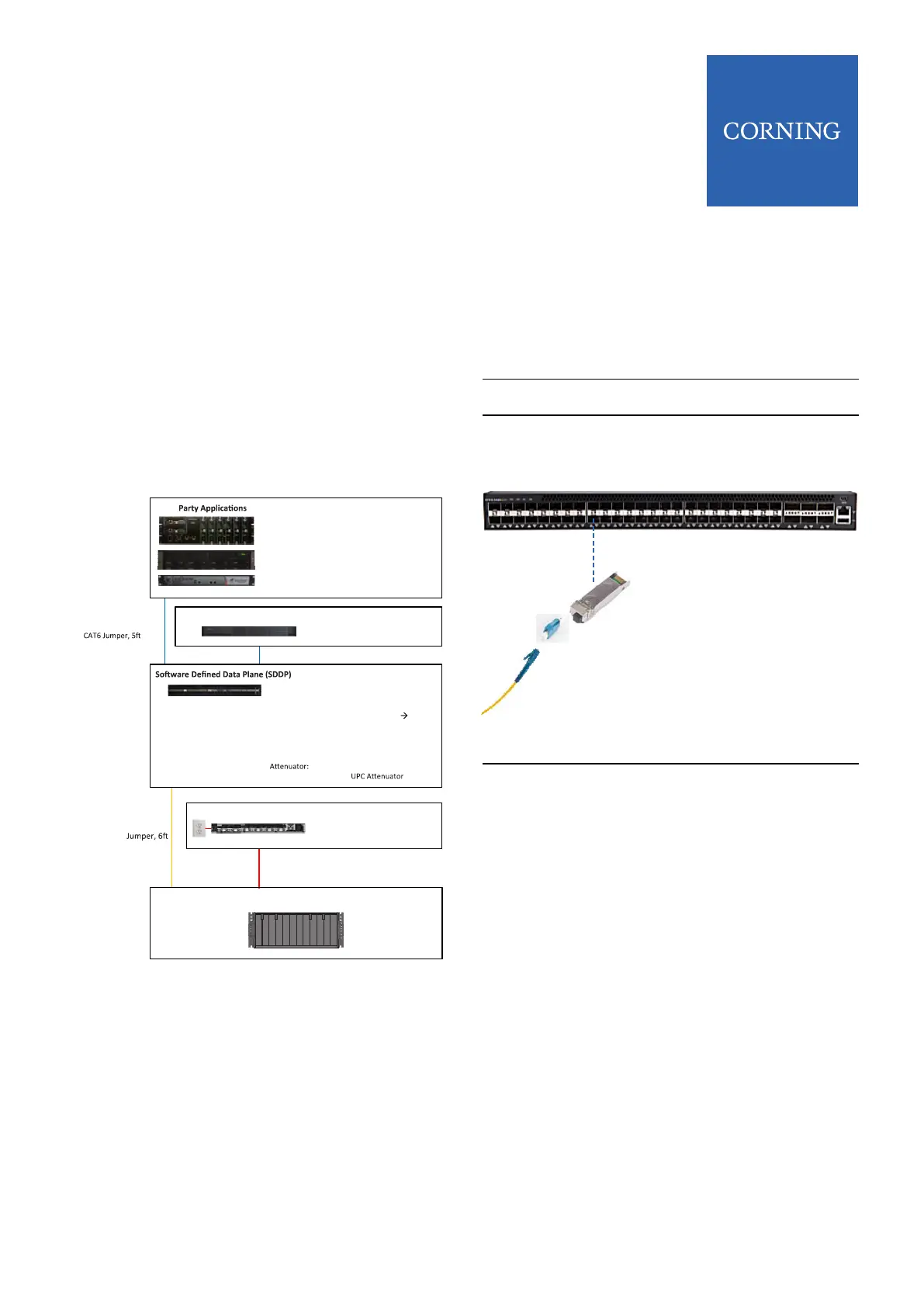
Virtual App Host / Server
p/n: 1LAN-SRV-50195L
p/n: 1LAN-D600E05-BL
p/n: 1LAN-SDDP-48P
SFPs:
1LAN-SFP-4305BC Bi-Di SFP, 1Gb
to ONT
1LAN-QSFPP-40GB-LR 40Gb SFP
1LAN-SFPP-10GB-LR 10Gb SFP
1LAN-SFP-1GB-LXLH 1Gb SFP
1LAN-SFP-1GCU Cu SFP
1LAN-OA-UPC
Power Supply Unit
p/n: PSU6-1U
Power Module:
PSM-I
Patch Panel
p/n:
024401G2131006F
LC/UPC to SC/APC
| Page 9
ONE SD-LAN Head
End Equipment
Quick Installation Guide
SD-LAN-000-HEEQUIP
Qucik Installation I SD-LAN-000-HEEQUIP
5.1 Active Ethernet Connections using SDDP
TOR
NOTES:
• If Active Ethernet topology is being utilized, the SDDP
TOR switch can be used to directly feed Access
Nodes if empty ports are available on the TOR.
• If empty ports are not available an SDDP Aggregation
Switch can be uplinked to the SDDP TOR switch
Following are steps for connecting both methods
Step 1
Step 2
Step 3
Step 4
Insert a Bi-Di Fiber SFP (1LAN-SFP-
4305BC) into an open port on the
SDDP TOR switch
Connect a 10dB attenuator into SFP
Connect an LC/UPC connector
jumper into the Attenuator
Plug the other end into ber patch
panel that connects the ber link to
an Access Node
NOTE: The other end of the ber jumper may be
another connector type other than LC/UPC depending
on patch panel. However, the connector connecting to
the SFP must be LC/UPC
1LAN-SFP-4305BC
5 Active Ethernet Set Up |



 To Next Page