16 | ASSEMBLY INSTRUCTIONS
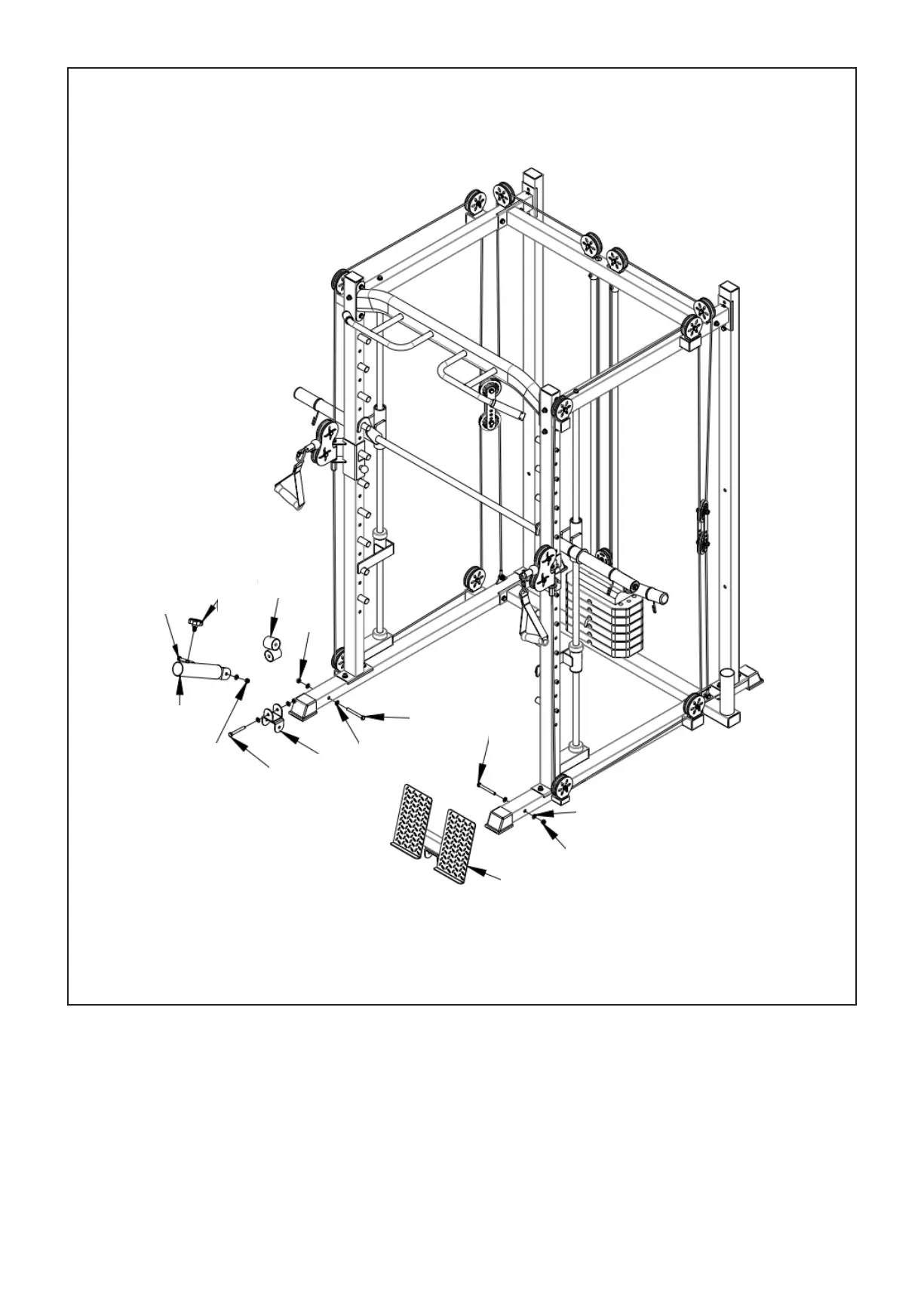
1. Install (#28) onto (#2) and secure with bolts (#60), flat spacers (#63) and nut (#64).
2. Install (# 31) onto (#3) and secure with bolts (#60), flat gasket (#63) and nut (#64). Then secure (#30)
onto (#31) and (# 29) with bolts (#69), flat gasket (#63) and nut (# 64). Finally, screw (#51) into (#29).
STEP 6
63
64
28
60
60
63
31
69
64
29
69
51
30
64



 To Next Page