10
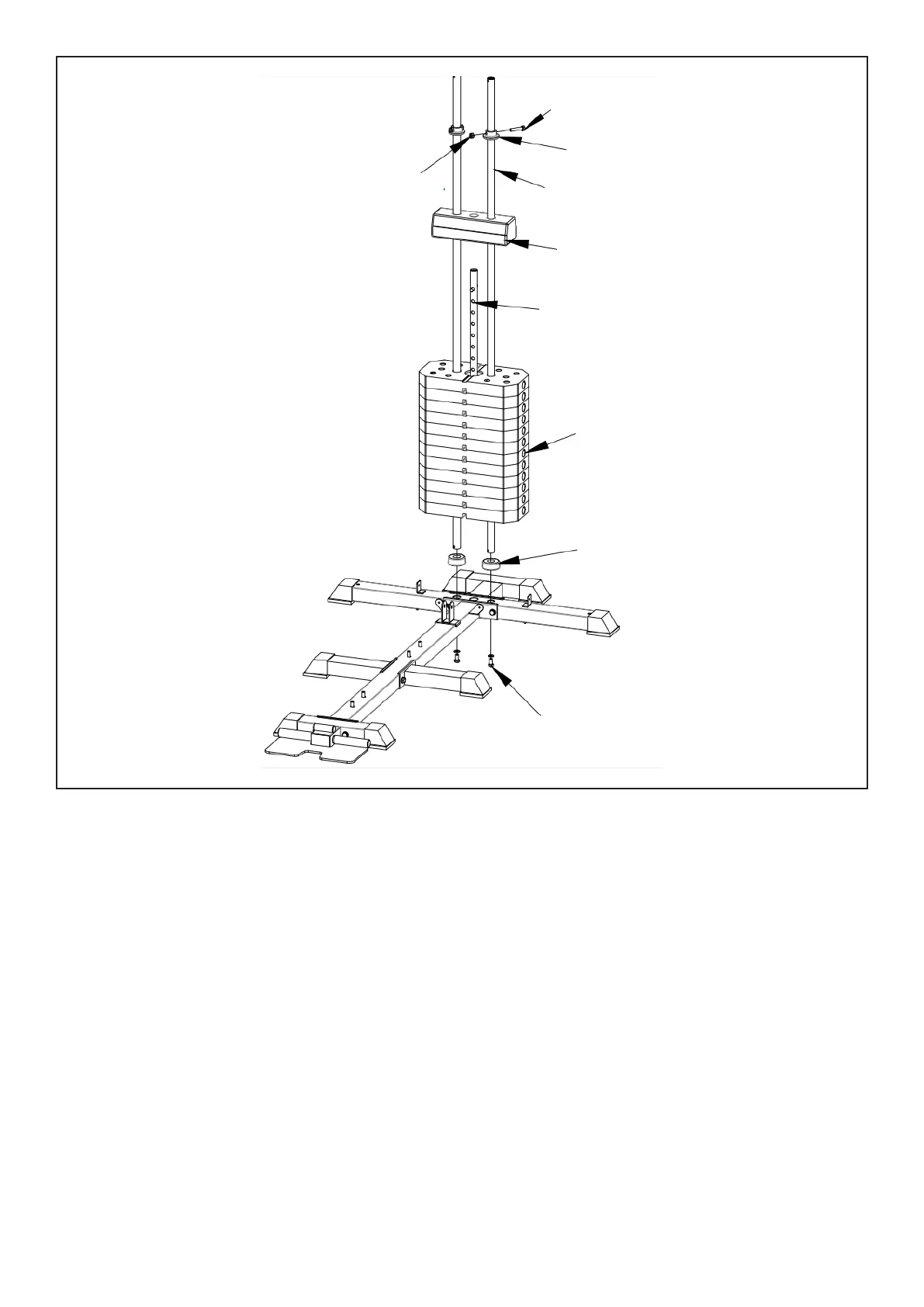
1. With three holes facing up, insert (#7) into the (#1) mounting hole and lock with 2 bolts (#56-3) and 2
flat gasket (#56-12). Then insert (#54-1) into (#7). Place the weight blocks (#57) into (#7) one
by one (NOTE: the weight block groove must be facing down).
2. Insert (#8) into the middle hole as shown.
3. Install the counterweight block (#9) to (#7). Then place (#54-6) into (#7) and secure with bolts
(#56-4) and nuts (#56-14).
STEP 2
| ASSEMBLY INSTRUCTIONS
56-4
54-6
56-14
7
9
8
57
54-1
54-3


 To Next Page