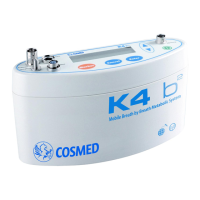
Install / replace the battery
Installation
1. Turn off the unit (if on) and unplug it from mains (if connected)
2. Remove the Battery cap with the proper key (align the arrow with the
symbol)
3. Remove the yellow protective cap of the battery
4. Place the battery in the dedicated slot.
5. Replace the cap with the proper key (align the arrow with the
symbol)
Replacement
1. Turn off the unit (if on) and unplug it from mains (if connected)
2. Remove the Battery cap with the proper key (align the arrow with the
symbol)
3. Remove the yellow protective cap of the new battery
4. Replace the battery
5. Replace the cap with the proper key (align the arrow with the
symbol)
Sometimes you might need to change the battery during the test. To do this you must change the battery in the shorter time possible. The Portable
Unit does not transmit data while it is not powered.
Warning: During testing make sure to change the battery as fast as possible, since a long time could compromise the
reliability of measurements.
Installation - Install / replace the battery- 33


 To Next Page