15
INSTALLATION INSTRUCTIONS
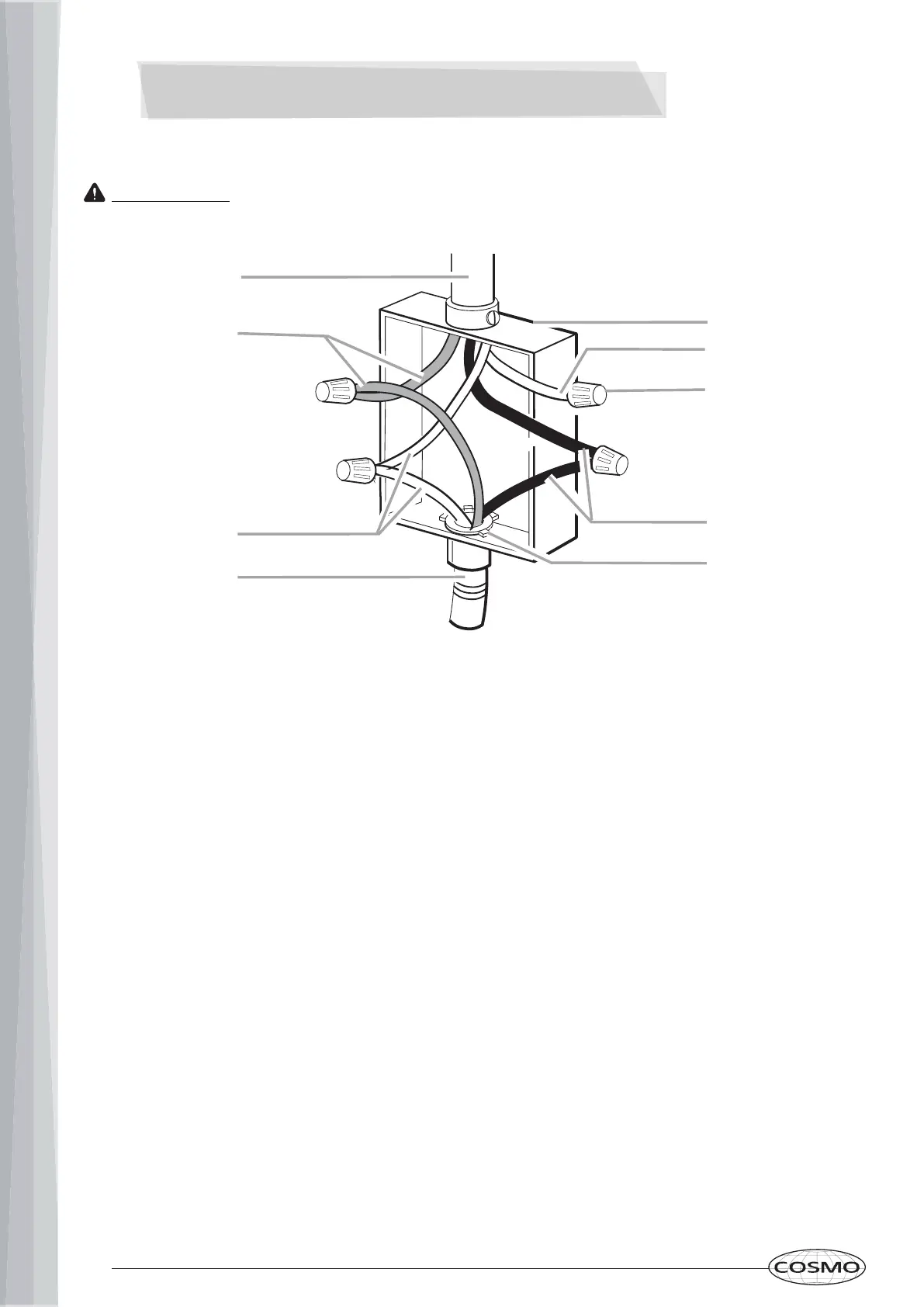
4-Wire Cable from Power Supply to 3-Wire Cable from Cooktop
IMPORTANT!: Use the 4-wire cable from power supply where local codes do not permit
connecting the frame-ground conductor to the neutral (white) junction box wire.
A.) 4-wire cable from power supply
B.) Red wires
C.) Green or bare ground wire (from cooktop)
D.) 3-wire cable from cooktop
E.) Junction box
F.) White wire (from power supply)
G.) UL listed wire connector
H.) Black wires
I.) UL-listed or CSA-approved conduit connector
A
B
C
D
E
F
H
G
I
1. Disconnect the power.
2. Remove junction box cover if present.
3. Connect the flexible cable conduit from the cooktop to the junction box using a UL-
listed or CSA-approved conduit connector.
4. Tighten screws on the conduit connector, if present.
5. Connect the two black wires together using the UL-listed wire connectors.
6. Connect the two red wires together using the UL-listed wire connectors.
7. Connect the green or bare ground wire from the cooktop cable to the green or bare
ground wire (in the junction box) using the UL-listed wire connectors.
8. Put a UL-listed wire connector on the end of the white wire.
a. NOTE: Do not connect the bare ground wire to the neutral (white) wire in the
junction box.
9. Install junction box cover.
10. Reconnect power.


 To Next Page
 Loading...