Need help?
Do you have a question about the Costway EP23475 and is the answer not in the manual?
Press to turn unit 'ON' or 'OFF'.
Press to select cooling, dehumidifying, or fan mode.
Increase temperature setting by 33.8°F increments.
Decrease temperature setting by 33.8°F increments.
Shows current temperature or timer setting.
Select fan speed: LOW, MEDIUM, HIGH, or AUTO.
Turns the unit on or off automatically after a set time.
Gradually increases temperature for comfortable sleep.
Cycles the air outlet oscillating for wider air distribution.
Displays 'E4' when the water tank is full.
Turns the unit ON or OFF remotely.
Selects cooling, dehumidifying, or fan mode via remote.
Sets hourly timer for automatic operation via remote.
Automatically adjusts fan speed based on ambient temperature.
Sets fan speed to High, Mid, or Low via remote.
Activates night operation mode via remote.
Adjusts temperature settings using the remote.
Controls the oscillating movement of the air outlet.
This document serves as a comprehensive user manual for the COSTWAY Portable Air Conditioner, model EP23475, providing essential information for its safe installation, operation, and maintenance. It begins with a "VERY IMPORTANT" section that emphasizes the necessity of reading the instruction guide thoroughly before installation and use, and advises retaining the manual for product warranty and future reference.
The "CAUTION" section outlines critical safety and operational guidelines. Users are strongly advised to ensure that the product ventilates at all times, meaning the inlet and outlet ventilation should never be blocked. The unit must be operated on a horizontal surface to prevent water leakage and should not be used in explosive or corrosive atmospheres. It is designed to operate in ambient temperatures of 95°F (35°C) or less. Regular cleaning of the air filter is recommended for optimal cooling efficiency. A crucial operational note states that after the unit is shut off, a waiting period of at least 3.5 minutes is required before restarting to prevent damage to the compressor. The unit requires at least 7 Amps of electricity for its compressor to operate, and users are warned against using extension cords to avoid household electricity blockouts. The product is exclusively for interior cooling, dehumidifying, and fan functions. When the unit is turned on, the fan will operate immediately, but the compressor will only start after a three-minute delay, indicated by a flashing cooling alarm.
The manual also includes "ATTENTION" points for effective cooling. To achieve the best working efficiency, the exhaust hose should be extended to a length of less than 400 mm. A minimum distance of 500 mm must be maintained between the filter side of the unit and any walls or other obstacles. During defrosting, the LED display will show "DF." For safety, in case of a damaged power cable, users must contact the manufacturer, service agent, or similarly qualified persons for replacement. Before disposing of the appliance, batteries must be removed. The appliance can be used by children aged 8 and above, and persons with reduced physical, sensory, or mental capabilities or lack of experience, provided they receive supervision or instruction on safe use and understand the associated hazards. Children should not play with the appliance, and cleaning and user maintenance should not be performed by children without supervision. Finally, water must be drained from the product before moving it.
A "CONGRATULATIONS ON YOUR SELECTION OF A QUALITY PORTABLE AIR CONDITIONER" section highlights the device's design and manufacturing to high modern engineering standards. It lists several benefits: easy mobility due to glide castors, no installation required (just plug into any household power outlet), powerful refrigerated air system for instant cooling, improved breathing environments through dehumidified and filtered air, a remote control for easy operation, and an electronic pad for manual control. Other features include a 24-hour programmable timer for air conditioning or dehumidification, a unique sleep control function, and 120 Volt 60Hz operation.
The "UNPACKING INSTRUCTIONS" guide users through safely removing the unit from its packaging. This involves placing the product upright, cutting straps, lifting the carton box to slide the product out, carefully raising the unit from its foam base by holding the air outlet, and inclining the product slightly to remove the inner joint of the exhaust hose and exhaust pipe from the base. The exhaust hose must be installed on the product before use. The "CONTENTS" list confirms all included components: the air conditioner unit, exhaust hose (with outer joint inside), exhaust hose inner joint, upper foam, bottom foam base, remote controller, batteries, and the user manual.
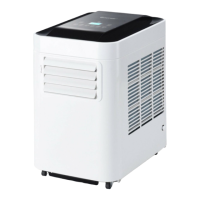
The "NAME OF THE PARTS" section provides a detailed diagram labeling the various components of the portable air conditioner. These include the control panel, remote control receiver, cool air outlet, filter of evaporator, cool air outlet (again, possibly indicating a different part or a redundancy), upside drain hole, hot air outlet, filter of condenser, hot air inlet, and lower drain hole.
"EXHAUST HOSE INSTALLATION" provides step-by-step instructions for setting up the exhaust system. Users are guided to take out the joints from the exhaust hose, connect joint 'a' with joint 'b', connect the air outlet joint with the exhaust hose, rotate the exhaust hose to connect it with the inner joint, and finally connect the exhaust pipe inner joint with the product.
The "CONTROL PANEL AND FUNCTION INTRODUCTION" section details the various buttons and their functions on both the control panel and the remote control.
The "REMOTE CONTROL FUNCTION" section provides an overview of the remote control's buttons and their corresponding actions, mirroring many of the functions available on the control panel. These include On/Off switch, Function "MODE" selector, Hourly programming, Automatic fan speed, High fan speed, Mid fan speed, Low fan speed, Night operation selector, Temperature selector, and Swing.
The "NOTICE" section explains the product's condensate water evaporation and drainage system. When cooling, there is no need to install a drain pipe, but the drain hole must have its rubber cap installed. When dehumidifying, the rubber cap "①" should be pulled from the drain hole, and a suitable drain pipe installed. Removing the rubber cap enhances dehumidification. If the water tank becomes full, "E4" will display, requiring users to remove rubber cap "②" from the drain hole to drain water before restarting the unit.
"MAINTENANCE" instructions emphasize cutting off power before cleaning.
"WINDOW KIT INSTALL" provides instructions for installing the exhaust hose and adjustable window slider kit, with accompanying diagrams.
"POWER SUPPLY" outlines critical steps for safe electrical connection:
"PLACE FOR USE" offers guidance on optimal placement:
"HELPFUL HINTS" mentions that the unit has a special thermal cut-off device. Users should ensure the unit is not placed against objects like furniture or curtains that obstruct air intake, as this will dramatically affect its performance.
The "TROUBLE SHOOTING" table helps users diagnose and resolve common issues:
Finally, the manual includes a symbol indicating that the product should not be disposed of with other household waste in the EU. It advises recycling to promote sustainable reuse of materials and instructs users to contact return and collection systems or the retailer for proper disposal of used devices.
 General
| Type | Portable Air Conditioner |
|---|---|
| Cooling Power | 10000 BTU |
| Voltage | 115V/60Hz |
| Power Supply | 115V/60Hz |
| Power Consumption | 950W |
| Refrigerant | R410A |

 To Next Page