EasyManua.ls Logo

Cotech 36-7334 - User Manual

Cotech 36-7334
176 pages
Print Icon
To Next Page IconTo Next Page
Loading...
Important:
Read the entire instruction manual carefully
and make sure that you fully understand
it before you use the equipment. Keep the
manual for future reference.
Viktig information:
Läs hela bruksanvisningen noggrant och
försäkra dig om att du har förstått den
innan du använder utrustningen. Spara
bruksanvisningen för framtida bruk.
Viktig informasjon:
Les disse anvisningene nøye og forsikre deg om
at du forstår dem, før du tar produktet ibruk.
Ta vare på anvisningene for seinere bruk.
Tärkeää tietoa:
Lue nämä ohjeet huolellisesti ja varmista
että olet ymmärtänyt ne, ennen kuin alat
käyttää laitetta. Säilytä ohjeet myöhempää
tarvetta varten.
Wichtiger Hinweis:
Vor Inbetriebnahme die komplette Bedienungs-
anleitung durchlesen und aufbewahren.
ENGLISHSVENSKANORSKSUOMIDEUTSCH
Trådlös väderstation med USB
Trådløs værstasjon med USB
Langaton sääasema jossa USB
Funk-Wetterstation mit USB
Art.no Model
18-3676 FT0203
36-7334 FT0203
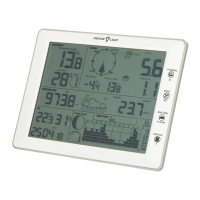
Wireless Weather Station
with USB
Ver. 20180810
Original instructions
Bruksanvisning i original
Originalbruksanvisning
Alkuperäinen käyttöohje
Original Bedienungsanleitung

Table of Contents

Questions and Answers

  • R
    Robert HoltJul 25, 2025
    What to do if Cotech Weather Station wireless sensors are not transmitting data?
    • R
      Rachel NguyenJul 25, 2025
      If your Cotech Weather Station's wireless sensors aren't transmitting data, and the display shows “--.-”, try the following: * Press and hold [ CHANNEL/+ ] for 3 seconds, then select the sensor to reconnect using [ CHANNEL/+ ] or [ HISTORY/? ], and confirm with [ MODE/SET ]. * Ensure the sensors are between 1.5 m and 30 m from the indoor unit. * Try placing the sensors higher up. * Check that the sensors’ displays are working or LED indicators are flashing every 60 seconds. * Insert new batteries into the sensors, using lithium batteries in cold climates. * Check the batteries in the indoor unit. * Ensure the radio signal isn't interfered with by metal constructions. * Move the indoor unit away from other electronic devices like routers, computers, and televisions.
  • A
    April WashingtonJul 30, 2025
    Why does my Cotech Weather Station display show precipitation when it's not raining?
    • K
      Karen DicksonJul 31, 2025
      If your Cotech Weather Station display indicates precipitation when it is not raining, ensure the rain gauge is mounted in a stable manner. If the gauge is not properly fitted (e.g. attached to an unsteady mast), the sensor can transmit incorrect values.
  • J
    Julian StewartAug 4, 2025
    Why does Cotech 36-7334 Weather Station temperature sensor show daytime values that are too high?
    • A
      Amanda SullivanAug 4, 2025
      If your Cotech Weather Station's temperature sensor shows daytime values that are too high, ensure the thermometer/hygrometer is mounted in a location shaded from the sun. If possible, mount the sensor in a north-facing direction.
  • R
    Richard ShawAug 9, 2025
    What to do if Cotech 36-7334 indoor and outdoor sensors show different values?
    • D
      Daniel JohnsonAug 9, 2025
      If the indoor and outdoor sensors of your Cotech Weather Station show different values, allow the sensors to stabilise for up to 1 hour. The temperature values should be within 1 °C (accuracy ±0.5 °C) and the humidity values should be within 6 % (accuracy ±3 %). Where necessary, adjust the sensors in the indoor unit (see the Calibration section).
  • M
    Martin ConleyAug 14, 2025
    How to fix poor display contrast on Cotech 36-7334 Weather Station?
    • D
      David GreenAug 14, 2025
      If the contrast of the display on your Cotech Weather Station is poor, replace the batteries in the unit.
  • R
    Robert RomeroAug 19, 2025
    Why doesn't the background lighting change colour as expected on my Cotech Weather Station?
    • G
      Gregory OlsonAug 19, 2025
      If the background lighting on your Cotech Weather Station does not change colour as expected, check the settings (see the Settings/adjustments section). If the background lighting is to reflect the outdoor temperature, ensure that the outdoor sensor is set to channel 1.

Summary

Safety Precautions

Assembly Kit and Controls

Key Functions Overview

Explains the purpose of each button on the indoor unit for operation.

Installation and Sensor Setup

Inserting Batteries

Step-by-step guide for correctly installing batteries into the weather station sensors.

Indoor Unit Power and Sensor Registration

Instructions for powering the indoor unit and initiating the automatic sensor search process.

Sensor Functionality Checks

Settings and Adjustments

Time, Date, and Unit Settings

Configuring clock format, date display order, and measurement units.

Data Visualization and Forecasting

Alarm Settings and Thresholds

Checking Current Alarm Thresholds

Viewing the set maximum and minimum threshold values for alarms.

Setting and Enabling Alarms

Configuring and activating alarms for various weather conditions.

Snooze and Calibration Procedures

Calibrating Temperature and Humidity Sensors

Steps to recalibrate temperature and humidity sensors for accuracy.

Calibrating Wind, Rain, and Pressure Sensors

Adjusting calibration factors for wind speed, rain, and air pressure measurements.

Final Mounting and Location Selection

WeatherHome Software Suite

Software System Requirements

Specifications for computer hardware and operating systems needed for the software.

Installing the WeatherHome Software

Step-by-step guide to install the WeatherHome application on a PC.

Using WeatherHome Software Features

Data Analysis and History

Viewing Maximum and Minimum Values

Accessing and displaying the recorded highest and lowest measurement data.

Displaying Historical Weather Data

How to view past weather measurements using charts and lists.

Product Care and Maintenance

Troubleshooting Common Issues

Technical Specifications

Cotech 36-7334 Specifications

General IconGeneral
Indoor temperatureYes
Outdoor temperatureYes
ClockYes
Alarm functionYes
Trend indicatorYes
Moon phaseYes
Radio controlled clockYes
TypeWireless
Temperature range Indoor0°C to 50°C

Related product manuals