EasyManua.ls Logo

Cotech E0013TRF-A1V-YX - User Manual

Cotech E0013TRF-A1V-YX
60 pages
Print Icon
To Next Page IconTo Next Page
Loading...
DEU TSCH SUOMI NORSK SVENSKA ENGLISH
Trådlös regnmätare
Trådløs regnmåler
Langaton sademittari
Funk-Niederschlagsmesser
Art.no Model
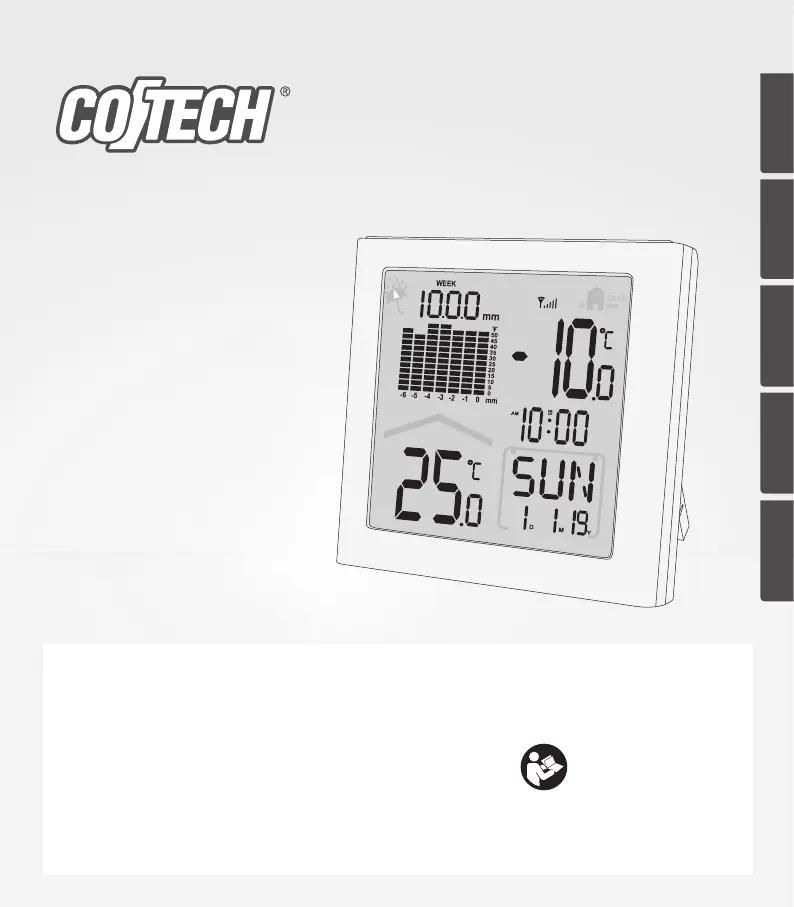
36-7900 E0330WST2 (Indoor unit)
E0013TRF-A1V-YX (Rain gauge)
Wireless
Rain Gauge
Important:
Read the entire instruction manual
carefully and make sure that you
fully understand it before you use
the equipment. Keep the manual for
future reference.
Viktig information:
Läs hela bruksanvisningen noggrant
och försäkra dig om att du har förstått
den innan du använder utrustningen.
Spara bruksanvisningen för framtida
bruk.
Viktig informasjon:
Les disse anvisningene nøye og
forsikre deg om at du forstår dem, før
du tar produktet i bruk. Ta vare på
anvisningene for seinere bruk.
Tärkeää tietoa:
Lue nämä ohjeet huolellisesti ja
varmista että olet ymmärtänyt ne,
ennen kuin alat käyttää laitetta.
Säilytä ohjeet myöhempää tarvetta
varten.
Wichtiger Hinweis:
Vor Inbetriebnahme die komplette
Bedienungs anleitung durchlesen und
aufbewahren.
Ver. 20191119
Original instructions
Bruksanvisning i original
Originalbruksanvisning
Alkuperäinen käyttöohje
Original Bedienungsanleitung

Questions and Answers

  • J
    Jesse DaltonAug 11, 2025
    What to do if the wireless sensor of my Cotech Weather Station sends no data?
    • C
      Crystal WilliamsAug 11, 2025
      If the wireless sensor isn't sending data to the indoor unit of your Cotech Weather Station, and “--.-” is displayed, there are several things to try: * Remove the batteries, wait a short time, and then reinsert them. * Insert new, high-quality alkaline batteries into the sensor. * Manually scan for the sensor by holding the [ ? ] button for 3 seconds (note this will erase the rain sensor history). * Ensure the sensor and indoor unit are within the 1.5–30 m range. * Check for signal disruptions caused by nearby metal structures. * Move the indoor unit away from electronic devices like routers, computers, and TVs. The cause of this problem might be that the indoor unit isn't receiving a signal from the rain sensor within 3 minutes.
  • J
    James CraigAug 18, 2025
    Why is the displayed temperature or precipitation incorrect on my Cotech E0013TRF-A1V-YX?
    • M
      Mark PatelAug 18, 2025
      If the displayed temperature or precipitation on your Cotech Weather Station is incorrect, try the following: * Remove the batteries, wait a short time, and then reinsert them. * Start a new scan for the sensor by holding the [ ? ] button for 3 seconds. * Ensure the units are free from interference from heat sources, air-conditioning units, or similar sources.
  • K
    Kathleen ManningAug 27, 2025
    How to fix an unclear display on Cotech E0013TRF-A1V-YX?
    • K
      Kevin TurnerAug 27, 2025
      If the display on your Cotech Weather Station is unclear or unreadable, try inserting new batteries into the unit.
  • M
    Ms. Jessica Smith DVMSep 3, 2025
    What does “LL.L” or “HH.H” mean on my Cotech Weather Station display?
    • T
      Travis BeckerSep 3, 2025
      The display showing “LL.L” or “HH.H” on your Cotech Weather Station indicates that the temperature is outside of the measuring range.

Cotech E0013TRF-A1V-YX Specifications

General IconGeneral
BrandCotech
ModelE0013TRF-A1V-YX
CategoryWeather Station
LanguageEnglish

Related product manuals