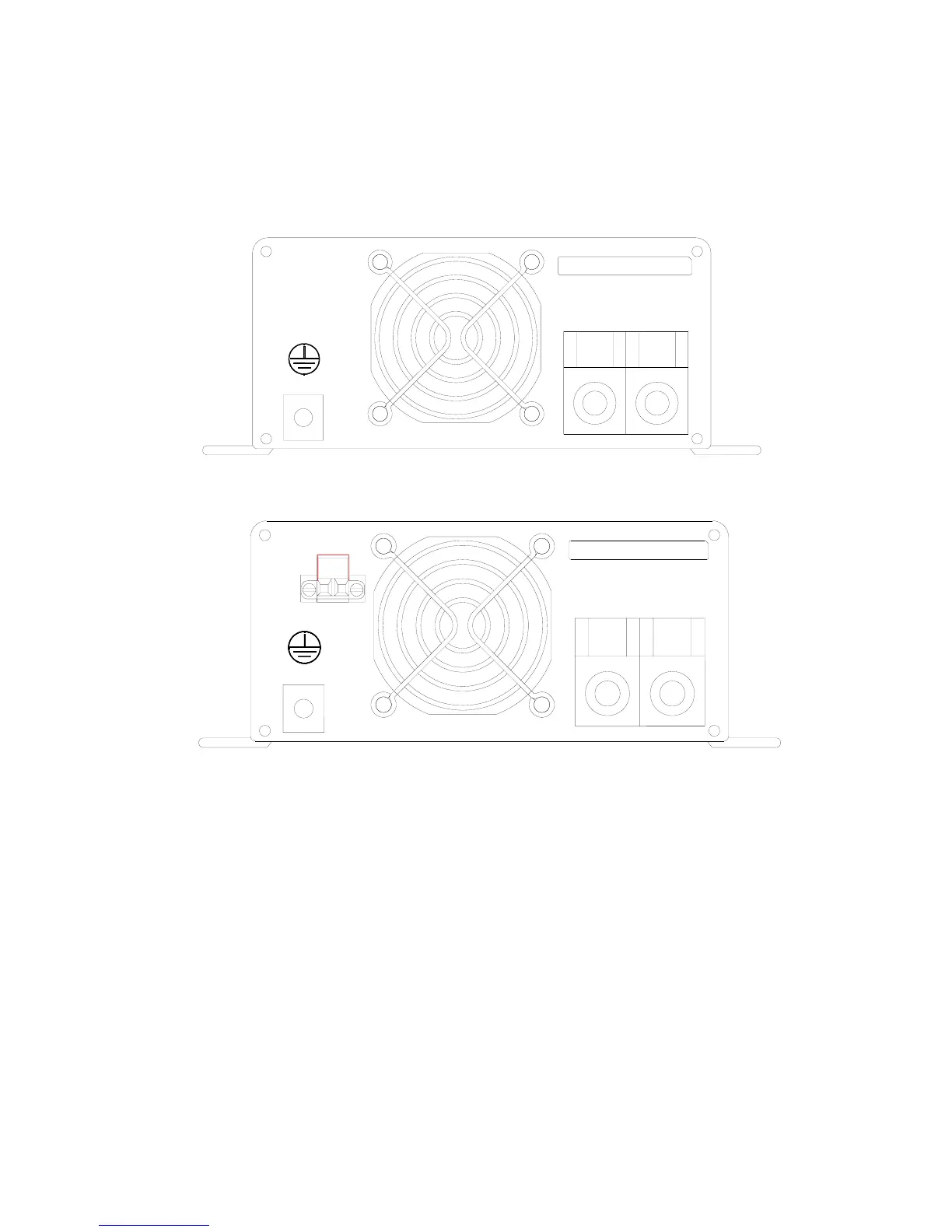
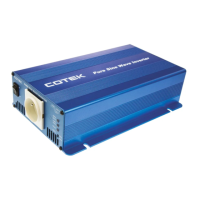
3-2. Rear Panel Operation:
POS(+)
DC INPUT
WARNING
: REVERSE POLARITY
WILL DAMAGE UNIT
CHASSIS
GROUND
NEG(-)
WARNING
: REVERSE POLARITY
WILL DAMAGE UNIT
CHASSIS
GROUND
REMOTE
PORT
DC INPUT
NEG(-) POS(+)
3-2-1. Remote ON / OFF switch for S600R model only.
3-2-1-1. To operate the inverter with Remote ON / OFF switch, ON /
OFF switch on the Front Panel should be off
3-2-1-2. Ensure the remote control contact is off.
3-2-1-3. Use 14 ~ 20 AWG wire to connect the Rear Panel Terminal
marked “REMOTE PORT” to the remote control contact. If
the remote control contact is in a state of low impedance
(short), the inverter will be turned ON. If the remote control
contact is in a state of high impedance (open), the inverter will
be turned OFF.
7


 To Next Page