828019 REV B 08/2023
DW2450 and DW2450WS Service Manual
service.subzero.com 800.222.7820
Base Component Removal and Installation
DRAIN PUMP REMOVAL
WARNING
Turn off the power and water to the product
before starting this procedure.
To remove the drain pump, first remove:
Door panel
Kickplate
Lower front cover
Upper front cover
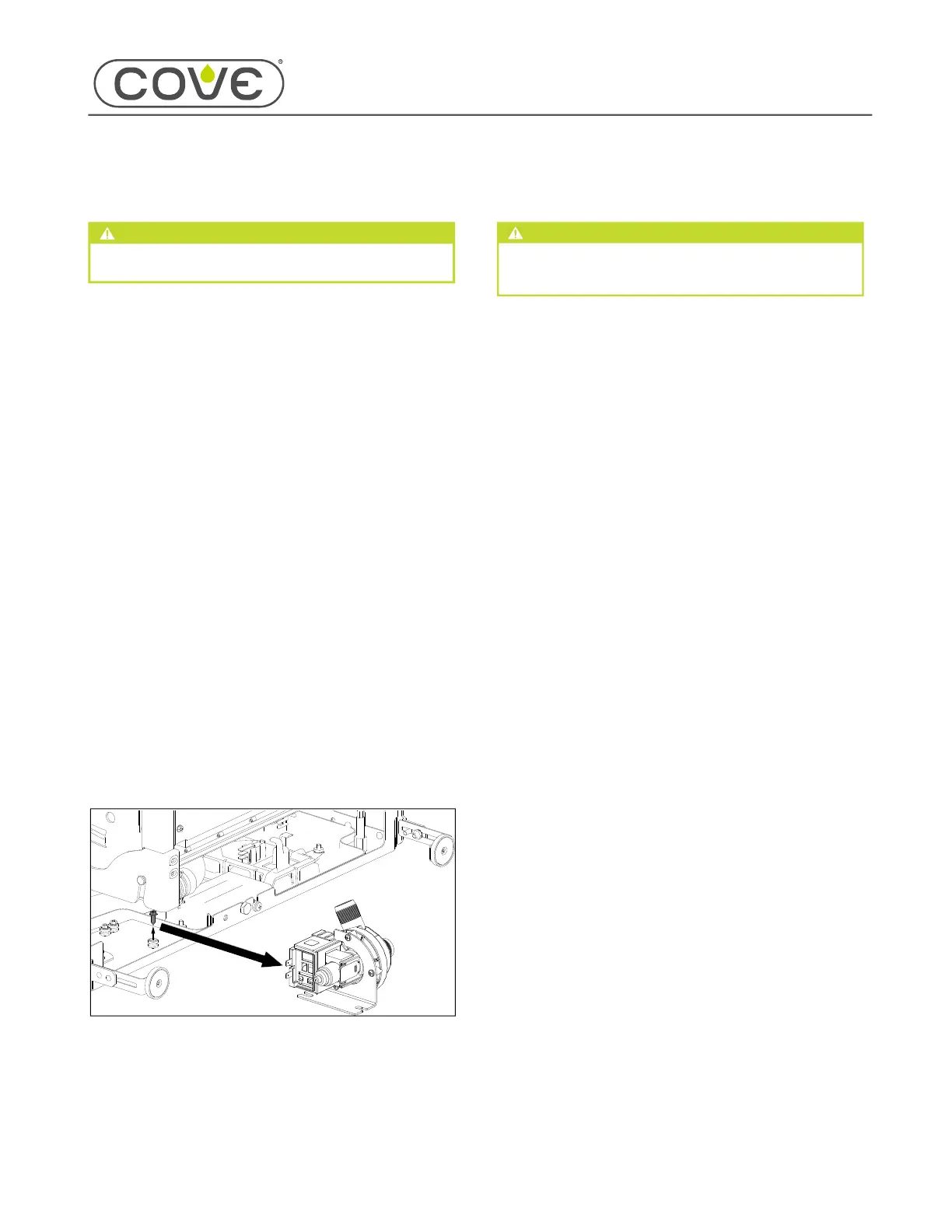
REMOVE THE DRAIN PUMP
Disconnect the drain pump wire connectors.
Use a
1
/
4
" socket to remove the front mounting screw
from the drain pump.
Use pliers to compress the drain pump discharge
hose spring clamp. Slide the spring clamp up the
drain hose.
Disconnect the drain pump discharge hose from the
drain pump.
Use pliers to compress the drain pump suction hose
spring clamp. Slide the spring clamp toward the
sump.
Disconnect the drain pump suction hose from the
drain pump.
Remove the drain pump from the unit.
DRAIN PUMP INSTALLATION
CAUTION
When servicing, use caution and monitor the unit
for leaks before installing the unit into the product
opening.
After installing the drain pump, install:
Upper front cover
Lower front cover
Kickplate
Door panel
INSTALL THE DRAIN PUMP
Connect the drain pump discharge to the drain hose.
Connect the drain pump suction to the sump.
Install the drain pump into the unit under the two rear
mounting screws.
Use a
1
/
4
" socket to install the drain pump front
mounting screw.
Use pliers to install the hose clamps on the drain
pump suction and discharge hoses.
TIP: Verify the clamps are in no way contacting
the door tension adjuster block, as this causes
vibration during draining.
Connect the wire connectors to the drain pump.
1
2
3
4
1
2
3
4
5
6
7
1
2
3
4
1
2
3
4
5
6
49


 To Next Page
 Loading...