Set the wireless password
The wireless password is not set by default. It is recommended that you
change the wireless password for your network security.
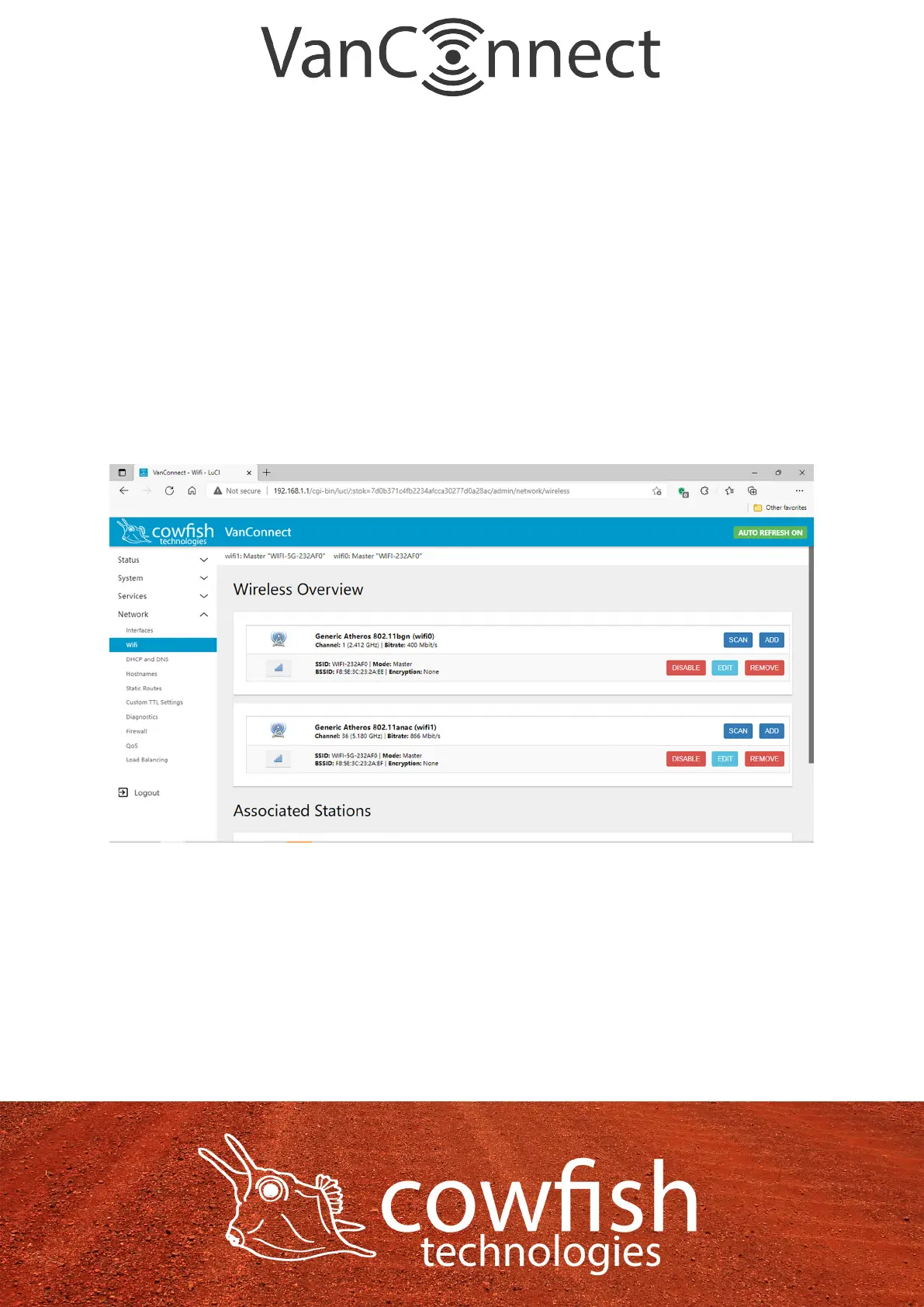
Click “Network” ᐅ “Wi” to enter the wireless conguration page (wireless is
on by default).
You will see two WiFi networks:
• wi0: Master “WIFI-XXXXXX”
• wi1: Master “WIFI-5G-XXXXXX”
wi0 is your 2.4GHz WiFi network (b/g/n protocol) and wi1 is your 5GHz
network (ac protocol).
Click on “Edit” for wi0 to set the name of your wireless network (SSID/ESSID),
the encryption method and the wireless password.
The name of your wireless network (ESSID) is the name that you will see when
searching for WiFi networks.
Note: You should not give both WiFi networks the same name as they operate
on different bands. To differentiate between the two networks, you could add
a prex to the end of the WiFi name, for instance “XXXX-2G” and “XXXX-5G”.
Page 12


 To Next Page