EasyManua.ls Logo

cowin E7 PRO - User Manual

cowin E7 PRO
16 pages
Print Icon
To Next Page IconTo Next Page
Loading...
Owner’s Guide
Bedienungsanleitung
Guía del usuario
Notice d’utilisation
Manuale di istruzioni
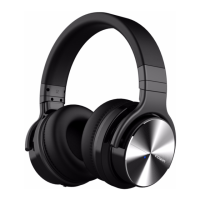
COWIN E7
ANC Wireless Headphones
PRO

Questions and Answers

  • J
    John EllisAug 16, 2025
    How to fix a bad Bluetooth connection on Cowin Wireless Headphones?
    • A
      Amanda RamirezAug 16, 2025
      A weak, out-of-range, or interfered Bluetooth signal can cause connection issues with your Cowin Wireless Headphones. Try these solutions: * Move your mobile device closer to the headphones. * Ensure the headphones are adequately charged. * Check your network signal. * If the Bluetooth signal is weak, out of range or interferes, the Bluetooth® wireless connection may fail or the sound cuts in and out. * If the compatibility between the headphone and the Bluetooth device is not good, replace the device with a higher Bluetooth version.
  • L
    Laura LeonAug 19, 2025
    What to do if Cowin Wireless Headphones battery won’t charge?
    • S
      Sharon FrySep 12, 2025
      If your Cowin Wireless Headphones battery won’t charge, try the following: * Ensure the USB charging cable is securely connected. * Try using a different charging source. * If the headphones have been exposed to high or low temperatures, allow them to return to room temperature before attempting to charge again.
  • C
    chelsea35Aug 22, 2025
    What to do if my Cowin Wireless Headphones won’t connect to my mobile device?
    • A
      Amanda SmithAug 22, 2025
      If your Cowin Wireless Headphones are not connecting to your mobile device, try the following: * Check the status indicators. * Disconnect any back-up audio cables or USB charging cables. * On your mobile device, disable and then re-enable the Bluetooth feature. Also, delete your E7 from the Bluetooth list and connect again. * Move your mobile device closer to the headphones, away from any interference. * Clear the headphone pairing list and connect again.
  • C
    Carmen BryanAug 25, 2025
    Why is there no sound from my Cowin Wireless Headphones?
    • C
      christopherdixonAug 26, 2025
      If you're not getting any sound from your Cowin Wireless Headphones, here's what you can do: * Ensure the headphones are powered on and the battery is charged. * Check the status indicators. * Increase the volume on your headphones, mobile device, and music source. * Slide the Power/Bluetooth switch to the right and release to hear the connected device, ensuring you're using the correct device. * Move your mobile device closer to the headphones, away from obstructions. * Try a different music source.
  • H
    Heidi BatesAug 28, 2025
    How to improve poor sound quality on Cowin Wireless Headphones?
    • B
      brian44Aug 28, 2025
      If you're experiencing poor sound quality with your Cowin Wireless Headphones, consider these steps: * Try using a different music source. * Move your mobile device closer to the headphones. * Disconnect the second device.
  • B
    briannaleeAug 31, 2025
    Why can't I hear anything on a call using my Cowin Wireless Headphones?
    • Q
      qhunterAug 31, 2025
      If you cannot hear anything on a call using your Cowin Wireless Headphones, verify the following: * Ensure both the headphones and the connected device are turned on. * Increase the volume on the connected device. * Check the audio settings of the Bluetooth device to ensure the sound is directed to the headphones during the call. * Re-establish the Bluetooth connection. * If listening to music, stop playback and press the button on the right or left unit to answer the call.
  • E
    ericdominguezSep 3, 2025
    Why is the noise cancelling function not working on my Cowin Wireless Headphones?
    • C
      charleswebbSep 3, 2025
      If the noise cancelling function isn't working on your Cowin Wireless Headphones: * Make sure that the noise canceling function is turned on. * Ensure the ears are all wrapped and re-equipped. Adjust the earpad position to fit your ears. If the earmuffs are loose, re-set the ear. * Keep in mind that the noise canceling function is most effective in low frequency ranges and less effective for higher frequencies like human voices. It helps eliminate low frequency noise. The noise canceling function is effective in low frequency ranges such as airplanes, trains, offices, near air-conditioning.
  • S
    Shawn CollinsSep 6, 2025
    Why are my Cowin Wireless Headphones beeping?
    • S
      smithsandraSep 6, 2025
      If your Cowin Wireless Headphones are beeping, it could be due to weak Bluetooth signals or external signal interference. * Move away from wireless routers or microwaves and move your headphone closer to the Bluetooth device. * Avoid using the headphones for extended periods; take a break to prevent intermittent sound.
  • C
    Christopher MccormickSep 9, 2025
    Why is there no sound from my Cowin Wireless Headphones when connected with an audio cable?
    • M
      Melinda ChristianSep 9, 2025
      If you're not getting any sound from a device connected by the back-up audio cable to your Cowin Wireless Headphones: * Make sure the ends of the back-up audio cable are securely connected. * Increase the volume on your headphones, mobile device, and music source.
  • B
    brittany45Sep 12, 2025
    How to fix poor sound quality when using Cowin Wireless Headphones with an audio cable?
    • J
      Joseph JacksonSep 12, 2025
      If you're experiencing poor sound quality when using your Cowin Wireless Headphones with an audio cable: * Ensure the ends of the back-up audio cable are securely connected.

Summary

Important Safety Instructions

General Safety Warnings

Covers volume limits, driving use, noise cancelling awareness, unusual noises, and battery warnings.

Specific Hazard Alerts

Highlights choking hazards, magnetic material impact on medical devices, and electrical safety.

Regulatory Information

FCC and IC Compliance

Details equipment testing, compliance with FCC/IC rules, and measures to correct interference.

Low-Power Radio Device Regulations

Covers regulations for frequency changes, power enhancement, and aircraft security interference.

Disposal and European Directives

Instructions for proper battery disposal and compliance with EU directives.

Whats in the Carton

Included Accessories

Lists and illustrates the components included in the product packaging.

Headphone Controls

Power On and Off

Instructions for turning the headphones on and off using the power button.

Functional Operations

Details on media playback, volume adjustment, and call management functions.

Noise Cancellation

Noise Cancelling Modes

Explanation of available noise cancelling modes and their operation.

Battery Charging

Charging Procedure

Step-by-step guide for charging the headphones via USB.

Charging Time and Prompts

Information on full charge time and low battery voice prompts.

Status Indicators

Bluetooth Indicator States

Describes the LED light states for Bluetooth pairing and connection.

LED Indicator States

Explains the LED light signals for charging status.

Bluetooth Connections

Connecting to a Mobile Device

Step-by-step guide to connect headphones using the mobile device's Bluetooth menu.

Managing Bluetooth Devices

Instructions for disconnecting, reconnecting, and connecting multiple devices.

Wired Connections

Connecting with Audio Cable

How to use the 3.5mm audio cable for non-wireless device connection.

Care and Maintenance

Storage and Cleaning

Guidelines for storing headphones properly and cleaning external surfaces.

Warranty Information

Details on the product's 18-month warranty and registration.

Troubleshooting

Common Solutions

Provides initial steps to resolve common headphone issues.

cowin E7 PRO Specifications

General IconGeneral
Driver Size40 mm
Battery Life30 hours
Charging Time2 hours
Noise CancellationActive Noise Cancelling
Impedance32 Ω
S/N≥ 85 dB
Frequency Response20 Hz - 20 kHz
MicrophoneBuilt-in
Power SupplyLithium battery
Audio sourceBluetooth
Function specBluetooth
Wireless Range10 m

Related product manuals