EasyManua.ls Logo

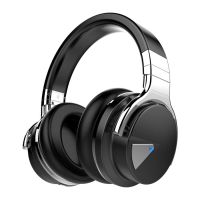
cowin E7 - User Manual

cowin E7
85 pages
Print Icon
To Next Page IconTo Next Page
Loading...
Owner’s Guide
Bedienungsanleitung
Guía del usuario
Notice d’utilisation
Manuale di istruzioni
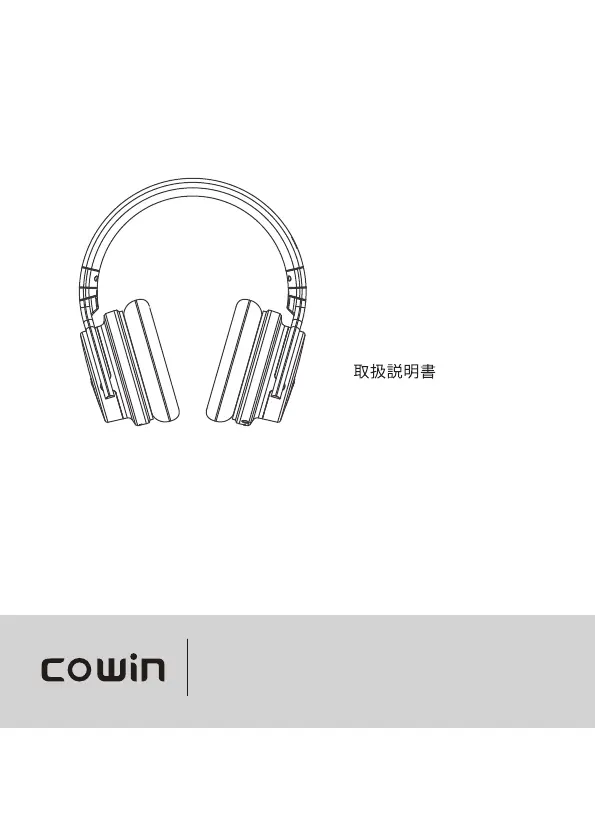
COWIN E7
ANC Wireless Headphones

Table of Contents

Other manuals for cowin E7

Questions and Answers

  • A
    amanda90Aug 16, 2025
    Why won't my Cowin Wireless Headphones connect to my phone?
    • E
      Erin SteeleAug 16, 2025
      If your Cowin Wireless Headphones won't connect to your mobile device, try the following: check the status indicators, disconnect any back-up audio cables or USB charging cables. On your mobile device, disable and re-enable Bluetooth, or delete your headphones from the Bluetooth list and reconnect. Move your device closer to the headphones, away from obstructions. Clear the headphone pairing list and connect again.
  • P
    Peter LopezAug 19, 2025
    Cowin Wireless Headphones: How to connect with NFC?
    • J
      Joan Gordon DVMSep 12, 2025
      To connect your Cowin Wireless Headphones using NFC, check the status indicators. Ensure your device supports Bluetooth connecting via NFC. Unlock your device and enable both Bluetooth and NFC features. Then, tap the NFC touchpoint on the back of your mobile device to the NFC touchpoint on the headphones.
  • C
    Carrie PierceAug 21, 2025
    Why is there no sound from my Cowin Wireless Headphones?
    • T
      Thomas Davenport MDAug 21, 2025
      If you're not getting any sound from your Cowin Wireless Headphones, try the following: turn on the headphones and charge the battery. Check the status indicators. Increase the volume on your headphones, mobile device, and music source. Ensure the Power/Bluetooth switch is correctly set to the connected device. Move your device closer to the headphones, away from obstructions. Also, try a different music source.
  • A
    Amanda WuAug 25, 2025
    Why does my Cowin Wireless Headphones Bluetooth connection keep cutting out?
    • H
      hessjeremyAug 26, 2025
      If you are experiencing a bad Bluetooth connection with your Cowin Wireless Headphones, it could be due to a weak signal, being out of range, or interference. Move away from obstructions and ensure the distance between your headphones and device is less than 15 meters, positioning them in the same direction. Also, make sure the headphone is charged. Weak network signal may also cause connection issues. Incompatibility between the headphone and the Bluetooth device is another potential cause; consider using a device with a higher Bluetooth version.
  • K
    Katie JohnsonAug 28, 2025
    How to fix Cowin Wireless Headphones that won't charge?
    • T
      tamara94Aug 28, 2025
      If your Cowin Wireless Headphones battery won’t charge, ensure the USB charging cable is securely connected at both ends. Try using a different charging source. If the headphones have been exposed to extreme temperatures, allow them to return to room temperature before attempting to charge again.
  • M
    Martin RoseAug 30, 2025
    Why can't I hear anything on a call with my Cowin Wireless Headphones?
    • F
      frederickjacksonAug 31, 2025
      If you cannot hear anything on a call using your Cowin Wireless Headphones, first check that both the headphones and the connected device are turned on. Increase the volume on your connected device. Verify the audio settings of the Bluetooth device to ensure the sound is directed to the headphones during the call. Try re-establishing the Bluetooth connection. If listening to music, stop playback and press the button on the right or left unit to answer the call.
  • A
    Amy FrederickSep 3, 2025
    Why is the noise cancelling not working on my Cowin Wireless Headphones?
    • M
      millerandrewSep 3, 2025
      If the noise cancelling function on your Cowin Wireless Headphones isn't working, first ensure that the noise cancelling function is turned on. Make sure the earpads are correctly fitted, fully wrapping your ears. Adjust the earpad position if necessary, and reset the earcups if they are loose. Note that the noise cancelling function is more effective for low frequency noises like those from airplanes, trains, or air conditioning, and less effective for high frequencies like human voices.
  • B
    Benjamin GillSep 6, 2025
    What to do if my Cowin Wireless Headphones are beeping?
    • D
      Dawn KentSep 6, 2025
      If your Cowin Wireless Headphones are beeping, it may be due to weak Bluetooth signals or external signal interference. Move away from wireless routers or microwaves and bring your headphones closer to the Bluetooth device. Also, avoid using the headphones for extended periods; take a break and reuse them after resting.
  • X
    xholtSep 9, 2025
    Why is there no sound when my Cowin Wireless Headphones are connected with an audio cable?
    • R
      rmarshSep 9, 2025
      If you're not getting any sound when your Cowin Wireless Headphones are connected via the back-up audio cable, make sure the cable is securely plugged in at both ends. Increase the volume on your headphones, mobile device, and music source.
  • T
    Thomas RobertsonSep 12, 2025
    Why is the sound quality poor when using the audio cable with my Cowin Wireless Headphones?
    • P
      palmerleahSep 12, 2025
      If you experience poor sound quality when using the audio cable with your Cowin Wireless Headphones, ensure that the ends of the back-up audio cable are securely connected.

Summary

Important Safety Instructions

General Safety Warnings

Covers warnings about volume, driving, noise cancelling, malfunction, and general usage.

Headphone Controls

Noise Cancellation

Battery Charging

Charging the Headphones

Steps for connecting the USB cable to charge the headphones, with notes on indicators and charging behavior.

Status Indicators

Bluetooth Connections

Connecting via Bluetooth Menu

Step-by-step guide to connect headphones to a mobile device using the Bluetooth menu.

Connecting via NFC

Instructions for establishing a Bluetooth connection by tapping the headphones and device together via NFC.

Wired Connections

Troubleshooting

Common Solutions Overview

Initial steps for common issues like not powering on, connection problems, and poor sound quality.

Troubleshooting Bluetooth Connectivity

Addresses issues with connecting headphones to mobile devices via Bluetooth or NFC.

Resolving Sound Quality Issues

Provides solutions for poor sound quality, including bad Bluetooth connections and battery status.

Addressing Call and Noise Issues

Solutions for not hearing on calls, noise beeping, and intermittent sound due to weak signals.

Troubleshooting Wired and Noise Cancelling

Solutions for no sound via audio cable, poor sound quality, battery charging, and noise cancelling function failures.

cowin E7 Specifications

General IconGeneral
Driver Size40 mm
Noise CancellationActive Noise Cancellation (ANC)
Charging Time4 hours
TypeOver-Ear
Impedance32Ω
Frequency Response20 Hz - 20 kHz
Bluetooth Version4.0
FoldableYes
ConnectivityBluetooth, 3.5mm wired
Wireless Range10 m
MicrophoneBuilt-in microphone
Battery LifeUp to 30 hours (ANC off), 20 hours (ANC on)

Related product manuals