ENGLISH 12
WIRED CONNECTIONS
CARE AND MAINTENANCE
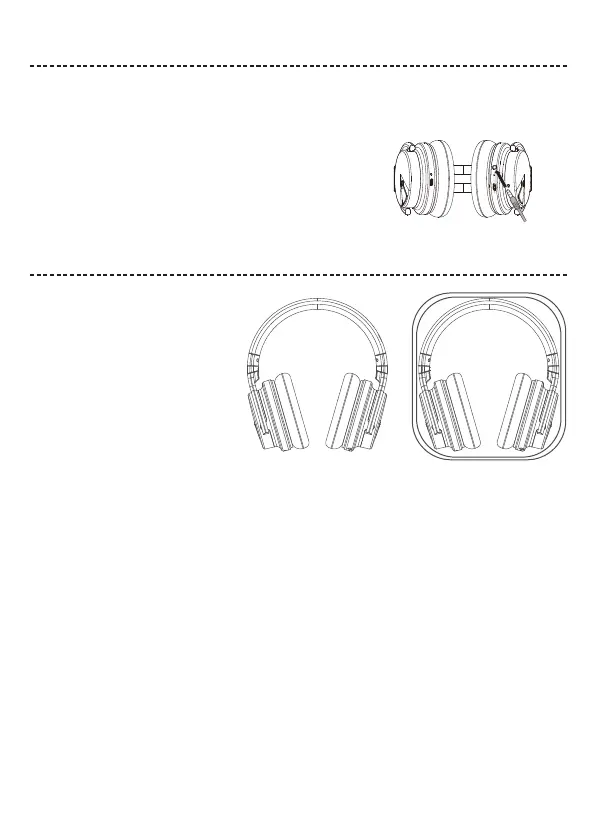
Connect the audio cable
Store your headphones
Clean the headphones
Warranty
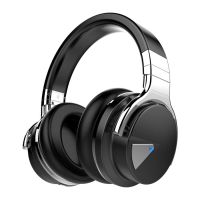
Use the 3.5 mm cable (provided) to connect a non-wireless device or to continue using the headphones.
Note:
The headphones need have the power on.
1. Insert the cable into the connector on the left earcup.
2. Insert the other end of the cable into the connector on your device.
If you still have issue, contact COWIN customer service.
Place the headphones flat into the case.
Your headphones may require periodic cleaning.
• Wipe the outside surfaces with a soft, dry cloth.
• Don’t allow moisture to get inside the earcups or the audio input connector.
Notes: • Make sure to power off the headphones when not in use.
• Before storing the headphones for more than a few months, make sure the battery is fully charged.
Your headphones are covered by 18-month warranty. Visit our website at www.cowinaudio.com for details of the warranty.
To register your product, visit www.cowinaudio.com for instructions. Failure to register will not affect your limited warranty rights.
E-mail: support@cowinaudio.com
Phone: +1 (929) 359-6668 ( Mon-Fri 9:00 a.m. to 5:30 p.m. PST ) Recommend
Website: https://www.cowinaudio.com (Support live chat)
Facebook: https://www.facebook.com/cowinelectronics
Instagram: https://www.instagram.com/cowinaudio
Youtube: https://www.youtube.com/channel/UCQIHuG8eYKa8AFyzOa98RiA
Twitter: https://twitter.com/cowinaudio


 To Next Page