ENGLISH 9
NOISE CANCELLATION
BATTERY CHARGING
Noise cancelling modes
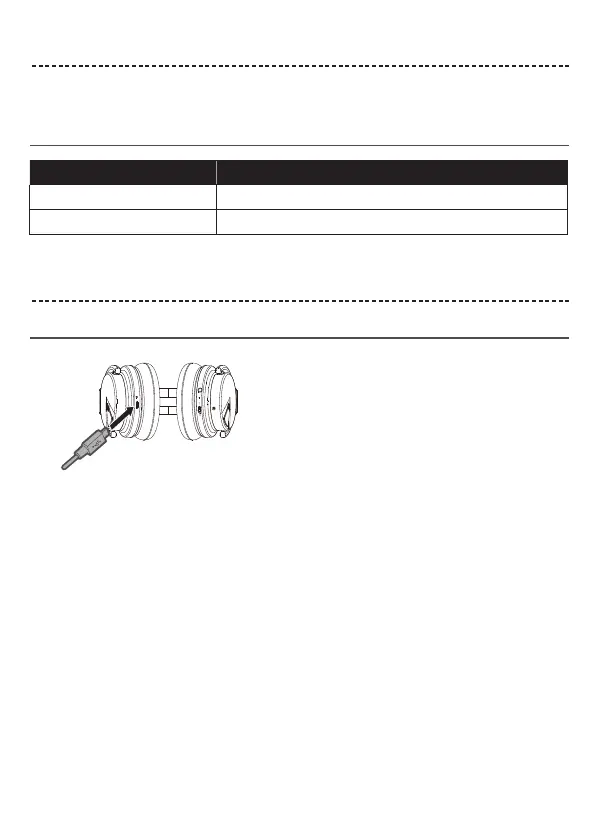
Charge the headphones
Charging time
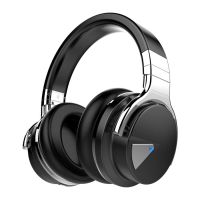
Noise cancellation reduces unwanted noise providing a clearer, more lifelike audio performance. You can choose the
noise cancelling mode based on your listening preferences and environment.
Notes:
• While charging, the battery indicator red. When the battery is fully charged, the battery indicator off.
• The headphones do not play while charging.
Notes:
When only use Bluetooth without noise cancelling, a full charge powers the headphones up to 30 hours.
When only use Bluetooth with noise cancelling, a full charge powers the headphones up to 20 hours.
Noise cancelling mode Description
ON Switch OFF/BT to the right NC.
OFF Switch NC to the left OFF/BT.
Allow up to four hours to fully charge the headphones.
1. Plug the small end of the USB cable into the micro-USB connector on the left earcup.
2. Plug the other end into a USB wall charger or computer that is powered on.


 To Next Page