Short press the button
Short press the button
Press and hold for one 2 seconds
While on a call, press once
While on a call, press and hold for 2 seconds
With two active calls, press and hold for 2 seconds
Short press the Multi-function button
Long press the button
Long press the button 2 seconds
Long press the button
Short press the button
Short press the button
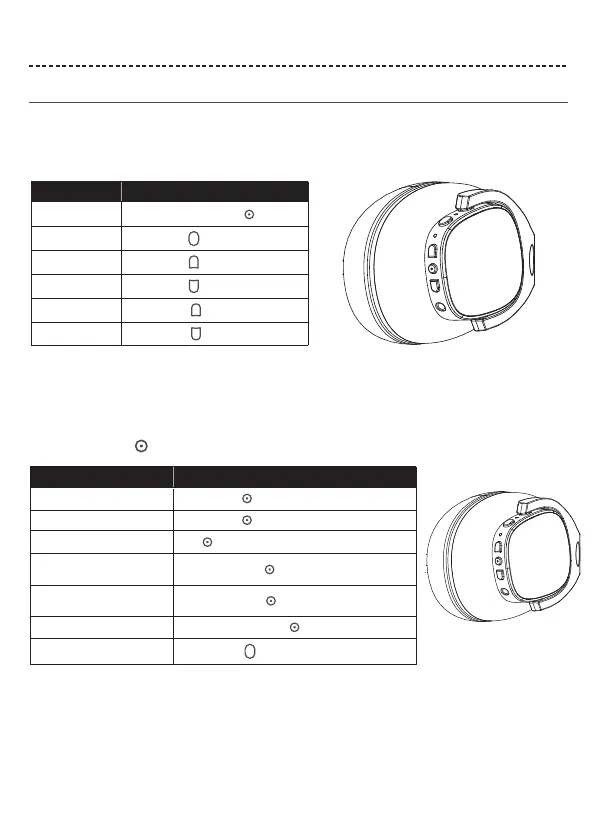
The Multi-function button and microphone are located on the back of the right earcup.
ENGLISH 8
HEADPHONE CONTROLS
Headphone functions
Media playback and volume functions
Call functions
The headphone controls are located on the right earcup.
Function What to do
Play /Pause
Pairing
Skip forward
Skip backward
Volume up
Volume down
Function What to do
Answer a call
End a call
Decline an incoming call
Answer a second incoming call
and put the current call on hold
Decline a second incoming call
and stay on current call
Switch between two calls
Double-click the button to dial the last dialed number
Tail number redial



 To Next Page