EasyManua.ls Logo

Cowon iAUDIO U2 - User Manual

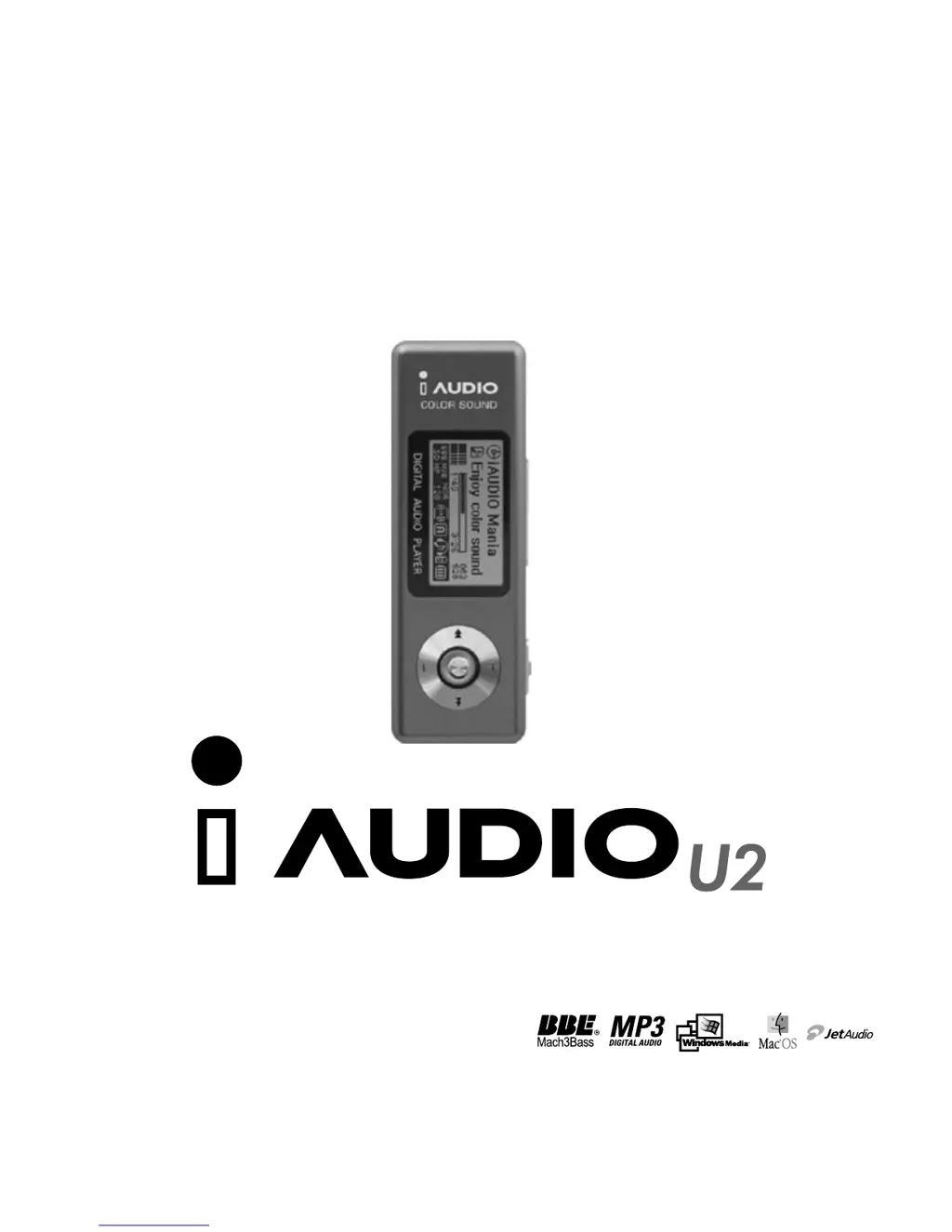
Cowon iAUDIO U2
74 pages
Print Icon
To Next Page IconTo Next Page
Loading...
USER GUIDE

Questions and Answers

Summary

Copyright Notice

General Copyright Information

Covers ownership and usage restrictions for the user guide and software.

BBE Related Copyrights

Details licensing and trademarks related to BBE technology.

Precautions

General Usage Precautions

Warns against misuse, extreme environments, and self-servicing to prevent damage or voiding warranty.

Environmental and Usage Safety

Advises against water exposure, high volume, and static electricity for safe operation.

Power and Data Management Safety

Stresses using correct accessories and disconnecting power during storms for safety.

What You Can Do with iAUDIO

Core iAUDIO Player Functions

Explains file transfer, FM radio, voice recording, and direct encoding capabilities.

Extended Playback and Recording Features

Highlights long battery life, voice memo recording, and FM radio recording.

Customization and Sound Enhancement

Details LCD customization, sound effects like BBE and EQ, and firmware upgrades.

Data Management and Media Conversion

Covers using the device as a USB drive and converting audio CDs to MP3.

Package Components

Included Accessories and Device

Lists and illustrates all items included in the iAUDIO U2 package.

Features

Audio, Recording, and Connectivity Features

Lists supported audio formats, recording modes, and USB interface capabilities.

Sound Quality and User Interface Features

Details sound effects, EQ options, battery life, and display characteristics.

Specifications

Audio Format and Memory Specifications

Details supported audio formats, memory capacities, and interface standards.

Physical and Performance Specifications

Lists device dimensions, weight, power, output, and frequency response.

Name of Parts

iAUDIO U2 Device Diagram and Controls

Identifies all external buttons, ports, and display elements of the iAUDIO U2.

Charging iAUDIO and Connecting USB Cable

Device Charging Procedures

Explains how to charge the iAUDIO using AC adapter or USB.

USB Connection to PC

Details connecting the iAUDIO to a computer via USB for charging and data transfer.

LCD Display

Understanding the iAUDIO LCD Screen

Explains various icons, indicators, and information displayed on the device's screen.

Basic Operations

Power Management and USB Connection

Covers turning the device on/off and connecting/disconnecting it from a PC.

Switching Between Device Modes

Describes how to navigate and select between Digital Audio, FM Radio, Voice, and Line-in modes.

Menu Navigation and Selection

Details how to access, navigate, and select options within the device's menu system.

Equalizer Settings Adjustment

Explains how to select and adjust equalizer presets and individual frequency bands.

Using the Navigator for File Browsing

Guides users on navigating through folders and files on the device.

Navigation Mode Selection

Explains how to switch between different browsing modes like Music Files and Recordings.

Navigator Item Interaction and Popup Menus

Details how to interact with files and folders within the navigator, including popup menus.

MP3 Player Mode: Power and Volume Control

Covers turning the device on/off in MP3 mode and adjusting playback volume.

MP3 Player Mode: Repeat and Hold Functions

Explains how to use the Section Repeat feature and the Hold switch.

FM Radio Mode: Tuning and Recording

Guides on tuning into FM stations, seeking channels, recording broadcasts, and using presets.

Voice Recorder Mode: Recording and File Management

Details how to start voice recording, manage recorded files, and play them back.

Line-in Recorder Mode: Direct Encoding Setup

Explains how to connect audio sources for direct MP3 encoding.

Line-in Recording Process and File Handling

Describes the recording process, waiting status, and managing recorded line-in files.

Advanced Operations

JetEffect: Equalizer Settings

Details how to access and adjust the equalizer with various presets and band controls.

JetEffect: BBE, Mach3 Bass, and MP Enhance

Explains the functionality and adjustment levels for BBE, Mach3Bass, and MP Enhance sound effects.

JetEffect: 3 D Surround and Pan Balance

Describes the 3D Surround effect and the L/R sound balance (Pan) adjustments.

Play Mode: Boundary and Repeat Settings

Covers options for controlling playback sequence like one file, folder, all files, or playlist.

Play Mode: Shuffle Functionality

Explains how to enable and disable the shuffle playback mode.

Display Settings: Lyrics and Play Time Format

Details how to configure lyric display and the format for showing track playback time.

Display Settings: Song Title Format and Scroll Speed

Covers choosing how song titles are displayed and adjusting the speed of scrolling text.

Display Settings: Menu Animation and Language

Explains options for menu transition effects and selecting the display language.

Display Settings: Contrast and Backlight Timer

Covers adjusting the LCD contrast and setting the backlight duration.

General Settings: Skip, Scan, Resume, and Auto Play

Covers adjusting skip time, scan speed, resume playback, and auto play features.

General Settings: USB Charging Mode

Explains the different USB charging modes (Normal, Slow) and recommendations.

LDB Manager

Automatic Lyric Search and Insertion

Introduces LDB Manager for adding lyrics and explains the automatic search function.

Managing Lyric Files and Search Window

Details how to remove lyrics, refresh the list, and use the manual search window for lyrics.

Timer Settings

Auto Off and Sleep Timer Configuration

Explains how to set timers for automatic power off and sleep mode.

Recording Settings

MP3 Recording Quality Options

Details how to set the bitrate for Line-in, Voice, and FM Radio recordings.

Microphone Input Volume Adjustment

Guides on adjusting the sensitivity of the built-in microphone for recording.

Voice Active and Line Volume Control

Explains the Voice Active feature and adjusting the line-in input volume.

Auto Sync for Track Separation

Describes how to automatically detect and save tracks as separate files during line-in recording.

FM Radio Settings

FM Radio Listening Modes and Auto Scan

Covers selecting stereo/mono and using the auto scan feature to find stations.

FM Region Setup

Explains how to set the FM region to adjust frequency ranges for different countries.

Information Display

Device Version and Memory Information

Shows where to find firmware version and details about flash memory usage.

Battery Status Information

Explains how to check the status of the built-in rechargeable battery.

Troubleshooting Common Issues

Power, Sound, and Display Problems

Provides solutions for issues like device not turning on, no sound, or abnormal LCD display.

FM Radio and Memory Capacity Issues

Offers troubleshooting steps for FM reception problems and variations in reported memory capacity.

Memory Full and Root Folder File Issues

Addresses problems caused by full memory or excessive files in the root directory.

JetShell Software Interaction Guidance

Advises on exiting JetShell before performing specific device management tasks.

Using Buttons in MP3 Player Mode

MP3 Player Mode: Key Functionality Overview

Details the function of each button for playback, navigation, and settings in MP3 mode.

Using Buttons in FM Radio Mode

FM Radio Mode: Key Functionality Overview

Explains how each button operates for tuning, recording, and managing presets in FM radio mode.

Using Buttons in Voice;Line-in Recorder Mode

Voice;Line-in Recorder Mode: Key Functionality Overview

Details the button operations for recording, playback, and settings in voice and line-in modes.

Using Buttons in Navigator Mode

Navigator Mode: Key Functionality Overview

Explains the function of each button when navigating through files and folders.

What is JetShell?

JetShell Software Features List

Enumerate the capabilities of the JetShell file management and media conversion software.

JetShell System Requirements

Lists the necessary hardware and software specifications for running JetShell.

Installing and Connecting JetShell

Initial Setup and USB Driver Installation

Guides on installing JetShell from CD and connecting the iAUDIO device to PC.

Windows 98;SE Driver Installation Steps 1-2

Details the initial steps for driver installation on Windows 98/SE, including connecting the device.

Windows 98;SE Driver Installation Steps 3-4

Continues the driver installation process, focusing on locating and selecting the driver files.

Windows 98;SE Driver Installation Steps 5-6

Covers the final steps of driver copying, installation completion, and verification in Device Manager.

Introducing JetShell

JetShell Interface Overview and Sections

Provides a visual breakdown of the JetShell application window and its main functional areas.

JetShell Player and File Management Sections

Explains the controls for playing media and managing files within the JetShell environment.

JetShell Flash Memory and Download List Management

Details how to manage files on the device's flash memory and use the download list feature.

JetShell Spectrum Displays and Visualizations

Describes the visual spectrum displays available in JetShell and how they change.

JetShell Equalizer and Sound Effect Presets

Lists the various equalizer presets and sound effects that can be applied to audio playback.

Downloading Music Files to iAUDIO

Basic File Download Methods

Explains how to download music files to the iAUDIO using drag-and-drop or the download arrow.

Advanced File Download Methods

Covers using the download list and downloading files from external sources into JetShell.

Deleting Files in iAUDIO

Standard File Deletion Procedure

Outlines the simple process for deleting files from the iAUDIO device, similar to Windows Explorer.

Initializing iAUDIO (Formatting)

Formatting the iAUDIO Device via JetShell

Provides instructions on how to format the device's memory, including file system choices.

Converting Audio CD Tracks to MP3 Files

Setting MP3 Encoder Quality Options

Guides on configuring the MP3 encoder for desired bitrate, channel, and quality settings.

Selecting Audio Tracks and Specifying Save Location

Details how to choose audio tracks from a CD and select the destination folder for MP3 conversion.

Monitoring the MP3 Conversion Process

Shows how to view the progress and status messages during the MP3 conversion.

Other Features

Ripping Enhanced CDs and CDDB Access

Explains how to rip tracks from enhanced CDs and access the internet CD database.

Editing ID3 Tag Information

Describes how to use the ID3 Tag Editor to modify metadata for MP3 files.

Changing MP3 Bitrate and Downloading Logos

Covers adjusting MP3 file bitrates and customizing the device's startup logo.

Installing and Using JetAudio

JetAudio Multimedia Player Installation

Provides instructions for installing the bundled JetAudio software.

Guide to Firmware Upgrade

Understanding Firmware and Upgrade Benefits

Explains what firmware is and why upgrading it can enhance device features.

Firmware Upgrade Legal Notices and Responsibilities

Lists important legal limitations, potential data loss, and user responsibilities for firmware upgrades.

Prerequisites for Firmware Upgrade

Outlines the conditions required for a successful firmware upgrade, such as driver installation.

Downloading and Initiating Firmware Setup

Guides on obtaining the latest firmware and starting the installation wizard.

License Agreement and Destination Folder Selection

Covers accepting the license agreement and choosing the installation directory for the firmware.

Program Folder Setup and File Copying Process

Details selecting program folders and monitoring the file copying stage of firmware installation.

Completing Installation and Reconnecting Device

Covers the final steps of the installation and reconnecting the iAUDIO to the PC.

Running the Firmware Download Program

Explains how to launch the specific program for firmware upgrades.

Device Detection During Firmware Upgrade

Describes the process of the firmware program searching for the connected iAUDIO device.

Performing the Firmware Upgrade and Post-Upgrade Steps

Details initiating the firmware upgrade, important warnings about data loss, and post-upgrade connection checks.

FCC Statement

Regulatory Compliance Information

Provides the FCC compliance statement regarding Class B digital devices and interference.

Cowon iAUDIO U2 Specifications

General IconGeneral
Battery LifeUp to 20 hours
ConnectivityUSB 2.0
Additional FeaturesFM Radio, Voice Recording
Storage Capacity512MB, 1GB, 2GB
Audio Formats SupportedMP3, WMA, OGG

Related product manuals