
 Need help?
Do you have a question about the Cowon iAUDIO E3 and is the answer not in the manual?
Details on accessing the COWON website for product information, firmware updates, and user support.
Outlines COWON's ownership of the manual and product, and adherence to relevant laws and regulations.
States BBE Sound, Inc.'s ownership of the BBE name and symbol as applied to the product.
Provides essential safety instructions and warnings for the correct and safe operation of the player.
Lists the items included in the product package, such as the player, quick guide, earphones, and USB connector.
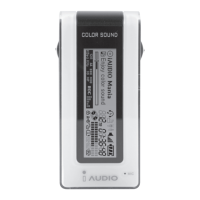
Identifies and explains the purpose of each button, port, and display element on the iAUDIO E3 player.
Details the operation of the player's buttons for power, display control, and smart reset functions.
Explains how to connect the device to a PC for charging and estimates the time required for a full charge.
Guides users on safely connecting the player to a PC for file transfer and the proper procedure for disconnection.
Provides step-by-step instructions on how to download and install firmware updates to enhance player stability and features.
Describes the four main modes: Music, Fitness, Recorder, and Settings, and their basic functions.
Explains the functions of the touchpad for navigation, selection, and mode switching within the player interface.
Details how to play music, control playback, navigate songs, and access the song list from the Music mode.
Guides on using the Fitness mode for tracking steps, calories, and exercise duration, including gender/weight settings.
Details how to use the player as a voice recorder, start/stop recording, play back recordings, and manage files.
Outlines various settings available, including Auto off, Sleep timer, Display, Date & Time, Language, Beep, and Information.
Explains how to select and customize sound effects using JetEffect BBE+ presets for enhanced audio quality.
Provides detailed technical specifications for the iAUDIO E3 player, including capacity, display, dimensions, and battery.
Addresses common problems like the player not turning on, touch pad issues, no sound, and files not appearing.
 General
| Type | MP3 player |
|---|---|
| Product color | White |
| Volume control | Digital |
| Player media type | Flash memory |
| Video memory capacity | - h |
| Card reader integrated | No |
| Total storage capacity | 16 GB |
| Music memory capacity (songs) | - |
| ID3 Tag display | Yes |
| Display diagonal | 0.95 \ |
| Display resolution | 96 x 64 pixels |
| Audio formats supported | FLAC, MP3, OGG, WAV, WMA |
| Headphone frequency | 20 - 20000 Hz |
| Headphone connectivity | 3.5 mm |
| Impedance | 16 Ω |
| MP3 bit rates | 0 - 320 Kbit/s |
| MP3 sample rates | 0 - 48 kHz |
| Signal-to-Noise Ratio (SNR) | 95 dB |
| Interface | USB 2.0 |
| Battery voltage | 5 V |
| Battery capacity | 500 mAh |
| Battery recharge time | 1.5 h |
| Continuous audio playback time | 11.5 h |
| Minimum processor | Pentium III |
| Minimum processor speed | 500 MHz |
| Mac operating systems supported | Mac OS X 10.0 Cheetah, Mac OS X 10.1 Puma, Mac OS X 10.2 Jaguar, Mac OS X 10.3 Panther, Mac OS X 10.4 Tiger, Mac OS X 10.6 Snow Leopard, Mac OS X 10.7 Lion, Mac OS X 10.8 Mountain Lion, Mac OS X 10.9 Mavericks |
| Windows operating systems supported | Windows 2000, Windows 2000 Professional, Windows 7 Home Basic, Windows 7 Home Basic x64, Windows 7 Home Premium, Windows 7 Home Premium x64, Windows 7 Professional, Windows 7 Professional x64, Windows 7 Starter, Windows 7 Starter x64, Windows 7 Ultimate, Windows 7 Ultimate x64, Windows 8, Windows 8 Enterprise, Windows 8 Enterprise x64, Windows 8 Pro, Windows 8 Pro x64, Windows 8 x64, Windows ME, Windows Vista Business, Windows Vista Business x64, Windows Vista Enterprise, Windows Vista Enterprise x64, Windows Vista Home Basic, Windows Vista Home Basic x64, Windows Vista Home Premium, Windows Vista Home Premium x64, Windows Vista Ultimate, Windows Vista Ultimate x64, Windows XP Home, Windows XP Professional |
 Weight and Dimensions
| Depth | 11.6 mm |
|---|---|
| Width | 31.4 mm |
| Height | 89 mm |
| Weight | 20.8 g |






 To Next Page