15
To Re-Activate Channel Control Lock:
1.
On the remote control, press CABLE once.
Then press and hold SETUP until the
CABLE key blinks twice, then release SETUP.
2.
Enter 9 - 7 - 3. The CABLE key will blink
twice.
3.
Press CH+ once. The CABLE key will blink
twice.
4. Now, regardless of what mode you select
(that is, TV, DVD, or CABLE), only the chan-
nel control capability of your cable converter
will be accessible.
NOTE: This feature does not affect the AUX
mode.
USING THE MASTER POWER KEY
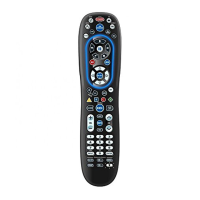
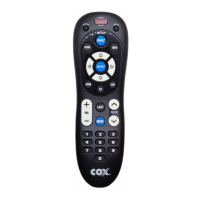
The Cox Universal Remote Control is equipped with a
unique feature that allows you to sequentially turn on
or off all your home entertainment devices with a single
key press as follows:
1. Point the remote control at the devices.
2.
Press and hold MASTER POWER for 3 seconds
to sequentially turn on or off all home
entertainment devices.
Depending on what mode is currently
selected, the remote control will send IR com-
mands to the devices in the following order
For example, if TV is selected, pressing and
holding MASTER POWER for 3 seconds will
turn off the DVD, an auxiliary device, and the
cable converter.
Start Mode Device On/Off End Mode
AUX Cable, TV, DVD CABLE
DVD Auxiliary, Cable, TV CABLE
TV DVD, Auxiliary, Cable CABLE
CABLE TV, DVD, Auxiliary CABLE
M7820BP1.indd 15 3/13/2007 3:54:00 PM



 To Next Page