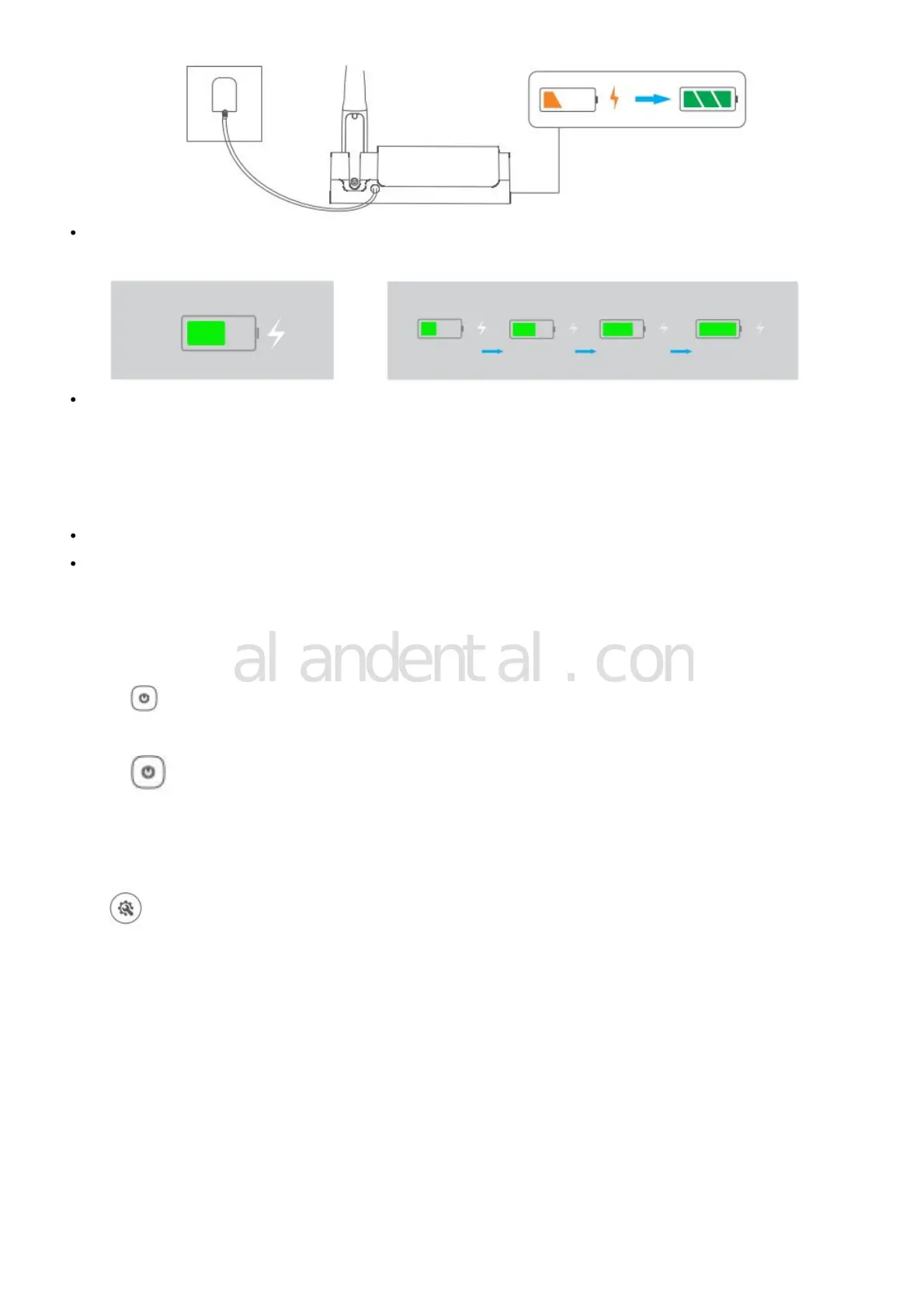
When control unit charging, the screen displays the charging symbol and status. After 1 minute of inactivity, the
symbol will disappear. You can press the ON/OFF button or touch the screen to check the charging status.
When handpiece charging, charging light (orange) on the control unit flashes and the light (green) will stay on
when fully charged.
Note:
The first charge will take more than 4 hours.
For the battery and charging, please refer to 6.
Power On/Off
1. Control Unit
Press to turn on, long press to turn off.
2. Handpiece
Press to turn on, long press to turn off
General Setting
Press to enter setup state.



 To Next Page