36 CP Tech GmbH
7.3.4 Taring the wheel load scales
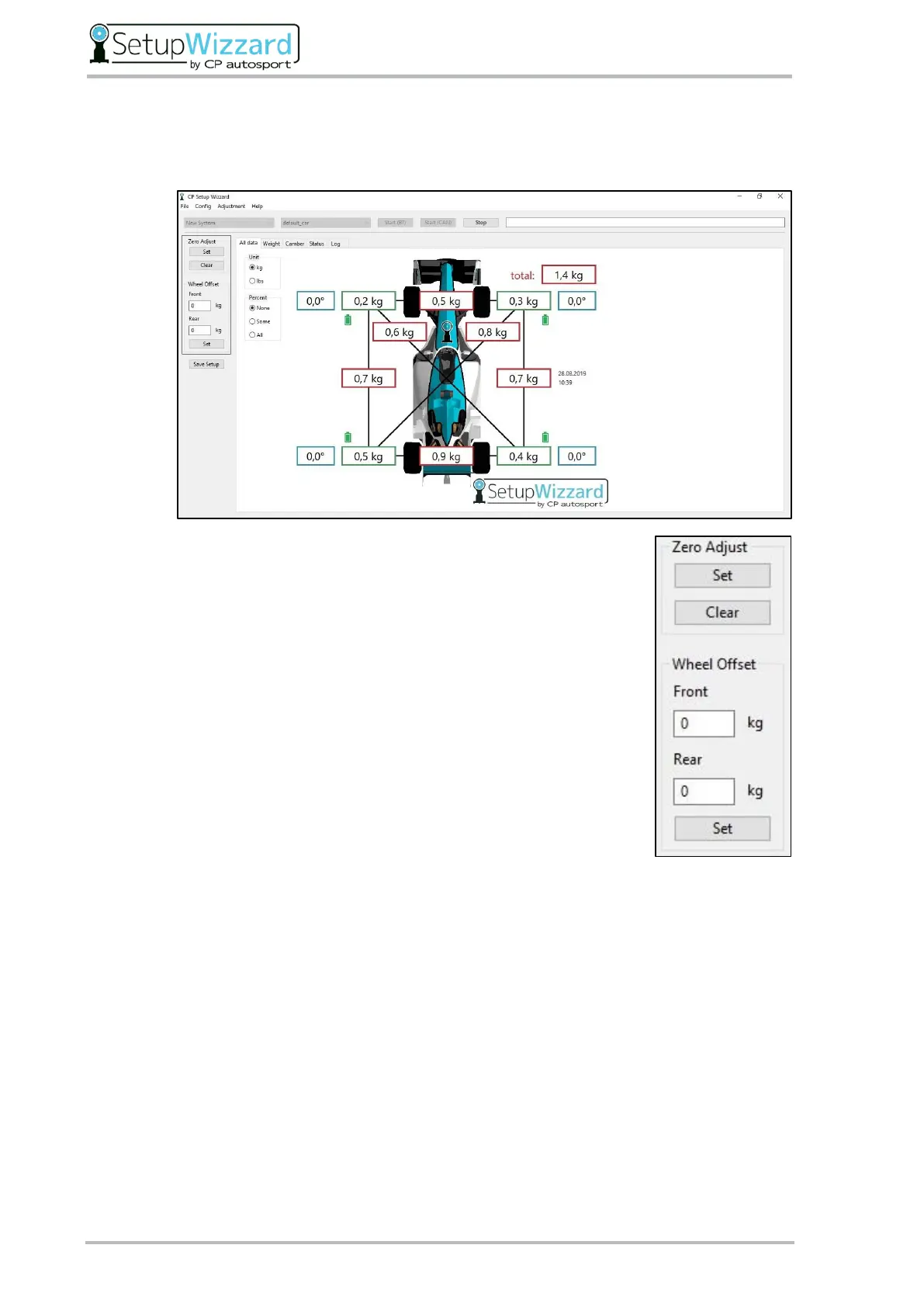
Use the buttons on the left of the user interface to tare the wheel load scales.
You can use the „Zero Adjust“ tare function to shift the zero point of
the wheel load scales determined by calibrating the load cell. To do
this, click the „Set“ button to set the new zero point and the „Clear“
button to cancel the shift.
In the „Wheel Offset“ section, you can also enter the difference
between the weight of the vehicle wheel and the weight of the setup
wheel. This is then included in the single wheel loads during the
measurement.
For this purpose, a vehicle wheel of the front and rear axle is weighed
and the difference to the weight of a setup wheel of the respective
axle is calculated. If the vehicle wheel is heavier than the setup
wheel, you must enter the difference at the appropriate axle with a
positive sign. If the vehicle wheel is lighter than the setup wheel, you
must enter the difference with a negative sign.
The entered values are only included in the measurement when the „Set“ button is pressed.
If you want to undo the input, you must enter the value „0” at the desired axle and press
the „Set“ button.



 To Next Page