Connecting PPT Signs to a Hidden WiFi Network
Windows XP (WRN & PWR)
1. Choose Control Panel from the Start menu - Control Panel window appears
2. Click the Network Connections icon - Network Connections window appears
3. Right-click the wireless network connection's icon and choose Properties from the pop-up menu
4. Click the Wireless Networks tab
5. Click the Add button, near the bottom of the dialog box
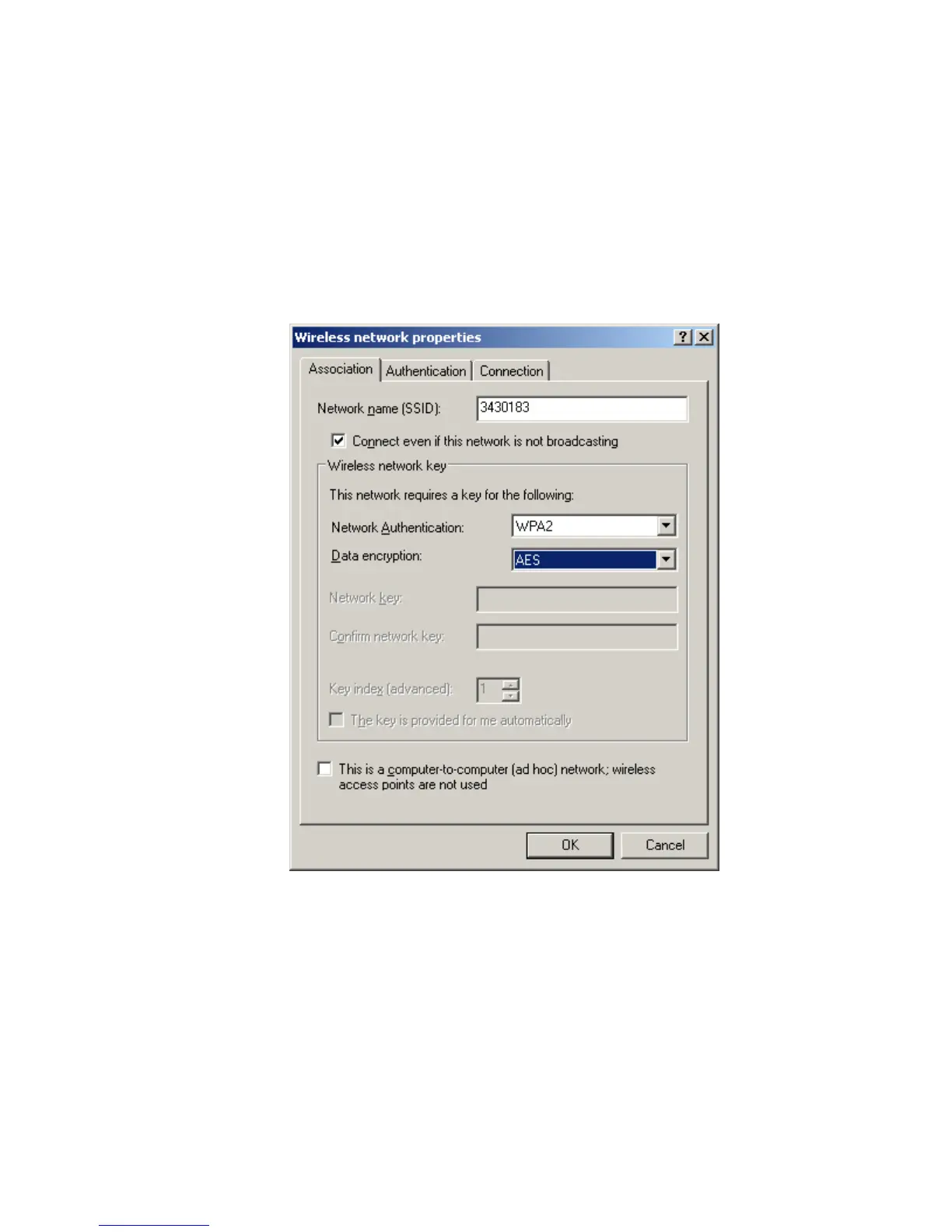
In the Wireless Network Properties dialog box that appears, manually configure the connection
to the unknown wireless network
6. Enter the SSID in the Network name field
7. Choose WPA2 for the security mode and AES data encryption
If the network key box is disabled, as shown in the above figure, another dialog box will appear
and prompt you to enter the password when you connect


 To Next Page
 Loading...