EasyManua.ls Logo

Cradlepoint IBR600C Series - STEP 4: Reinstall the SIM door.; STEP 5: Attach the LTE cellular antennas.

Cradlepoint IBR600C Series
10 pages
Print Icon
To Next Page IconTo Next Page
To Previous Page IconTo Previous Page
Loading...
3/27/24, 1:14 PM
IBR600C Series Router Quick Start Guide
https://customer.cradlepoint.com/s/article/COR-IBR600C-Series-Quick-Start-Guide
4/10
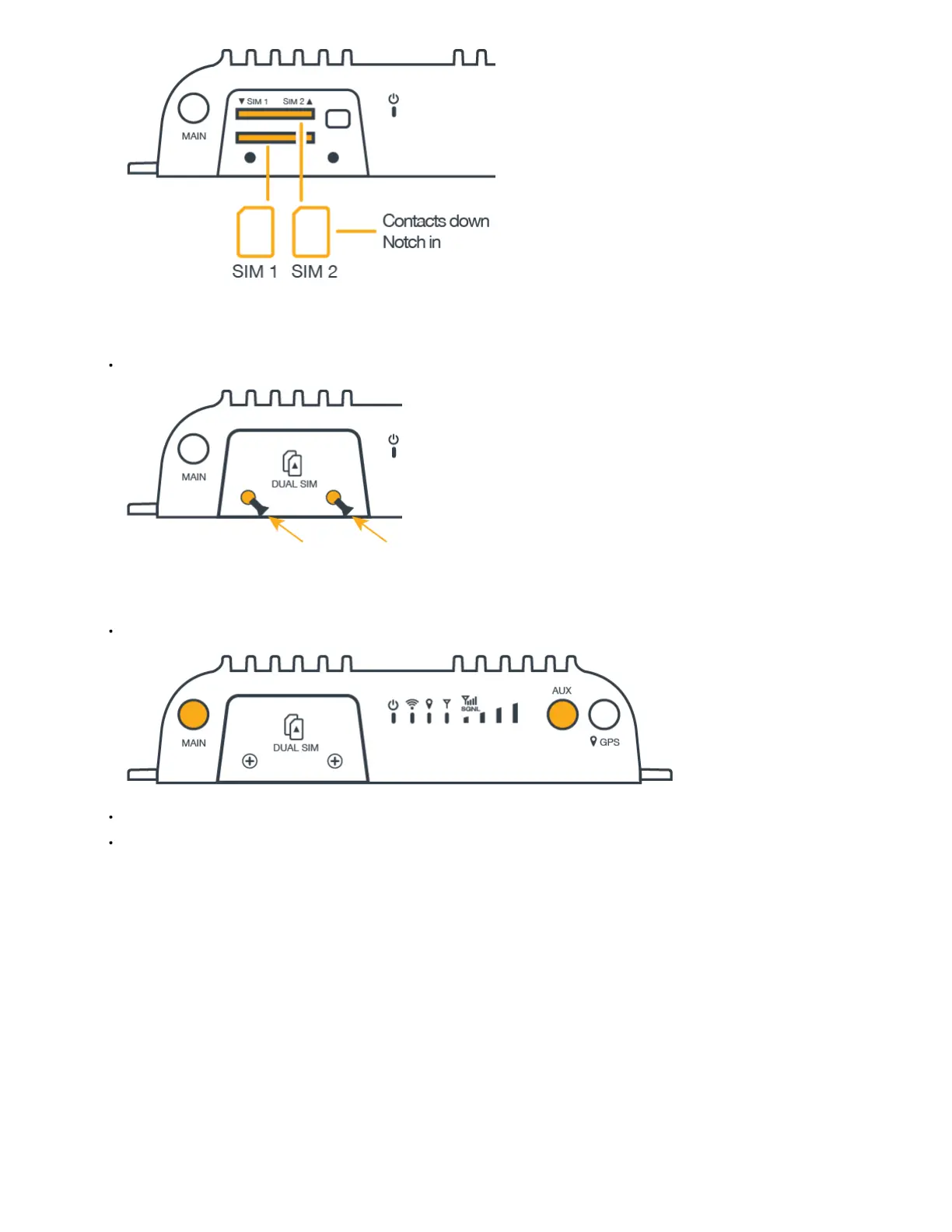
STEP 4: Reinstall the SIM door.
Replace the SIM cover and secure with the SIM door screws.
STEP 5: Attach the LTE cellular antennas.
Attach the LTE cellular (paddle) antennas to the ports marked MAIN and AUX.
Hold the antenna straight and twist the base to thread onto the connector.
Tighten with fingers only (maximum torque not to exceed 4 in-lbs). Do not over-tighten.


Related product manuals