CRADLEPOINT MBR1200 | USER MANUAL Firmware ver. 1.6.12
© 2010 CRADLEPOINT, INC. PLEASE VISIT HTTP://KNOWLEDGEBASE.CRADLEPOINT.COM/ FOR MORE HELP AND RESOURCES PAGE 26
4.5 WAN Configuration
Use the WAN Configuration sub-menu to configure the network settings for
the Wired and Cellular Modem WAN.
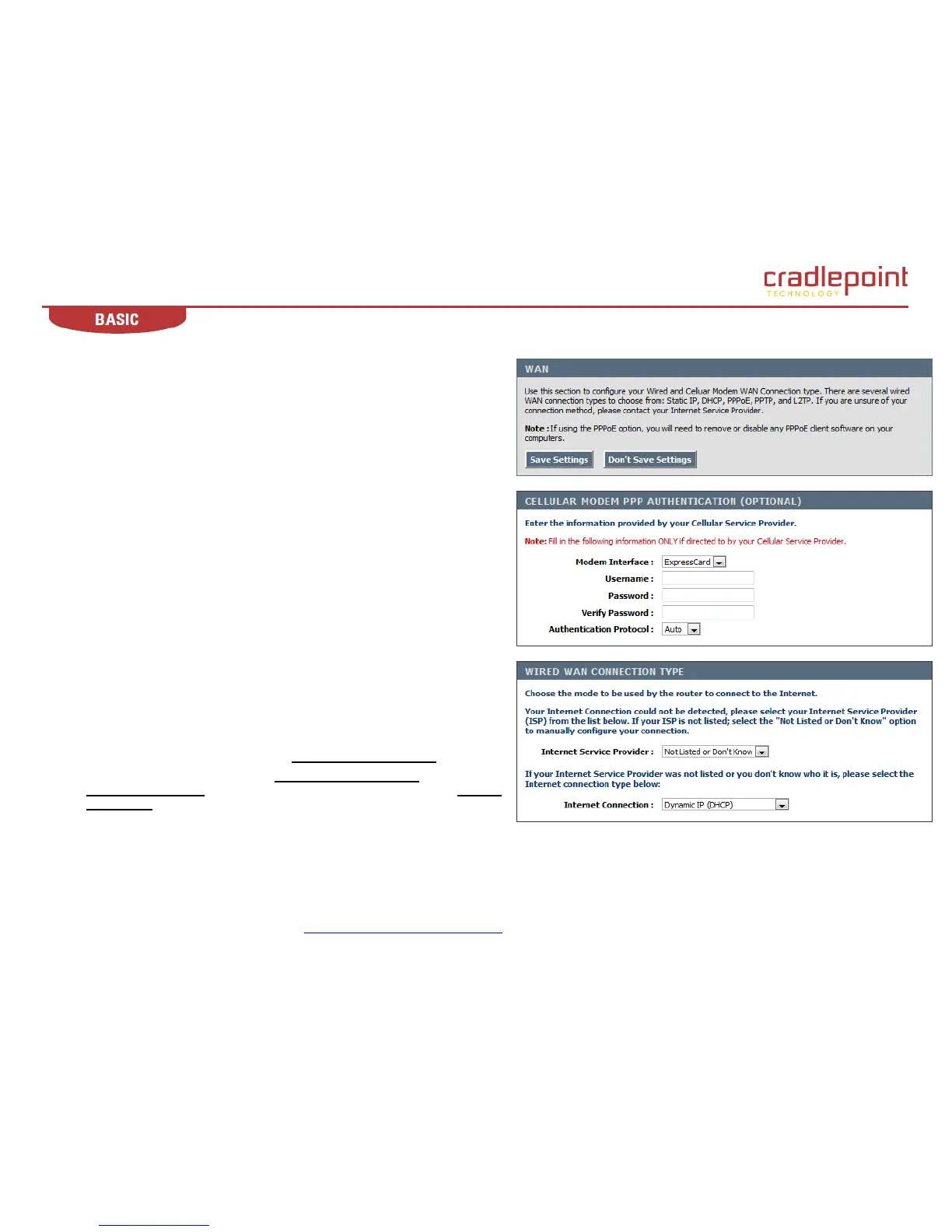
4.5.1 Cellular Modem PPP Authentication (optional).
Enter your Cellular Service Provider information in these three fields only if
directed by your Cellular Service Provider.
Modem Interface. Modem interface is the physical port the modem is
connected to. Select the appropriate port to change its settings.
Username. If required by your ISP, enter the username provided to you by
your ISP. If not required by your ISP, leave this field blank.
Password. If required by your ISP, enter the password provided to you by
your ISP. If not required by your ISP, leave this field blank.
Verify Password. Re-enter the password.
4.5.2 Wired WAN Connection Type.
There are several connection types to choose from: Static IP, DHCP, PPPoE,
PPTP, L2TP. If you are unsure of your connection method, please contact
your Internet Service Provider. Note: If using the PPPoE option, you will need
to ensure that any PPPoE client software on your computers is removed or
disabled.
Internet Service Provider. The MBR1200 will automatically determine your
ISP. If it is not able to detect your ISP, choose your ISP from the drop down
menu. If your ISP is not listed, choose Not Listed or Don’t Know.
Internet Connection. If you select Not Listed or Don’t Know option, use the
Internet Connection drop down menu to identify the type of Internet
Connection you have.
(continued)















 To Next Page