CRADLEPOINT MBR1200 | USER MANUAL Firmware ver. 1.6.12
© 2010 CRADLEPOINT, INC. PLEASE VISIT HTTP://KNOWLEDGEBASE.CRADLEPOINT.COM/ FOR MORE HELP AND RESOURCES PAGE 83
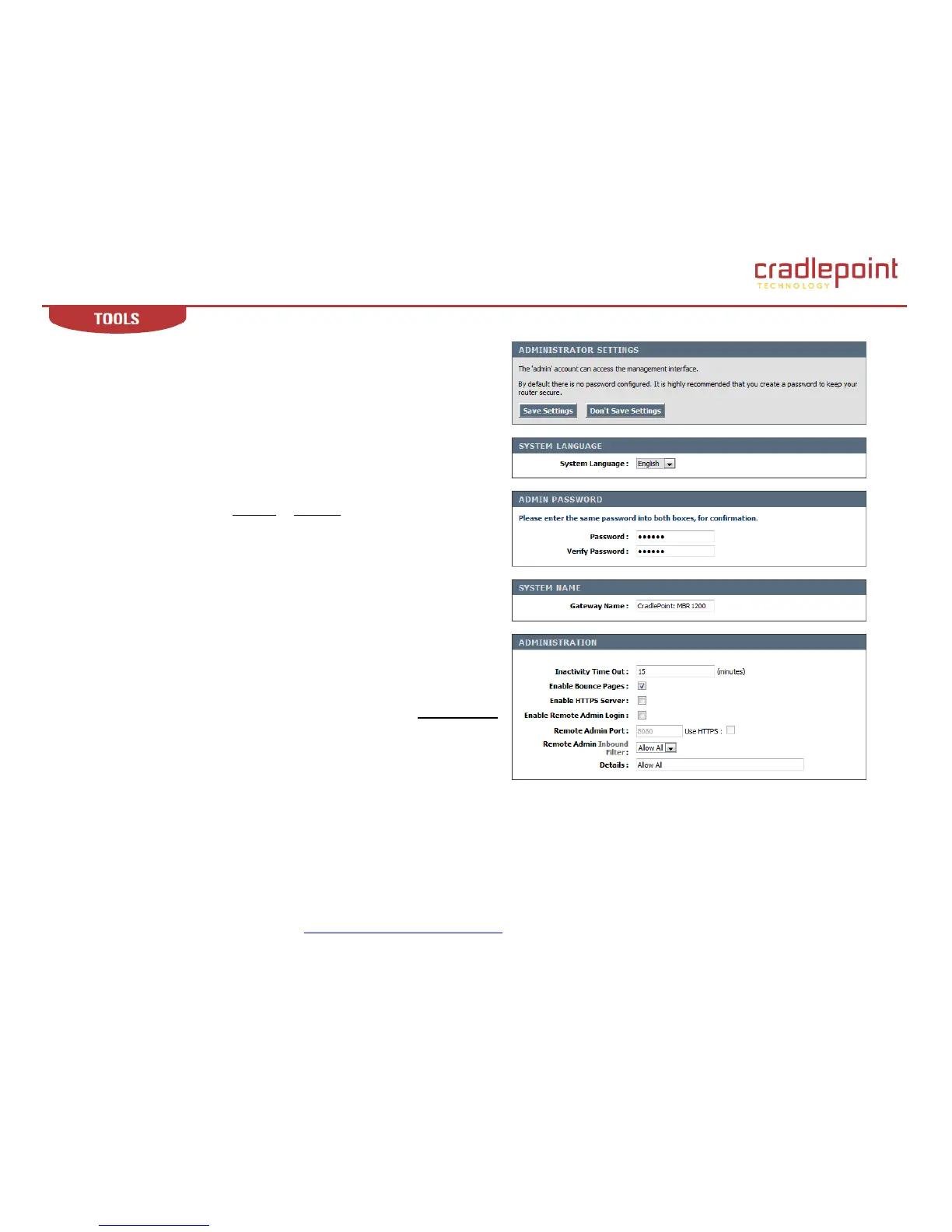
7.1 Admin (Administrative Settings).
Use the Admin sub-menu to set a password for access to the Web-based
management. The default Admin and Internet Access (User) passwords are
the last six characters of the MAC address (NOTE: all letters in the MAC
address should be entered as lower case). This screen may also be used by
the individual who first activates the unit.
7.1.1 System Language
System Language. Select English or Spanish.
7.1.2 Admin Password
Password. Type password in this field that you want to use to grant access
to Web based management interface. Default: Last 6 characters of the
MBR1200‟s MAC address.
NOTE: all letters in the MAC address should be entered as lower case.
Verify Password. Re-type the password to ensure it was entered correctly.
7.1.3 System Name
Gateway Name. The name of the router can be changed here. Default
(CradlePoint: MBR1200).
When you are done editing the settings, you must click the Save Settings
button at the top of the page to make the changes effective and permanent.
(continued)















 To Next Page