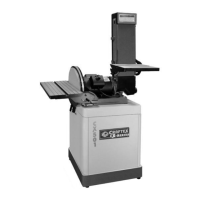
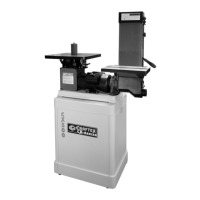
The Craftex CX510 is a 1" x 30" belt sander designed for woodworking applications. This user manual provides comprehensive instructions for its safe operation, assembly, maintenance, and troubleshooting, ensuring years of excellent service and satisfaction. As a professional tool, adherence to proper care and safety procedures is paramount for all power tools, including the CX510.
Function Description
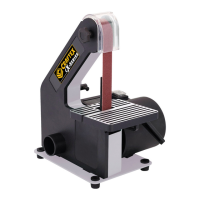
The Craftex CX510 belt sander is primarily used for sanding various workpieces in woodworking. It features a continuous sanding belt that moves over a flat platen and two pulleys, allowing for efficient material removal and smoothing of surfaces. The design includes a tilting table, which enables users to sand at different angles, enhancing its versatility for various projects. A spark shield is integrated to protect the user from sparks generated during operation. The machine is equipped with a dust port for connecting to a dust collection system, which is crucial for maintaining a clean work environment and protecting the user's respiratory health by minimizing exposure to sawdust.
Usage Features
Operating the CX510 requires careful attention to safety and proper technique. Before any operation, users must ensure the sander is connected to a matched and specific power source and that all guards are in place. Safety glasses, respirators, hearing protection, and safety shoes are mandatory personal protective equipment. Loose clothing or jewelry should be avoided, and long hair should be covered. The work area must be kept clean and free of dust, dirt, and other debris.
The CX510 features a sanding belt tracking knob, which allows for precise adjustment of the belt's alignment. This is critical for optimal performance and to prevent the belt from running off the pulleys. The table tilt adjustment feature enables the user to set the table at desired angles, with a locking handle to secure it in place. Squaring the table to the sanding belt at a 90-degree angle is a key adjustment for accurate sanding.
When installing or removing the sanding belt, the machine must be disconnected from the power source. The side cover is removed, and the tracking knob is turned counterclockwise to loosen the belt. After placing a new belt on the pulleys, the tracking knob is turned clockwise to tighten it, ensuring the rear driven wheel appears centered. A test run is recommended after assembly and adjustments to confirm proper functioning and to check for any unusual noise or vibration.
The belt support, a steel plate positioned behind the sanding belt, provides crucial support to the workpiece during sanding. It should be adjusted to be approximately 1/16" from the back of the sanding belt. This adjustment is made by loosening bolts on the belt support, positioning it correctly, and then tightening the bolts.
For horizontal sanding, the use of a stop fence is recommended to safely feed the workpiece. Workpieces should always be held firmly, especially when sanding free-hand, using both hands. Inspecting the workpiece for staples, nails, knots, or other foreign materials before sanding is essential to prevent damage to the belt and potential injury. The sander should not be forced; it is designed to operate at a specific rate for optimal performance and safety.
Maintenance Features
Regular maintenance is vital for the longevity and safe operation of the Craftex CX510. All maintenance, adjustments, and installations must be performed with the power OFF and the machine disconnected from the power source to prevent serious personal injury or damage.
The CX510 is designed with sealed and permanently lubricated ball bearings, eliminating the need for additional lubrication. However, routine checks are necessary. Before each use, the sander should be inspected for loose mounting hardware, worn or damaged wires, and any damage to the abrasive belt. Any unsafe conditions should be addressed immediately.
The dust port, with its 1-3/4" OD, should be connected to a proper-sized hose and a dust collection system. All connections must be sealed tightly to ensure optimum dust removal. This not only keeps the work area clean but also prevents sawdust from entering the user's lungs, which can cause serious health problems. Regularly cleaning the motor housing vents is important to prevent overheating, which can occur if the vents are blocked. Compressed air can be used for this purpose, but users should wear ANSI-approved safety goggles and a NIOSH-approved dust mask/respirator.
Keeping cutting accessories, such as the sanding belt, sharp and in good condition is crucial for efficient operation and to prevent the machine from being forced to work too hard. If the belt becomes dull or damaged, it should be replaced. Similarly, if carbon brushes are worn or damaged, they should be replaced by a qualified technician.
Troubleshooting guidance is provided in the manual to address common issues such as the tool not starting, operating slowly, decreased performance, excessive noise, or overheating. These solutions range from checking power connections and circuit breakers to replacing worn parts or seeking professional service. For instance, if the tool does not start, checking the cord connection and power outlet is the first step. If performance decreases, a dull belt or worn carbon brushes are likely culprits.
The manual emphasizes that the safety instructions provided cannot be exhaustive due to varying shop environments. Users are encouraged to always prioritize safety based on their individual working conditions.


 To Next Page
 General