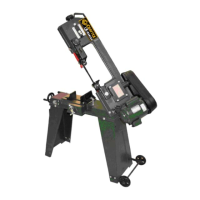
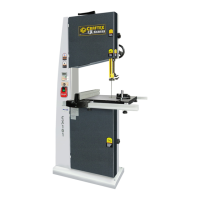
The Craftex CX110 CX-Series is a 12" Slow Speed Cold Saw designed for cutting metal construction materials of various shapes and profiles. It is suitable for fabrication workshops, machinist shops, and general construction work.
Function Description
The CX110 is a cold saw that uses a slow-speed blade to cut metal workpieces. It features a vise for clamping materials, an adjustable head for miter cuts, and a work-stop for consistent length cuts. A coolant pump system is integrated to lubricate the blade and cool the workpiece during operation, enhancing cut quality and blade life. The machine is designed for safe and efficient cutting, with various safety features and controls.
Important Technical Specifications
- Motor: 2-1/2 HP, 220 V, 16 Amp
- Coolant Pump: 1/8 HP
- Coolant Tank Size: 5 L
- Spindle Speed: 52 RPM
- Maximum Vise Opening: 4-3/4" (120mm) with Quick Release
- Approximate Weight: 195 Kg
- Made in: Taiwan
- Warranty: 3 Years (parts), 90 days (labor)
Cutting Capacities at 90°:
- Solid: 2-3/8" (60mm)
- Hollow: 4" (100mm)
- Square: 3-1/4" x 3-1/4" (82mm x 82mm)
Cutting Capacities at 45°:
- Solid: 2" (50mm)
- Hollow: 3-1/2" (90mm)
- Square: 3" x 3" (75mm x 75mm)
Usage Features
- Control Handle: Ergonomically designed for comfortable operation.
- Trigger Switch: Activates the motor and coolant pump.
- ON/OFF Button: Main power switch for the machine.
- Power Indicator Light: Glows green when the machine is turned ON.
- Coolant Pump Switch: Controls the coolant pump.
- Emergency Stop Button: Shuts off the machine in case of an emergency.
- Vise Hand Wheel: Opens and closes the vise jaw to clamp the workpiece.
- Vise Quick Release Lever: Allows for quick opening, repositioning, and re-clamping of the vise jaws, useful for repetitive clamping procedures.
- Miter Lock Lever: Releases or locks the saw head in position for angled cuts.
- Angle Indicator Scale: Provides a guide for setting desired cutting angles.
- Work-Stop: Allows setting a specific distance from the blade for producing multiple cuts of the same length.
- Adjustable Vise: Can be adjusted to provide maximum support at different angles and features an auxiliary stability bracket for additional support during cutting.
- Blade Guard: Ensures safety during operation by covering the blade.
- Splash Guard: Protects the operator and surrounding area from cutting fluid and debris.
- Mounting Holes: Located on the cabinet stand for securing the machine to the shop floor using lag shield anchors or studs.
Maintenance Features
- Daily Checks: Before each use, operators should check for loose mounting nuts and bolts, worn or damaged cords, cutting fluid level, blade damage, proper function of the blade guard, damaged parts, and any other unsafe conditions.
- Cleaning: The machine should be kept clean, greased, and lubricated regularly. Excess metal chips should be vacuumed, and remaining debris and cutting fluid wiped off with a dry cloth.
- Coolant System Maintenance: The coolant tank needs to be accessed and cleaned periodically. This involves disconnecting the power, removing the rear stand cover, wearing protective glasses, removing the drain hose, taking out the tank, draining and disposing of used cutting fluid according to regulations, wiping out residual fluid, cleaning screens in the machine base and tank, washing the filter, and refilling with a 1:10 coolant solution to water.
- Lubrication: The vise lead screw should be cleaned with a rag and lubricated with multipurpose grease, distributed by opening and closing the vise several times.
- Gearbox Oil Change: The oil in the gearbox must be drained and replaced every six months. This involves disconnecting power, raising the saw, removing the oil sight glass to drain old oil, raising the saw back up, pouring in new oil through the fill plug, and reinstalling the control handle. The oil sight glass also serves as a drain plug.
- Blade Change: Requires disconnecting power, removing the cap screw securing the blade guard, rotating the guard and linkage out of the way, removing the arbor cap screw and blade flange, placing the flange on the new blade, and reassembling.
- Troubleshooting Guide: The manual provides a comprehensive troubleshooting section to help diagnose and remedy common issues such as tooth breakage, premature disk wear, chipped disk, disk vibration, ridges on the cutting surface, cuts off straight, and blade sticking in the cut. This guide covers potential causes like incorrect cutting speed, tooth pitch, disk quality, gripping, lubrication, and material accumulation.



 To Next Page
 General