TOOLS REQUIRED FOR ASSEMBLY
A socket wrench set will make assembly Nut,
easier. Standard wrench sizes are listed. Handle
(t) Utility knife Panel----_--_
(2) 1/2 Wrench _
OPERATOR'S POSITION
When right or left hand is mentioned in this
manual, it means when you are in the operat-
ing position (standing behind tiller handles).
Front
Left
Right
Operator's Position
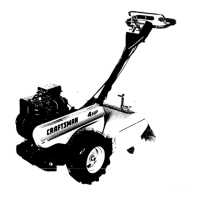
UNPACK CARTON & INSTALL
HANDLE
_I:_CAUTION: Be careful of exposed
staples when handling or disposing of
cartoning material.
IMPORTANT:: When unpacking and as-
sembling tiller, be careful not to stretch or
kink cable(s).
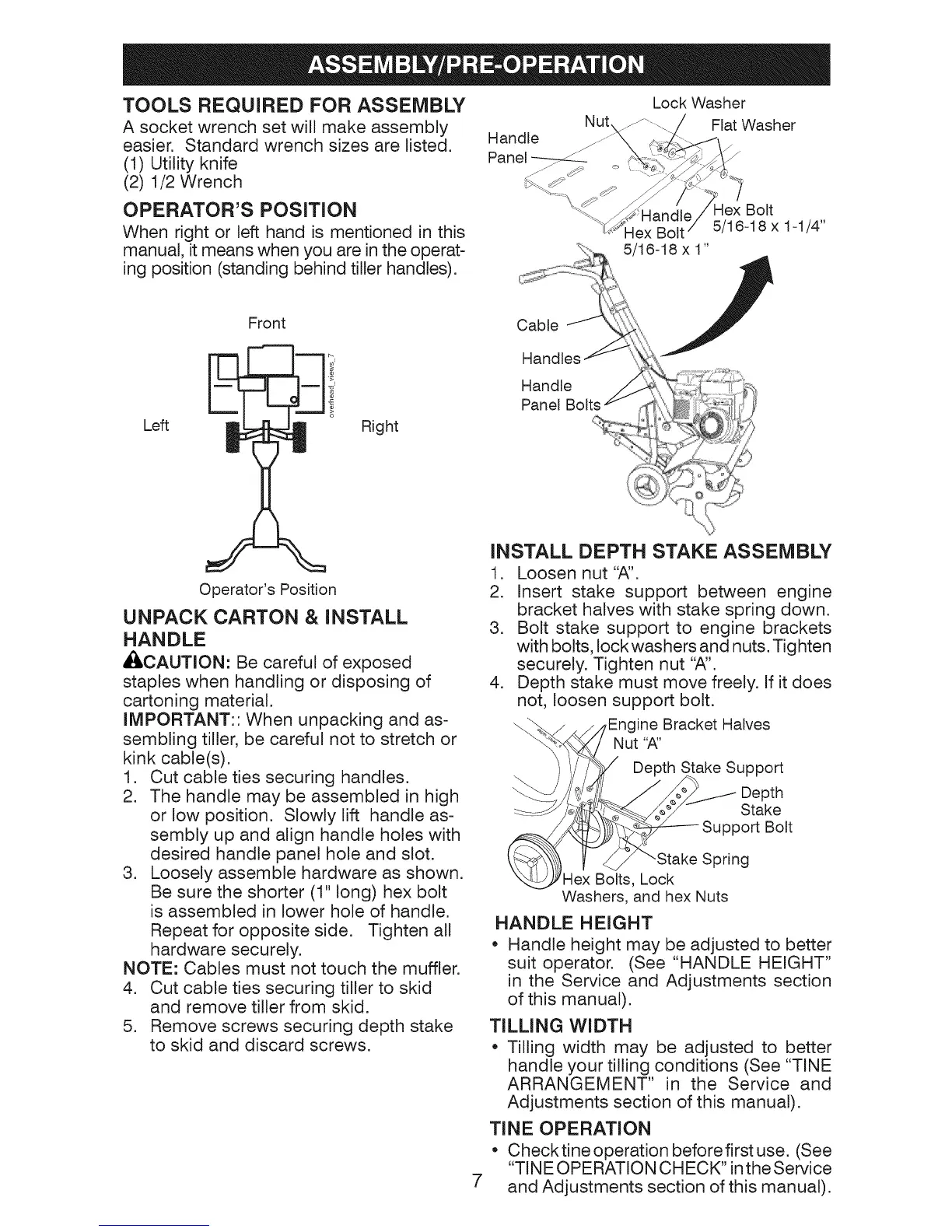
1. Cut cable ties securing handles.
2. The handle may be assembled in high
or low position. Slowly lift handle as-
sembly up and align handle holes with
desired handle panel hole and slot.
3. Loosely assemble hardware as shown.
Be sure the shorter (1" long) hex bolt
is assembled in lower hole of handle.
Repeat for opposite side. Tighten all
hardware securely.
NOTE: Cables must not touch the muffler.
4. Cut cable ties securing tiller to skid
and remove tiller from skid.
5. Remove screws securing depth stake
to skid and discard screws.
Lock Washer
Flat Washer
Hex Bolt
Bolt 5/16-18 x 1-1/4"
5/16-18 x 1"
Cable
Handle
Panel Bolts
7
iNSTALL DEPTH STAKE ASSEMBLY
1. Loosen nut "A".
2. Insert stake support between engine
bracket halves with stake spring down.
3. Bolt stake support to engine brackets
with bolts, lock washers and nuts. Tighten
securely. Tighten nut "A".
4. Depth stake must move freely. If it does
not, loosen support bolt.
ine Bracket Halves
Nut "A"
Depth Stake Support
Depth
Stake
Support Bolt
Spring
Hex Bolts, Lock
Washers, and hex Nuts
HANDLE HEIGHT
Handle height may be adjusted to better
suit operator. (See "HANDLE HEIGHT"
in the Service and Adjustments section
of this manual).
TILLING WIDTH
Tilling width may be adjusted to better
handle your tilling conditions (See "TINE
ARRANGEMENT" in the Service and
Adjustments section of this manual).
TI
o
NE OPERATION
Checktine operation beforefirst use. (See
"TINE OPERATION CHECK" in the Service
and Adjustments section of this manual).



 To Next Page