White
Red
AUX IN 1
DVD
3. Power ON the unit as previous procedures.
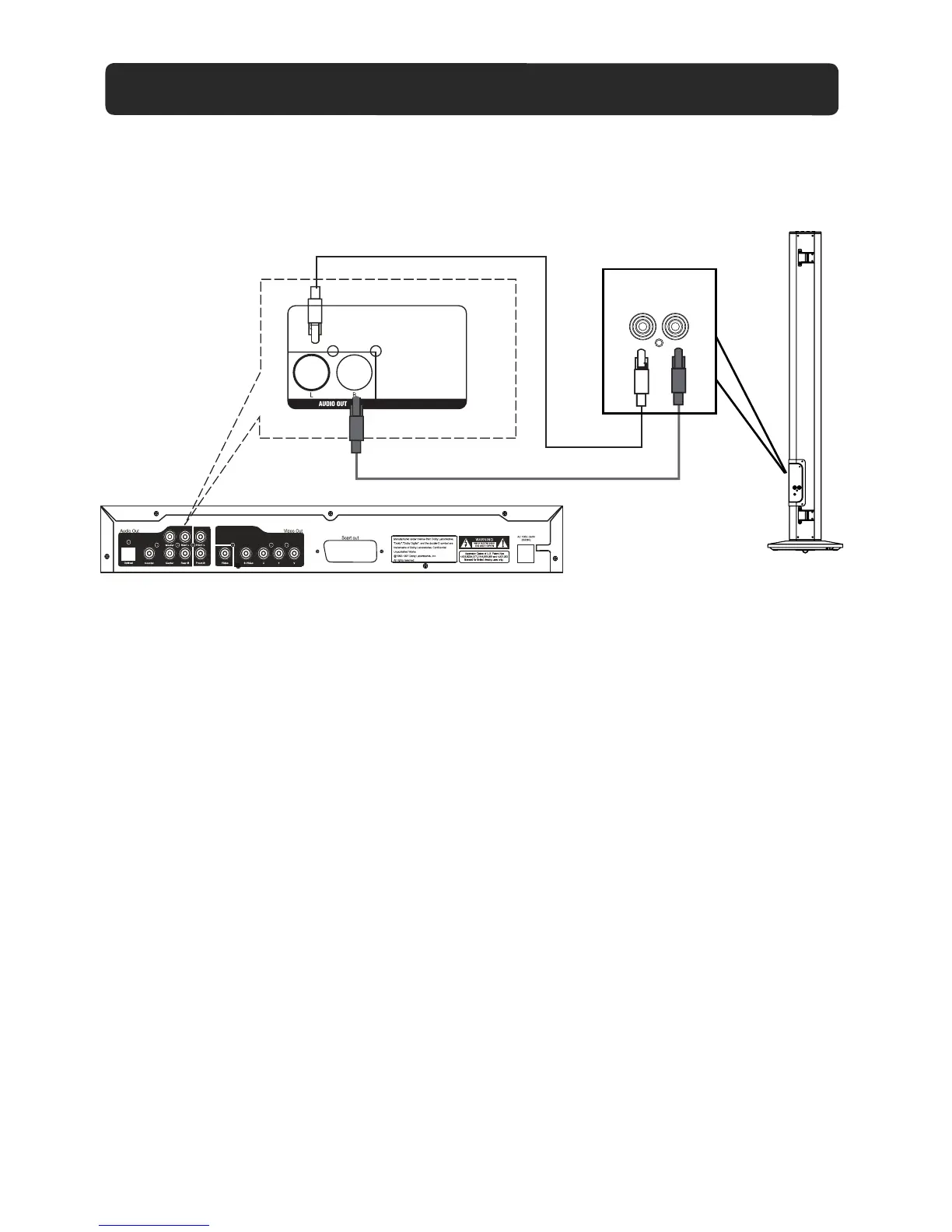
1. Connect one end of RCA audio connection cable (supplied) to the AUX IN 1 jacks on the rear
of the unit as the figure above.
2. Connect the other end to the Audio out jacks on the external player (such as Television, VCR, DVD
Player, DVR ... etc.).
5. Play the music in the external player as usual. (Make sure the volume output level of the player is
in high level. Otherwise, sound from this unit is weak).
4. Press the SOURCE button repeatedly until the color of indicator turns to Purple.
AUX IN 1 : LISTEN TO TV/DVD/VCR/DVR
Audio out jacks on
TV/DVD/ VCR/DVR
(RCA cable included)
AUX IN 1
R
L
12


 To Next Page