11
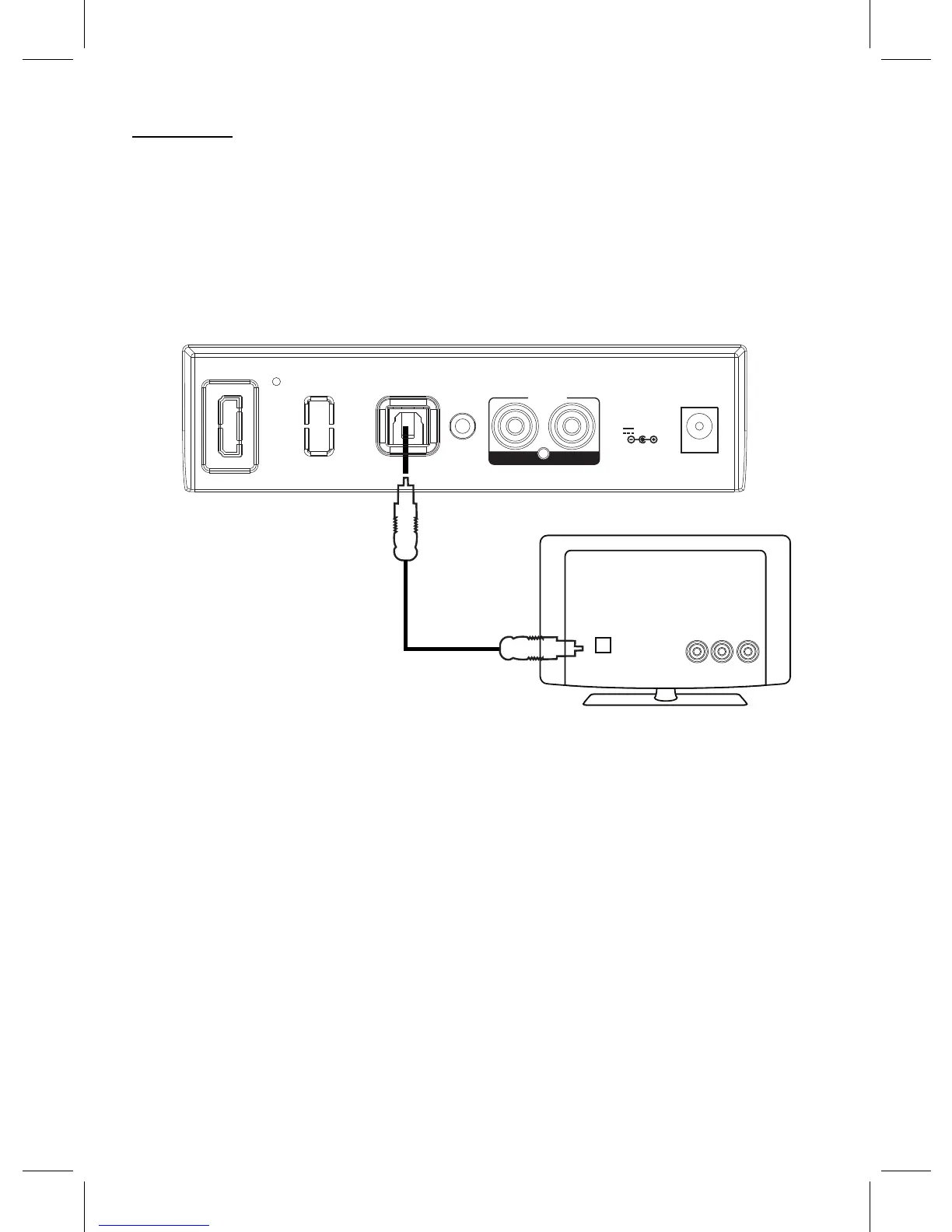
OPTICAL OUT
Optical Connection Cable
TV
Listen music from the Optical Out Jack from an external Video Player or Television:
OPTICAL IN:
1. Connect one end of the Optical Connection Cable (not included) to the Optical Out Jack on the
external Video Player or Television.
2. Connect the other end of the cable to the OPTCAL IN Jack on the rear of unit as illustrated
below:
3. Power on the unit and enter to Optical IN mode as previously instructed. The color of the
indicator on the front of unit will turn to Indigo (Blue + Green Mixed).
4. Plays the video on the connected Video Player or watching the TV program on the connected
TV as usual.
OPTICAL IN
AU N
AU N 1
L R
DC IN
DC 5.8V,1.5A
X I
X 2 I



 To Next Page