2
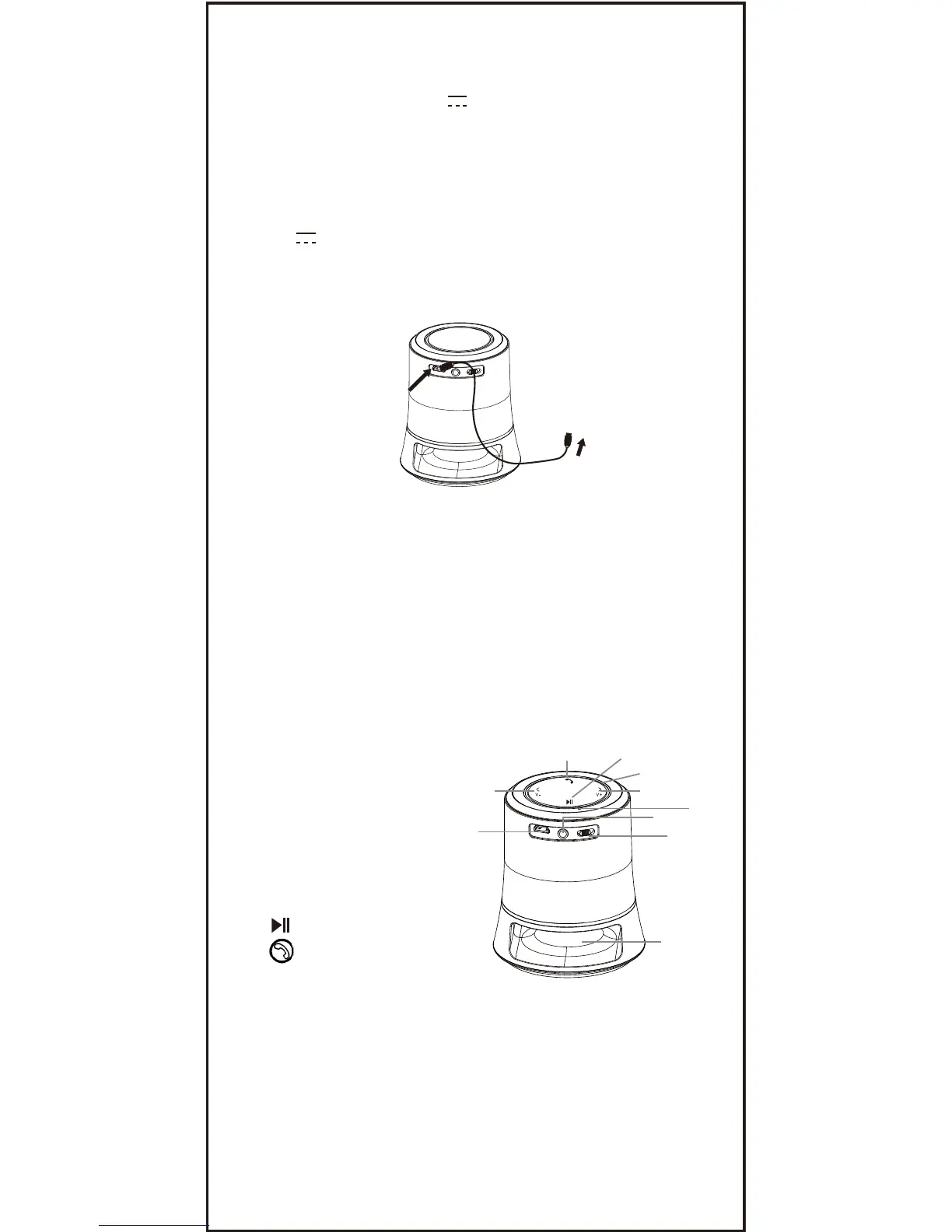
Battery Recharge
The unit has a built in DC 3.7V, 400 mAh Li-ion
rechargeable battery, recharge it before use as follow:
● Inset the small plug from the supplied USB
cable to the Micro USB Port on the unit.
● Insert the other plug to the USB Port on the
Personal Computer or any USB Charger having
DC 5V; 300mA (or more than 300mA) output
as the figure below. (During charging, the Red
Indicator on the Decorative Ring on the top of unit
will light. When finished, it will turned off).
Notes:
Your battery will last longer if you following these
simple guidelines for charging and storing.
A. For charging first time, charge it at least 10 hours.
B. Recharge and store the unit within the temperature
range of 5°C~35°C (40°F~95°F).
C. Do not over charge (longer than 24 hours). Excessive
charging or discharging may shorten the battery's life.
D. Battery life naturally shortens slowly over time.
E. The rechargeable battery incorporated in this
product is not user replaceable.
Location of Controls:
DC IN
LINE IN
OFF ON
DC IN
LINE IN
OFF ON
6
8
5
9
1
4
2
10
3
7
1. </V- (Skip Backward/
Volume Down) Button
2. >/V + (Skip Forward/
Volume Up) Button
3. (Play/Pause) Button
4. Button
5. Power ON/OFF Switch
6. Micro USB Port (For charge only)
7. Built-in Microphone
8. LINE IN Jack
9. Decorative Lights
10. Indicators (In the Decorative Ring)
To Micro USB Port
To PC or any USB Charger
Connection



 To Next Page