CRAMERTOOLS.COM
10
EN
Version 3 - 2022.09.22
Connecting the Power Supply
Connect the power supply in a cool, dry environment; out of direct sunlight.
If the power supply is connected to an electrical socket outdoors, it must be approved for outdoor use.
The low voltage cable can cross the operating area if it is stapled down or buried.
CAUTION: Do not cut, splice, or alter the low voltage cable. Altering the low voltage cable will void the
product guarantee.
Installation
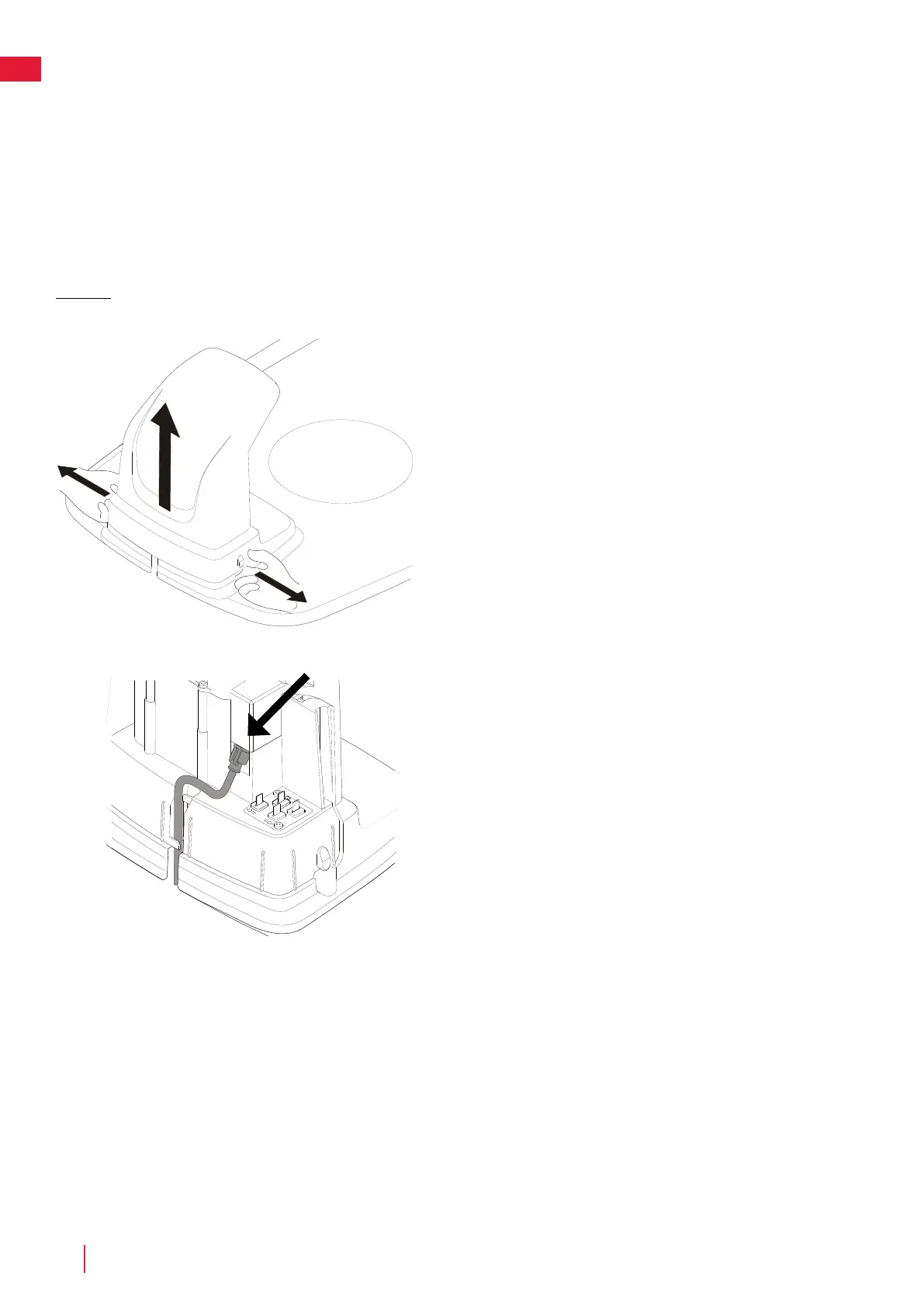
Connect the low voltage cable to the charging station.
Thread the low voltage cable behind the tabs to hold it in place in the
charging station.
Connect the power supply power cable to a 220-240 V wall socket.
Remove the protective cover on the charging station by pressing in the
tabs on each side of the base and lifting away the cover.



 To Next Page