10
Contact CRC Industries at 800-556-5074 | smartwasher.com
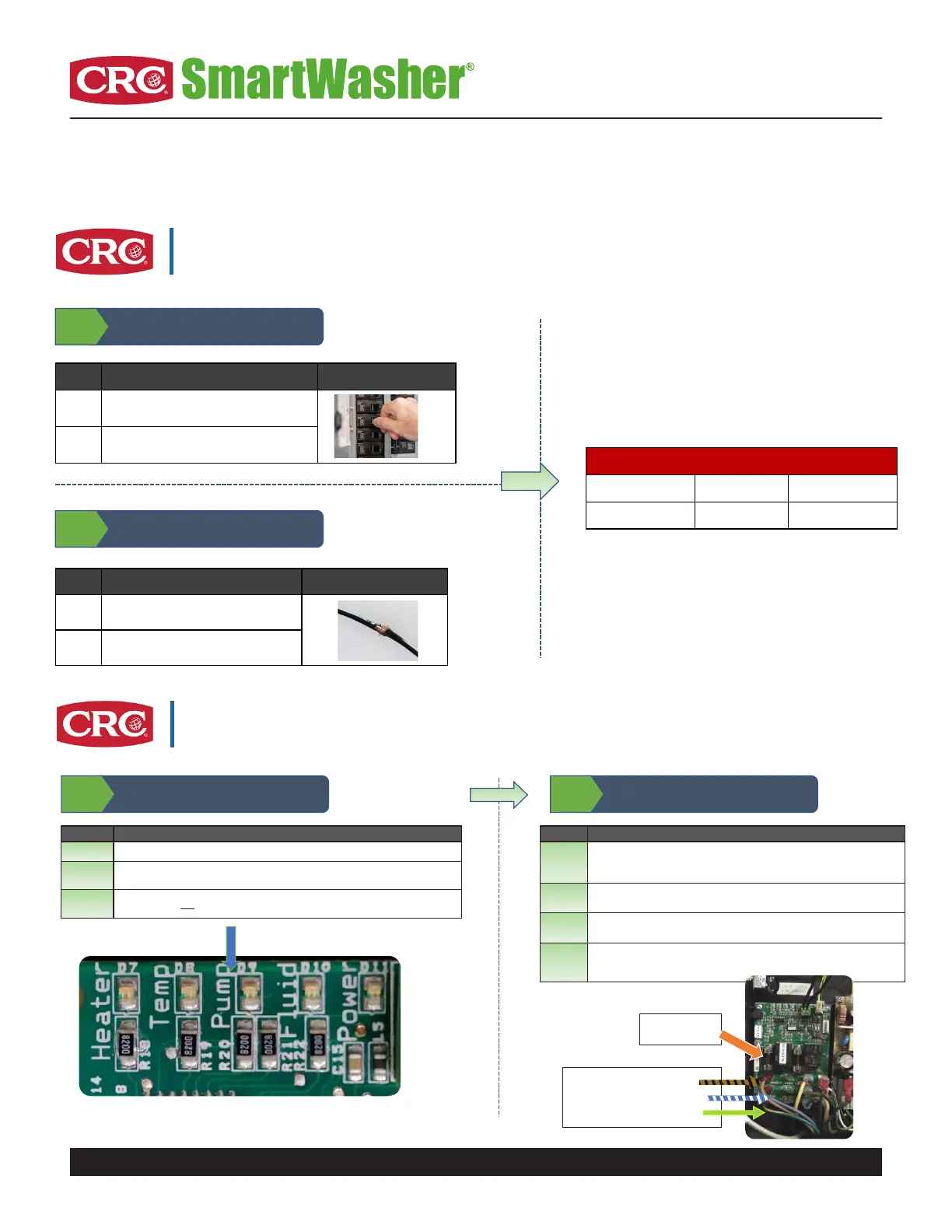
Troubleshooting
Issue: Machine Does Not Power On
Image ExampleProcess StepsProcess
Ensure outlet has 120v.A
If not, check circuit breaker or try another
outlet.
B
Image ExampleProcess StepsProcess
If there is power, call CRC Technical Service.A
If there is no power, replace the power cord.B
CRC Replacement Part: Power Cord Kit
Legacy number Item numberMachine Model
148631750066ALL Models
Replacement Part (If required)
Step 1
Check to ensure machine is plugged in
Step 2
Check voltage at the circuit board where
power cord plugs in
Issue: Machine Does Not Pump
Process Process Steps
A Ensure the switch is in the “On” position.
B Ensure Pump LED is on solid (If it is go to step 2).
C If Pump LED is not
on solid, call CRC Technical Service.
Step 1
Remove the four or six Phillips head
screws on the control box lid.
Process Process Steps
A
Check for 120 volts coming out of the circuit board at the connection
terminals. Unplug the 1 brown or black, 1 blue or white wire, and 1 green or
green with yellow tracer.
B
If 120 volts is present out of the top and bottom terminals, replace the
pump. Ensure the switch is in the “ON” position when testing.
C
If 120 volts is not present, check for voltage across the fuse. If blown,
replace fuse and pump. Do not replace just the fuse.
D If the fuse is good and no voltage present, replace the control box.
Step 2
Pump LED is SOLID
Pump Fuse
1 AMP Slow Blow
Pump Terminals
Top: (Hot) Brown or Black
Middle: (Neutral) Blue or White
Bottom: (Ground) Green or Green
with Yellow Tracer


 To Next Page
 Loading...