Need help?
Do you have a question about the Creamsource Vortex8 and is the answer not in the manual?
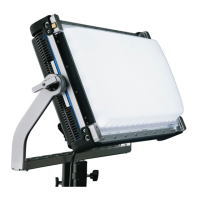
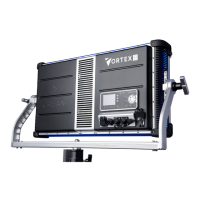
General description of the Vortex8's features and capabilities.
Lists the available part numbers for the Creamsource Vortex system.
Important safety warnings and precautions for operating the Vortex8.
Regulatory compliance information, certifications, and environmental notes.
Details the items included in the Vortex8 package.
Explains the IP65 rating and precautions regarding water exposure.
Information on the fixture's operating temperature limits and heat dissipation.
Instructions for assembling the Vortex8's yoke system.
Guidelines for safely rigging the Vortex8 using its threaded points.
Details on the accessory filter rails for mounting diffusers and other modifiers.
Procedure for installing the Dome accessory onto the Vortex8.
Procedure for installing the Honeycomb accessory onto the Vortex8.
Procedure for installing the Diffuser accessory onto the Vortex8.
Overview of the four methods for controlling the Vortex8 fixture.
Explanation of the Vortex8's physical controls and LCD display interface.
Introduction to the CreamOS operating system and its architecture.
Details on navigating and controlling parameters from the CreamOS home screen.
How to switch and manage different color modes within CreamOS.
How to select and customize various built-in lighting effects in CreamOS.
Detailed description of menu items and their functions for firmware V1.4.7+.
Overview of the various wired and wireless connectivity options on the Vortex8.
Information on connecting and controlling the Vortex8 using wired DMX.
Details on utilizing the built-in Lumen Radio system for wireless DMX control.
How to connect and use a wired remote dimmer for basic fixture control.
Step-by-step guide for updating the Vortex8's firmware using a USB drive.
Information regarding the internal fuse and its serviceability.
Instructions and considerations for powering the Vortex8 with a DC battery source.
Technical specifications for the DC power connector pinout.
Detailed pinout specifications for the accessory port connector.
Comprehensive technical specifications including material, dimensions, and photometrics.
Information on the product warranty terms and conditions.
Contact information and resources for customer support.
Record of document revisions, dates, and notes.
 General
| Brand | Creamsource |
|---|---|
| Model | Vortex8 |
| Category | Light Fixture |
| Language | English |

 To Next Page