Page 15Vortex8 User Manual
Version 1.0
5.1 Controlling the Vortex8
There are four dierent ways of controlling the fixture, which are detailed below.
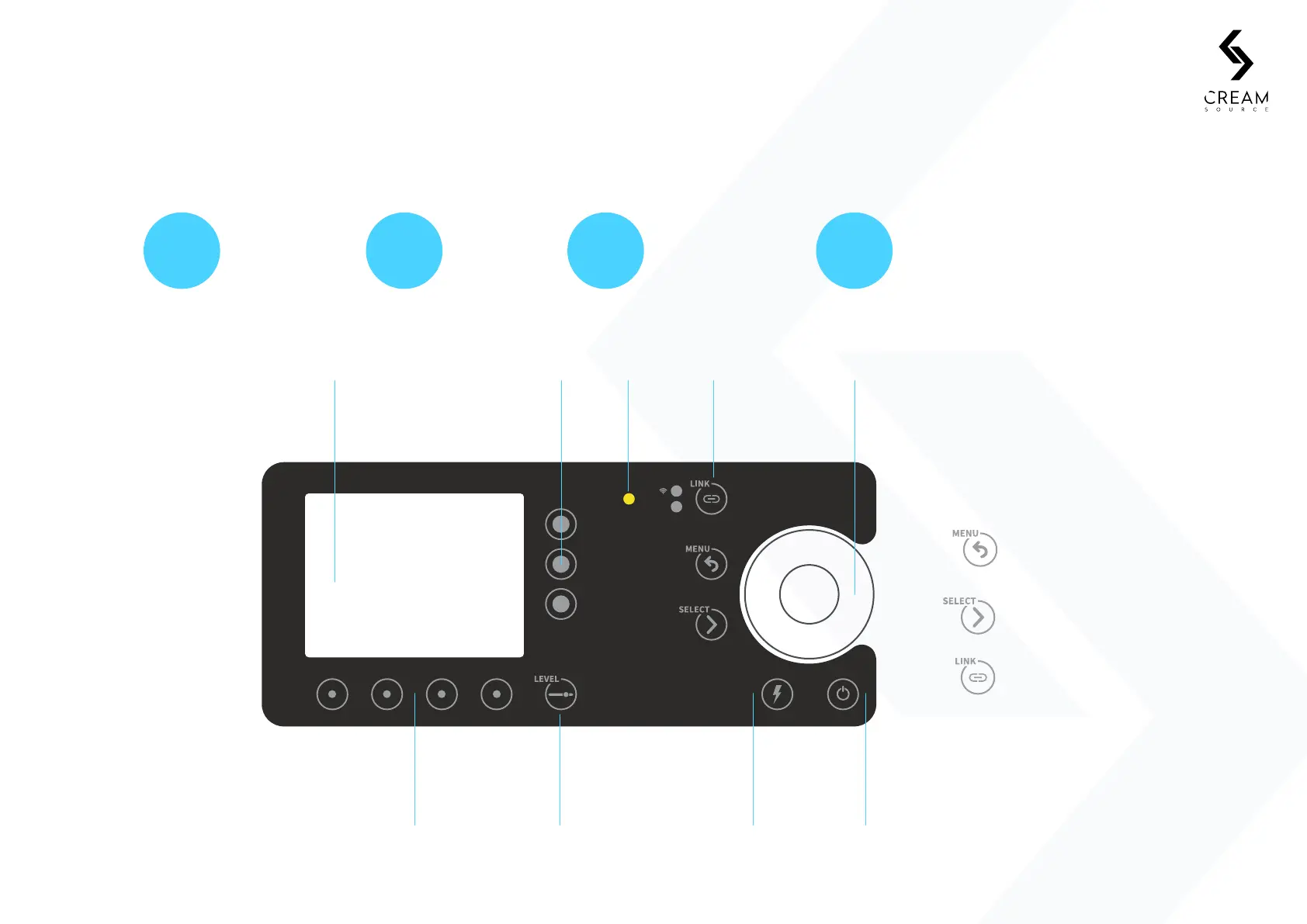
5.2 On-board Keypad and Display
5. Controls
1 2 3 4
On-board keypad
and display
Wired DMX
Wireless DMX using
inbuilt Lumen Radio
system
Wired remote dimmer
control (sold separately)
EXT
MENU takes you to the home screen and
back a screen while in a function
SELECT enters into the
active function
Navigation DMX quickAmbient Encoder nav
Access buttonlight sensor wheel
LCD display
Quick select Level shortcut Flash Button Power
with CreamOS buttons
dock buttons button (trigger eects) button
DMX and Wireless Quick Access Button
(HOLD to unlink Lumen Radio)


 To Next Page