Page 25Vortex8 User Manual
Version 1.0
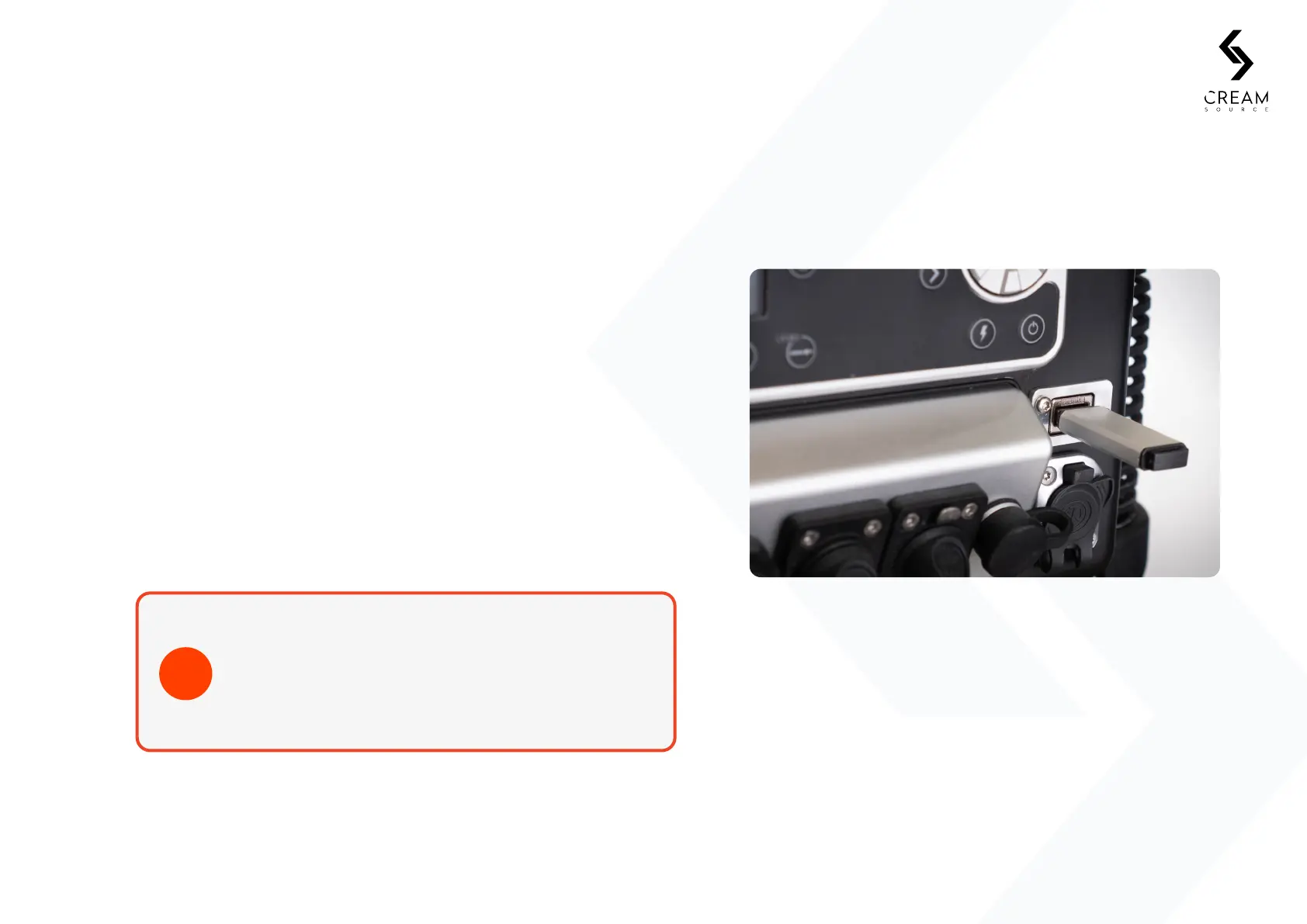
6.5 Firmware Updates Via USB
Download the latest CreamOS update from www.creamsource.com/support.
6. Connectivity
1. Copy the file to a USB drive.
Note: Only one *.sfb update file should be copied onto the drive at a time.
2. Insert USB drive into USB connector on Vortex.
3. Power up Vortex8 and it will automatically update to the version
copied on the USB drive.
Note: Installing will take 1-2 minutes.
4. Safely remove USB drive once the update is complete.
Recommended USB drives include EMTEC, Kingston
and Toshiba. Drives will need to be formatted as FAT32.
If the Vortex8 fails to read the USB drive, please try one
from a dierent manufacturer.
TIP


 To Next Page