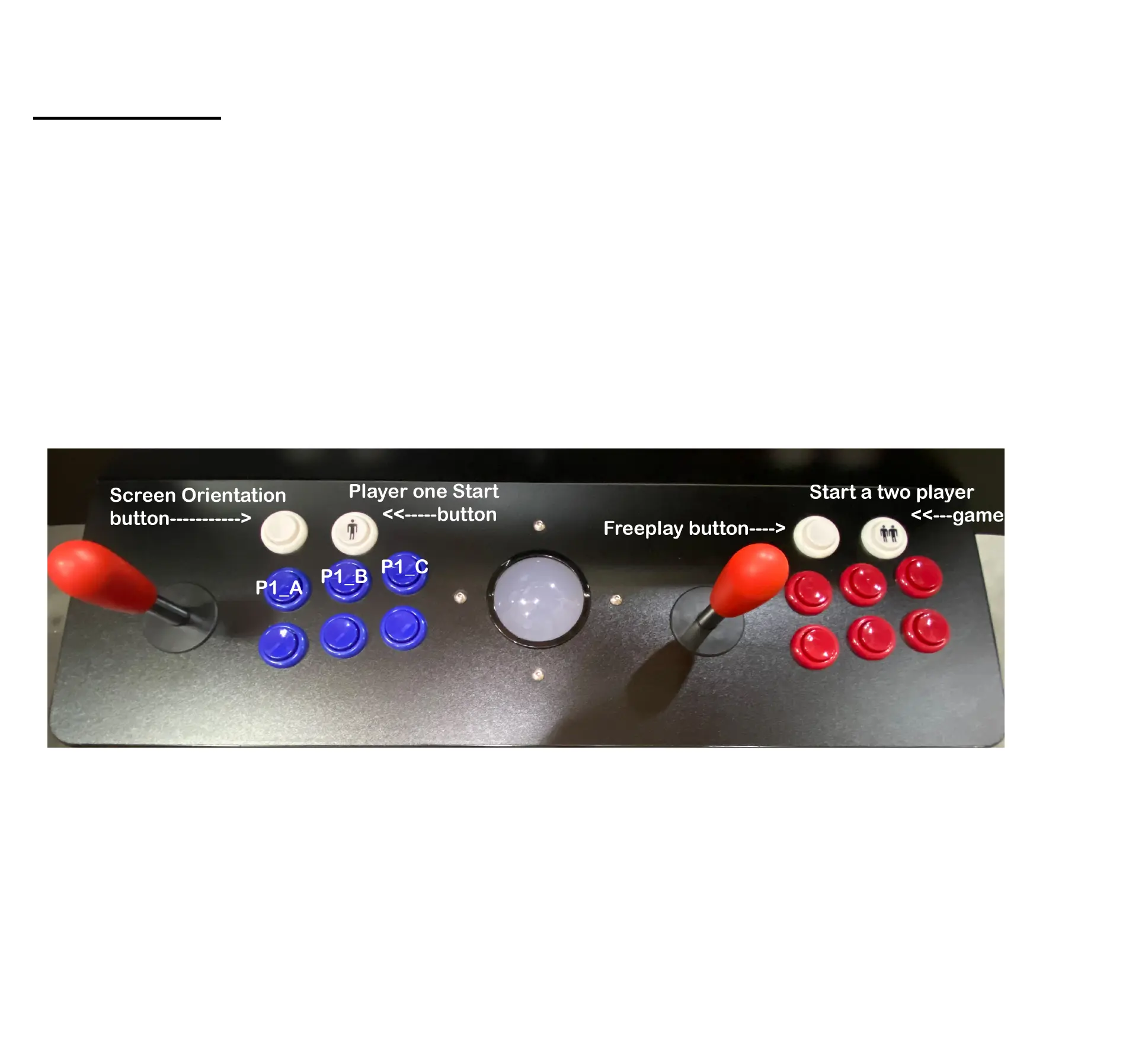
Control Panel
To start playing a game. First find the category by pressing the Category button and continue to press it until you
come to the category that you want. Then use the joystick to navigate through the game selection screen. Push
down on the joystick to move down one game at a time, Also you can push to the right to jump through games ten
at a time. Hold the joystick to the right to cycle through the games quickly. Once you have found the game you
would like to play, press the start a game or P1_A button as shown in Figure A.
After the game loads, press the freeplay button to add credits and then Player one start to start the game.
To exit out at any time, press and hold the player one start button and it will bring you back to the game
selection screen.
Quick Starting
Figure A


 To Next Page