Change the orientation of the screen by hitting the all white button
next to player one start that is shown in figure b.
Once you find a game that you would like to play, push the Player1_a button to load that game.
Once the game is loaded, push the freeplay button to add credits
after adding credits, push Player 1 or Player 2 start
Exiting the Game
While playing the game, to exit you simply hold down the Player one start button and after a few seconds
it will take you back to the game selection screen.
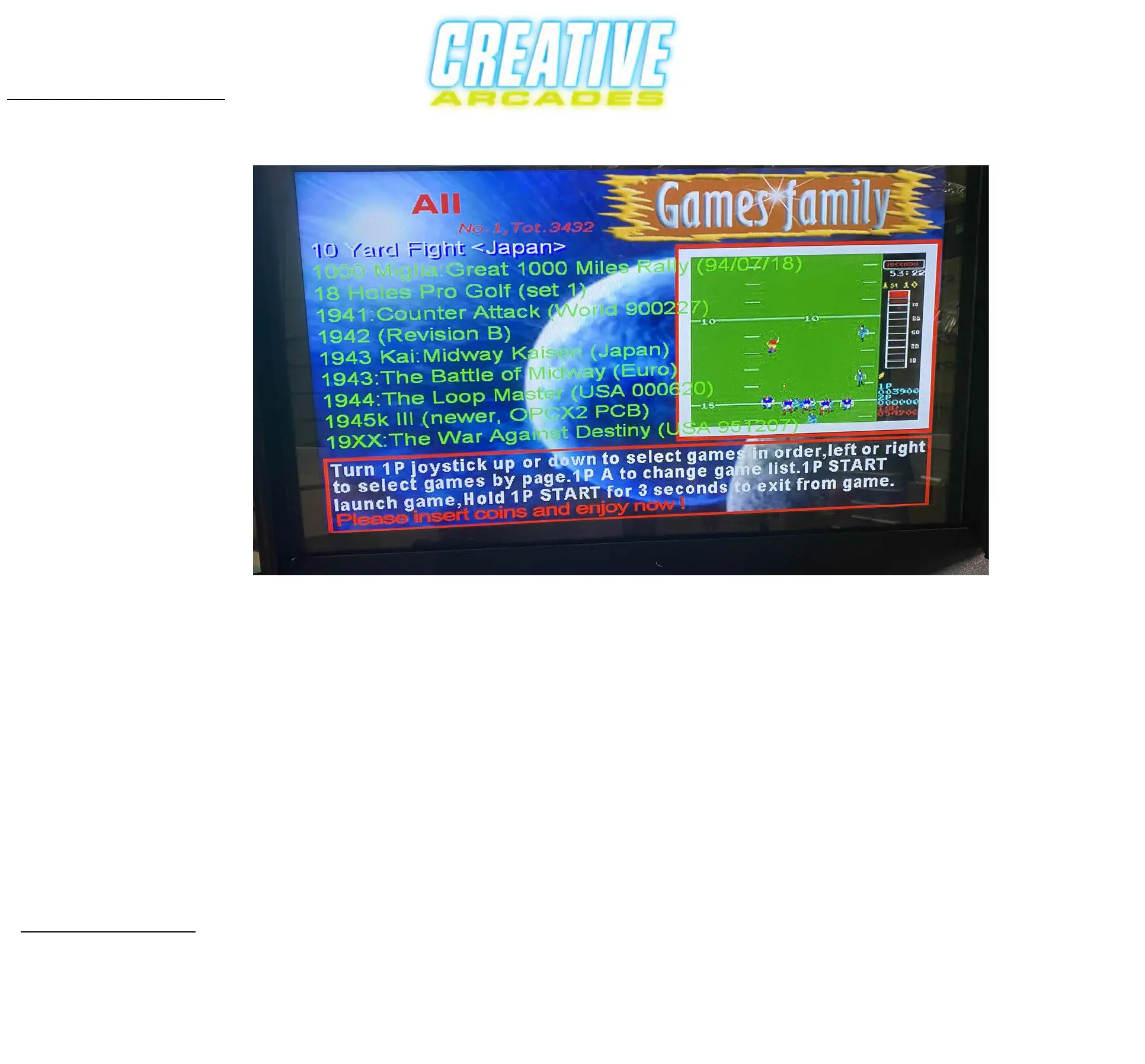
While on the game selection screen
you can push Player1_b button to cycle through the game categories one at a time then you can push down
on joystick to cycle down through game list one at a time, or press to the right and cycle through game list
TEN at a time. You can also hold the joystick to the right to go through the game list superfast.
Game Category is displayed at top left of screen in RED
Game Category - ------>
Game List ------------->
Game Selection


 To Next Page