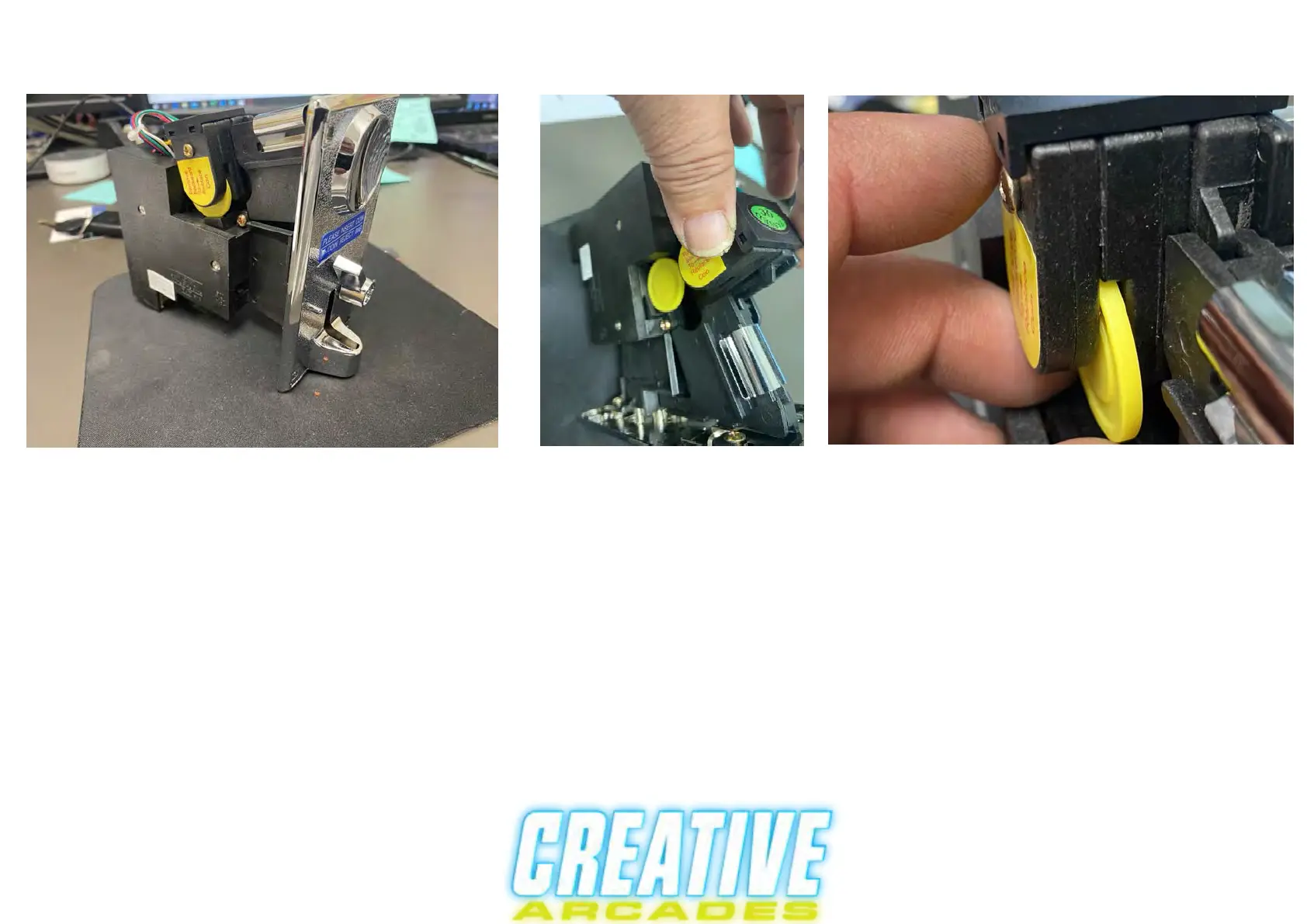
Setting up machine to take quarters
Step 1.
Locate the coin assimulator in fornt of the machine and open the coin door.
Step 2. Put in a sample quarter into the caddy tray as shown in figures D and E above.nt of the machine and open the
Step 3. Find the green QC sticker and pull up on it. It may be easier to lift up on it with the spring disconnected.
Step 4. Once you have it up, then you want to put your sample quarter in the cut as shown in figure E (the yellow disc is
a dummy coin that you need to replace with a real one.
Step 5. After you put your quarter in the caddy, then lower it back down.
Fine tuning the coin caddy will take a number of attempts to ensure accurate alignment when it is setups correctly, then
the quarter should fall all the way through. If it gets caught then the sample quarter is not in correctly and you must hit
the coin return lever to get it out and reinsert the sample quarter again. NOTE: the machine must be on for this to work.
It may take a couple of tries but it will work just keep trying!
Figure E
Figure D



 To Next Page