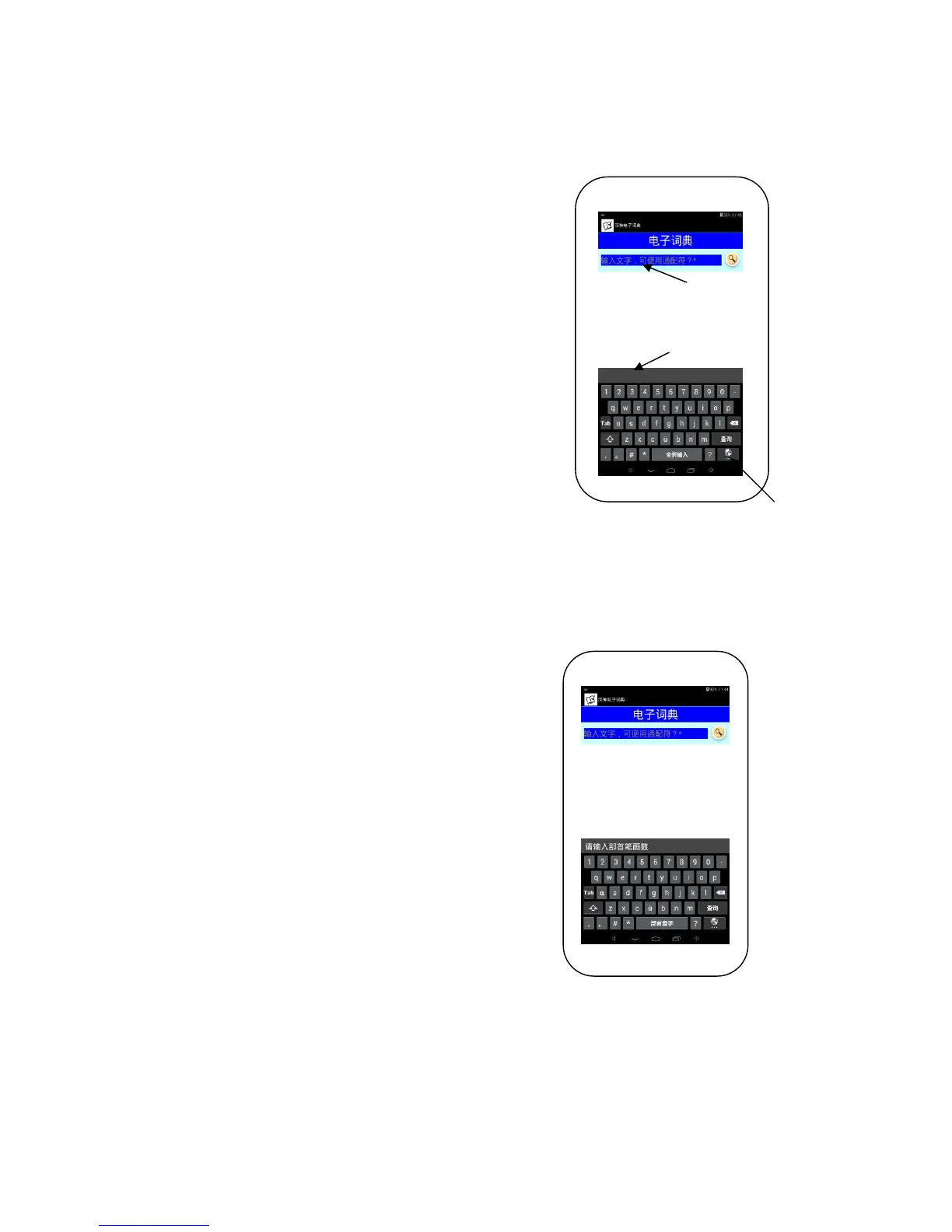
1.1 Pinyin Input
After switching to “Pinyin Input”, tap on the Input Bar to begin
typing.
Type the Chinese characters in Pinyin and it will show in the
“Choices Display”, tap on the character/ phrase you are looking
for and it will appear in the Input Bar. The explanation for this
character/phrase will instantly appear.
You may key in the whole pinyin, add pinyin tones, key in
consonant+full pinyin, or just the consonant of the word/phrase,
this can help ease the word search:
1.1.1 Single Character Input: Full Pinyin Input
e.g: cheng = 成、程、城
1.1.2 Pinyin Tones Input
e.g: cheng3=呈、惩(only shows 3
rd
tone words)
1.1.3 Phrases Input: Two character phrases and above
Full Pinyin Input
e.g: yixinyiyi =一心一意
Consonant input
e.g: rsrh=人山人海、如诗如画
Consonant+Full Pinyin Input
e.g: cgong=成功、船公、长工
Full Pinyin+Consonant Input
e.g: chengg=成功、成果、城管
*Pronunciation: The word/phrase searched are real life recorded,
explanations and examples are all TTS recorded.
1.2 Bushou Input
-Change the input method to “Bushou Input”
For example, the character “打”
-After entering the number of strokes. tap on“部首查字键”
e.g: 提手旁has 3 strokes, key in 3
-Choose the Bushou
Choose“扌”
-Key in the rest of the stroke amount and tap“部首查字键”
The remaining stroke amount is 2, key in 2
-Choose your character from the Choice Display
“打”
-Tap on Search for the explanation
Input Bar
Change
Input
Methods
Choices Display



 To Next Page