1.3 Handwritten Input/Stylus Input
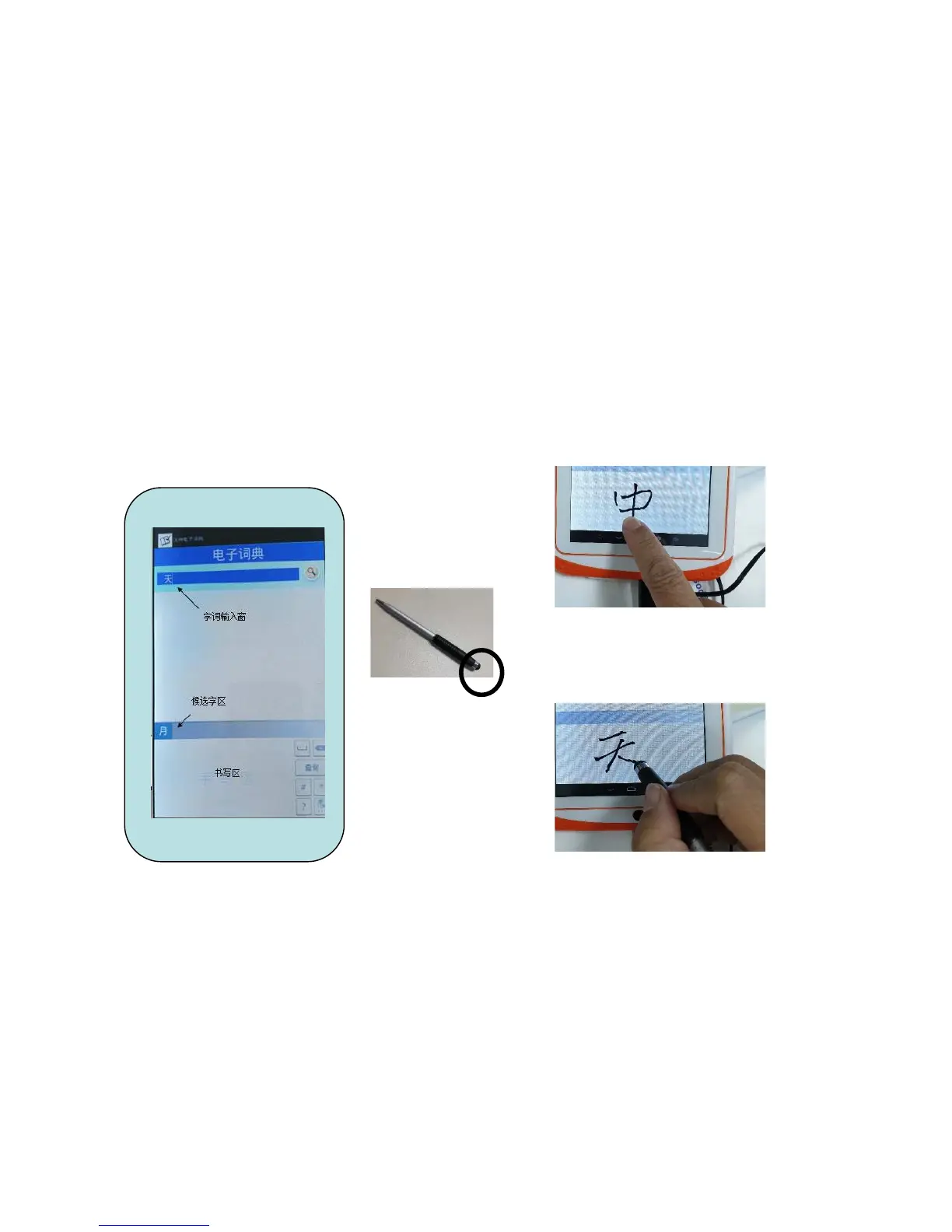
-Change the Input method to“手写输入”
-Directly write in the writing area
-Choose your written character from the Choice Display
-Tap on Search
Stylus
Able to input by using stylus
(Use the black rubber tip to write on the screen)
Able to input by fingers



 To Next Page