1.4 Additional Input Tips
No matter which input method and to help with ease
of search, the PX2201 provides many more effective
search options to aid word searches.
1.4.1 Wild card Input
Wildcard“*”,“?”can use the system to help
students determine the words they are unable to confirm.
“*” represents possibility of a few words
“?” represents possibility of one word
e.g: 不?不?=不卑不亢,不三不四
*日?=风和日丽
1.4.2 Cross searching function
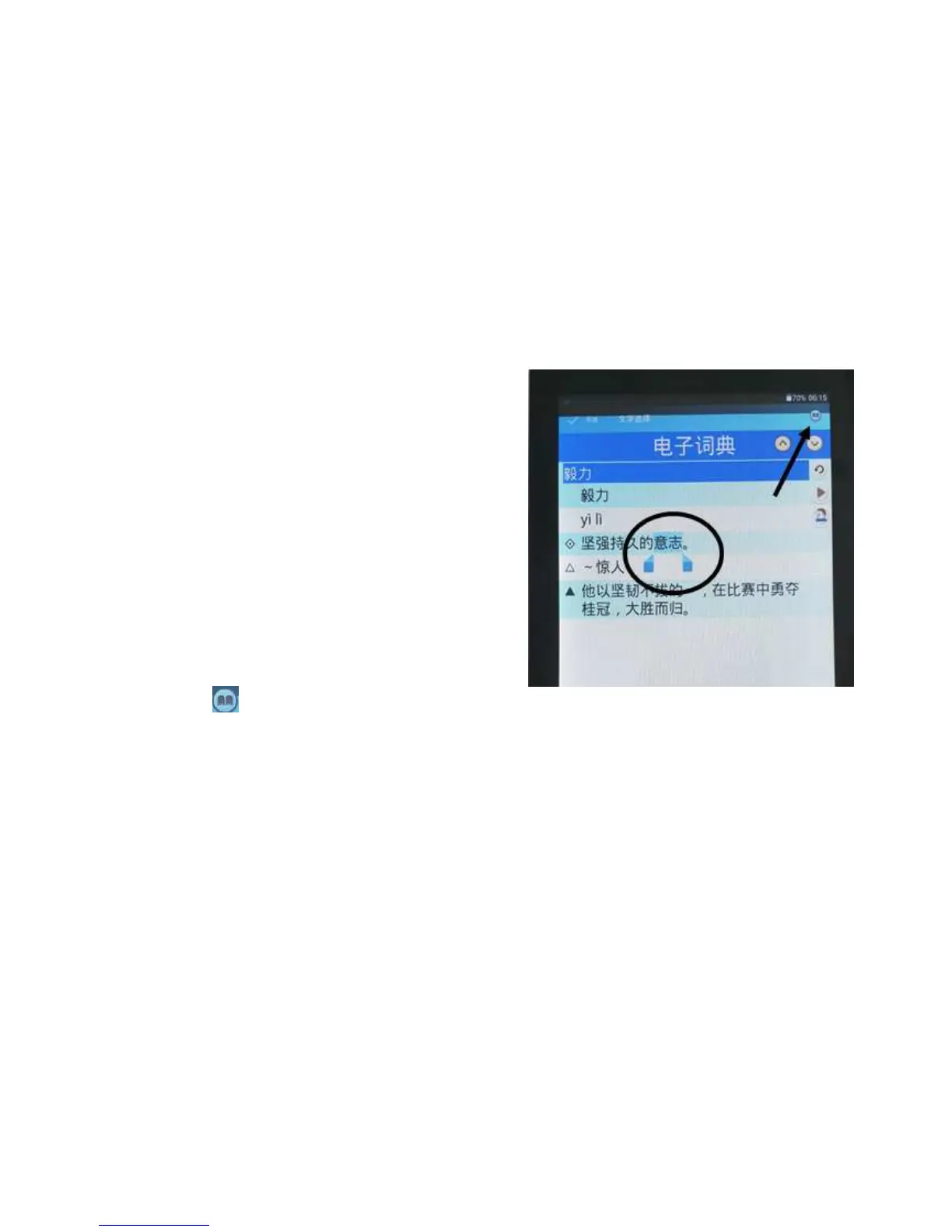
If you would like to know the meaning of certain
words displayed in the explanation, you may touch and
hold the words and it will be highlighted by the system.
Tap on this icon and the system will bring up the
explanation for those words/phrases.



 To Next Page