Changing the Modes
9
Scenery Observation
In photo shooting mode, look at the screen from Eyecup #9. Adjust the
diopter ring #8 to get the sharpest images. Adjust the objective focus knob
#1 to change the focus based on the object's distance.
The digital zoom turns on after pressing #12 and #15 – ranging from 1X to 8X.
If the light resource is enough, turn the IR light OFF to save battery power.
If there is no light around, you must turn the IR light ON and adjust the screen
brightness to make the image sharper.
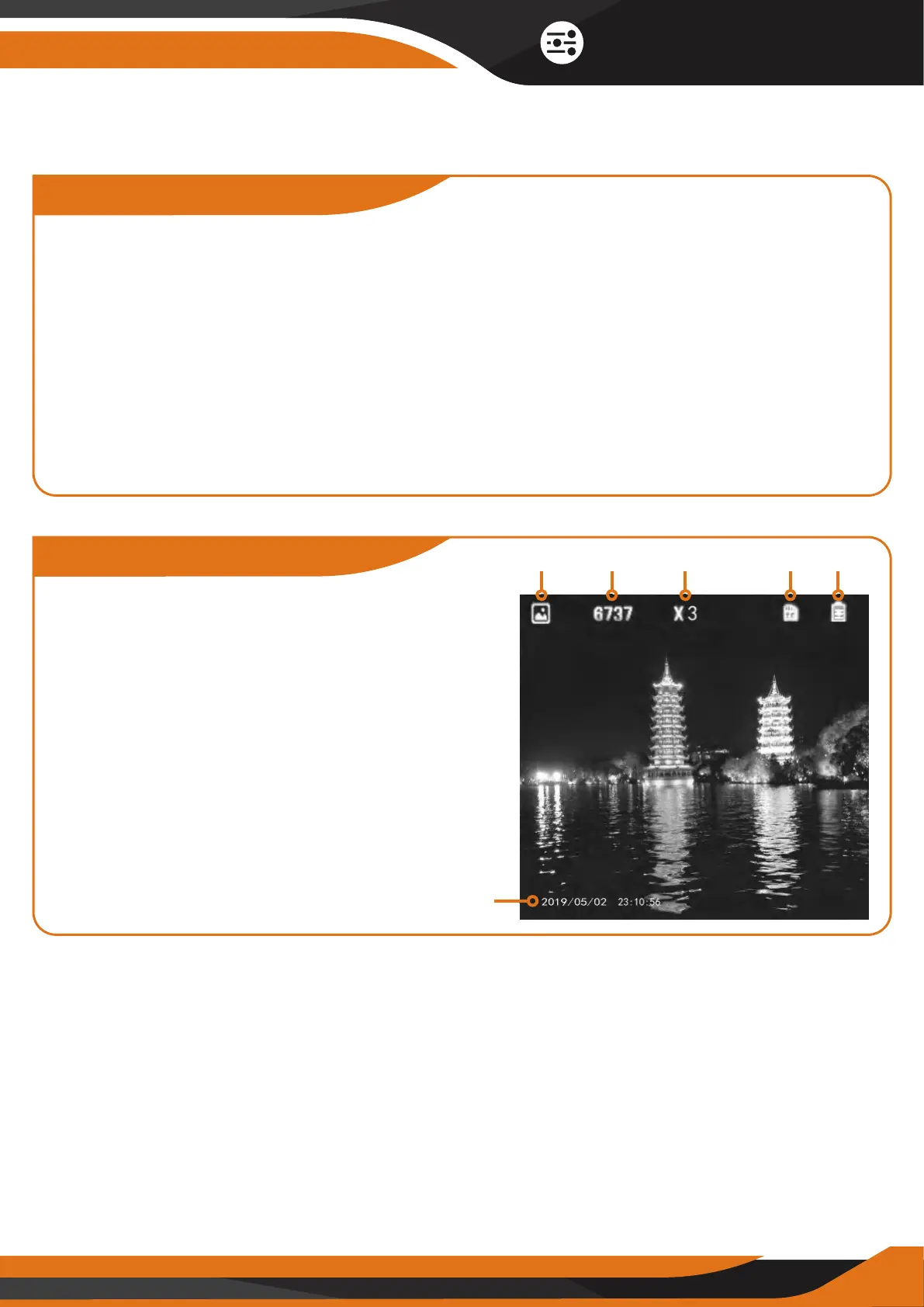
Icons Description
1 - Current mode(Photo shooting)
2 - Image Capacity Remaining
3 - magnification range
4 - TF card in
5 - Battery charge indicator
6 - System time
6
Picture 1
1 2 3 4 5



 To Next Page