Page 8
Creative XP 3G Scouting Trail Camera PRO3
Quick Start > Setup > Batteries
1.1
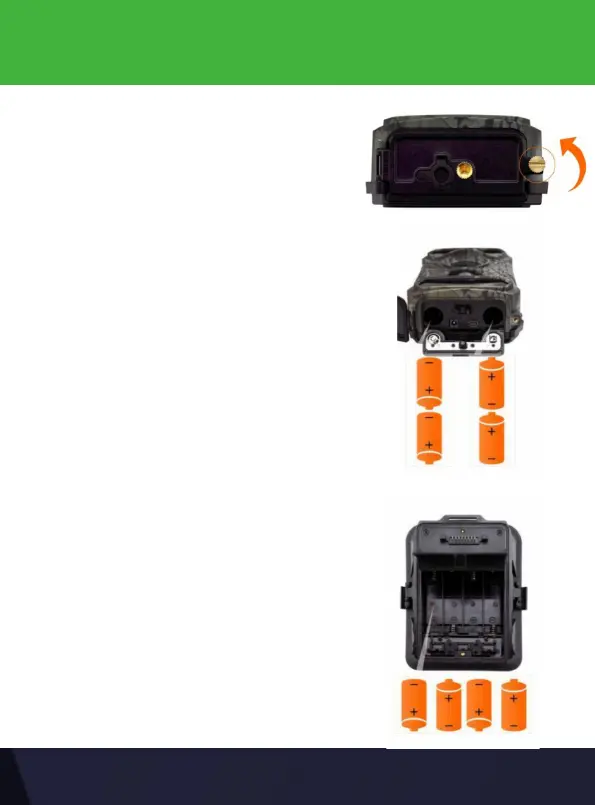
Press the “Push” cover and insert the rst
set of 4 AA batteries into the camera with
correct polarity (negative or “at” end
against the long spring of each battery
slot).
Unscrew the battery door at the bottom
For the second set of batteries, please
open the battery case and insert as shown
in the pictures below.


 To Next Page