Page 9
Creative XP 3G Scouting Trail Camera PRO3
Quick Start > Setup > SIM & SD Card
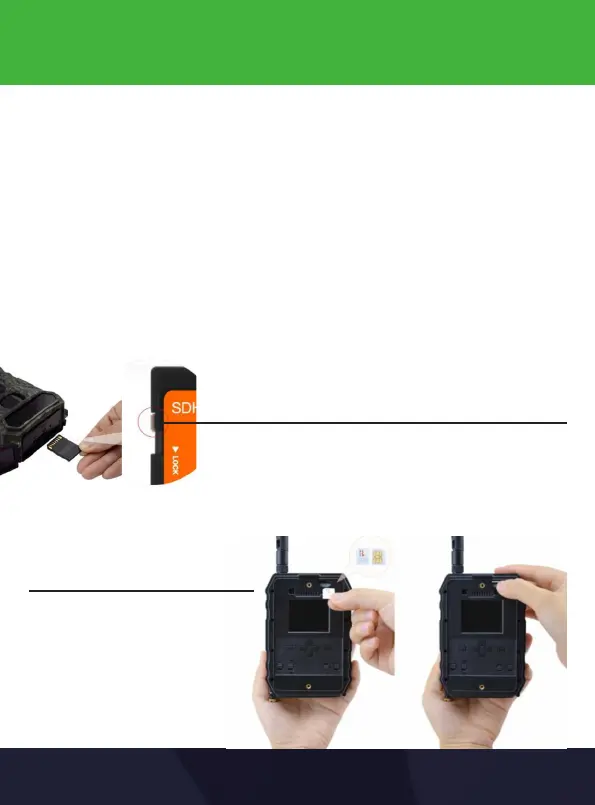
Step 3: Insert SIM card and SD card
• If you have a Nano SIM Card (smallest size), please use the included
SIM Card adapter to get it to Standard Size.
• If you have a MicroSD Card, you will need an SD Card Adapter to
convert it to the required size.
• Please make sure your SIM Card has a data plan or credit on it if you
are planning on using the 3G & MMS functions. We recommend
testing the SIM card rst on your mobile phone to make sure it’s
activated.
Make sure the SD Card is Unlocked before inserting
Push the SIM Card in
1.2


 To Next Page